




A fast internet plan does not always guarantee a stable connection. Wi-Fi congestion, device limitations, network throttling, and local outages can all affect real-world performance. Free internet speed test apps make it easier to check download speed, upload speed, ping, jitter, and connection consistency from your phone or tablet.
Overall, the best speed test app depends on what you need to troubleshoot. While some apps are best for a quick ad-free speed check, others provide testing history, coverage maps, app performance estimates, or more detailed latency metrics for gaming, video calls, streaming, and business communications.
SEE: Does a VPN Slow Down Your Internet Speed? (TechRepublic)
Top Wi-Fi apps comparison table
All the free speed test apps are effective, but it helps to look at the ratings and number of reviews on the App Store and Google Play to determine what appeals to you.
FAST Speed Test ranks lower in the ratings, but it has only received 239 reviews on the App Store. The others did better and generally got enough reviews to warrant an accurate rating.
| App | Best for | App Store rating | App Store reviews | Google Play rating | Google Play reviews |
|---|---|---|---|---|---|
| Meteor | Ad-free testing with app performance insights | 4.8 | 5.3K | 4.8 | 133K |
| Speedtest by Ookla | Most recognizable all-around speed test | 4.5 | 28K | 4.6 | 1.4M |
| FAST Speed Test | Quick, ad-free speed checks | 4.0 | 239 | 4.2 | 49.7K |
| Internet Speed Test Speedcheck | Speed history and Wi-Fi finder features | 4.9 | 98K | 4.5 | 545K |
| Speed Test Master | Basic Wi-Fi and mobile speed testing with high Google Play volume | N/A | N/A | 4.5 | 1.03M |
| V-SPEED Speed Test | More detailed latency, server, and results-history controls | 4.7 | 1.2K | 4.8 | 482K |
Best Wi-Fi apps to test network performance
Meteor
The Meteor app will perform a speedy network test and then list your download, upload, and ping performance. It also allows you to test anticipated performance for several apps, including YouTube, Slack, FaceTime, Google Maps, and Netflix. The app is available on the App Store and Google Play.
Speedtest by Ookla
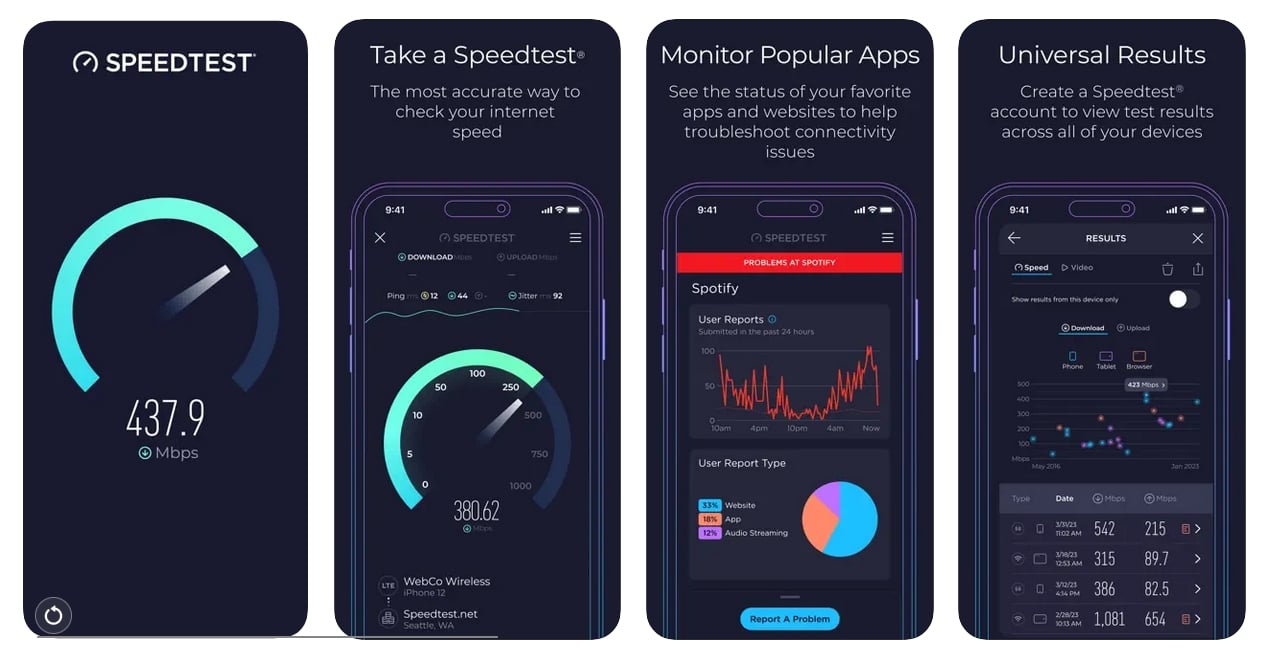
Speedtest by Ookla is one of the more popular Wi-Fi test apps on the market. Once downloaded, users can use the app to test network speed, streaming performance, and more. The in-app hamburger menu provides access to past performance results, listing previous download and upload speeds, as well as information on ping, jitter, and packet loss. It is available on the App Store and Google Play.
SEE: 9 VoIP Troubleshooting Tips (TechRepublic)
FAST Speed Test
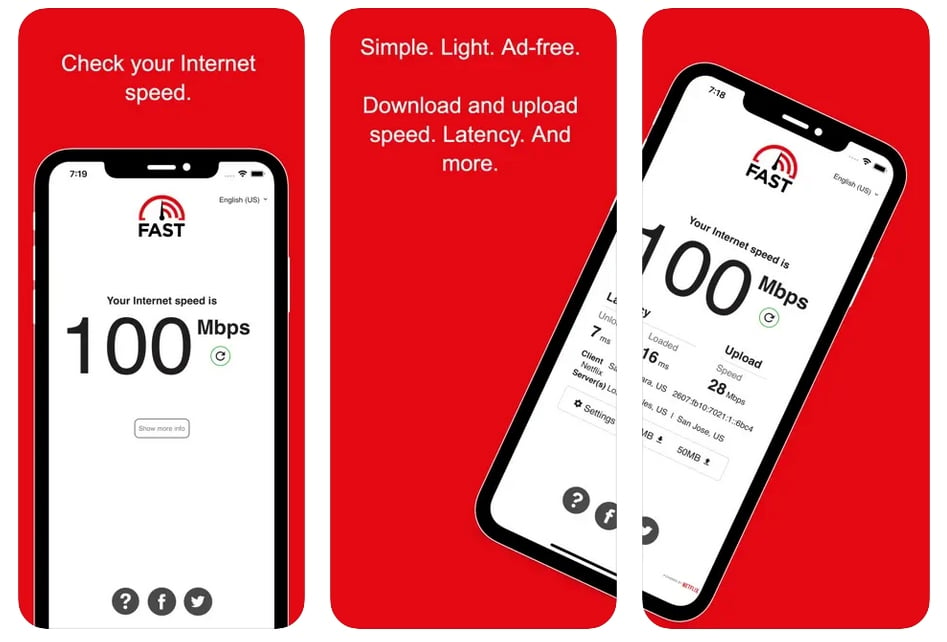
FAST Speed Test is owned by Netflix and is available as an app or on Fast.com. The app and web versions have minimalist interfaces, which are great for quickly checking your network speed without being bombarded by ads. However, it lacks the advanced network testing feature that other speed test apps offer. It’s available on the App Store and Google Play.
Networking: Must-read coverage
Internet Speed Test Speedcheck
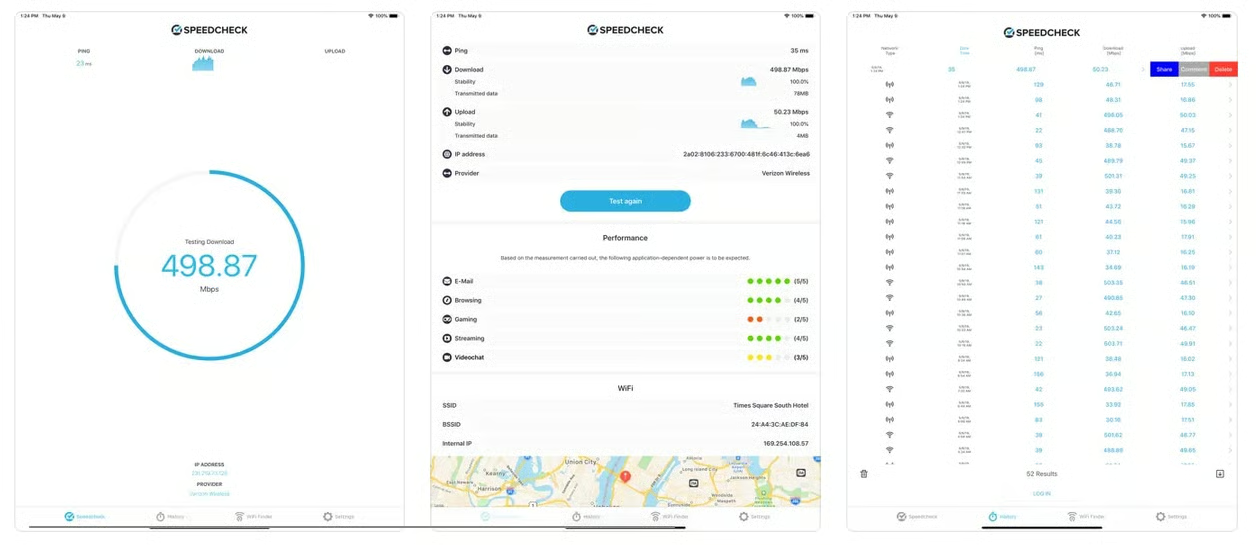
The Internet Speed Test Speedcheck app features a Wi-Fi speed test feature with a no-frills user interface. After the test, the results page will illustrate anticipated performance for email, browsing, gaming, streaming, and video chat using a five-point rating system. The app also makes it easy to peruse past speed tests to gauge performance history as usage and connectivity fluctuations over time. The bottom of the app includes a “WiFi Finder” button, but you must install a separate SpeedSpot app to use this feature. This is available on the App Store and Google Play.
SEE: What Is 5G? (TechRepublic)
Speed Test Master
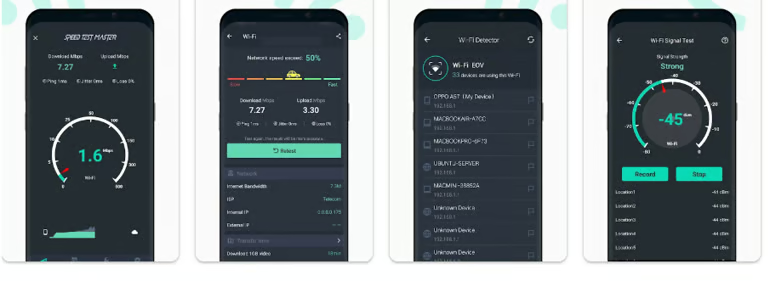
The Speed Test Master app performs a fast download and upload network test and displays the results, along with jitter and packet loss details. The tools feature also includes a Wi-Fi detector to detect nearby Wi-Fi networks. It is available on Google Play.
V-SPEED Speed Test
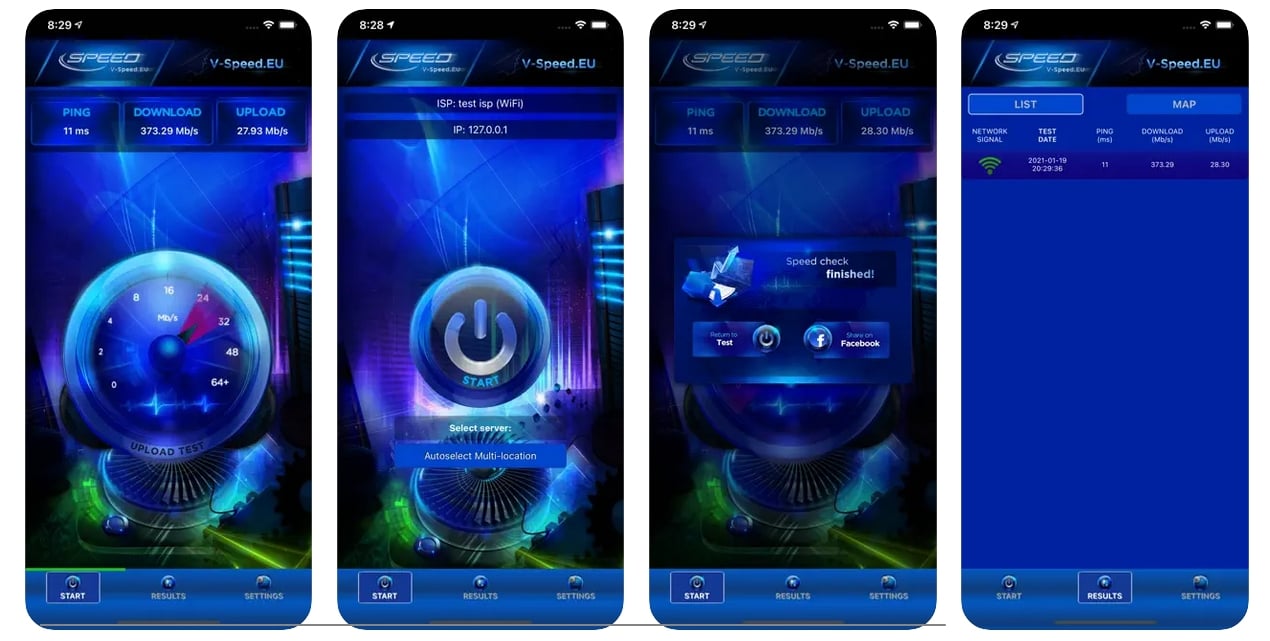
V-SPEED Speed Test offers a quick Wi-Fi test with a vivid, easy-to-navigate user interface. Similar to other apps on this list, it gauges network performance and stores past results. The app also makes it easy to share its Wi-Fi test results on social media for those so inclined. It is available on the App Store and Google Play.
How to choose the best internet speed test app
The best internet speed test app depends on how you plan to use it. For quick connection checks, a simple app may be enough. For troubleshooting, look for tools that include test history, latency metrics, and detailed performance data.
When comparing apps, consider:
- Core speed metrics: Download speed, upload speed, and ping are essential.
- Latency details: Jitter and packet loss can help identify issues affecting video calls, VoIP, and gaming.
- Test history: Saved results make it easier to track performance over time.
- Server options: Manual server selection can provide more accurate comparisons.
- Platform availability: Make sure the app supports your device, whether iOS, Android, or both.
- Privacy disclosures: Review what data the app collects and how it is used.
- Ease of use: A straightforward interface makes testing faster and easier.
For the most accurate results, run multiple tests at different times and locations before making changes to your internet plan or network setup.
Methodology
To choose the best free internet speed test apps, I reviewed widely used iOS and Android apps that help users measure internet performance from a phone or tablet. I prioritized apps that are free to download, easy to use, widely available on major app stores, and useful for diagnosing common connection issues such as slow downloads, weak Wi-Fi, high latency, or inconsistent mobile data performance.
I compared each app based on the following criteria:
- Availability: I checked whether each app is currently available on the Apple App Store, Google Play, or both.
- User ratings and review volume: I considered app store ratings and review counts as signals of user adoption and overall satisfaction, while recognizing that ratings can change over time.
- Testing features: I looked for support for download speed, upload speed, ping, jitter, server selection, test history, coverage insights, and other diagnostic tools.
- Ease of use: I favored apps that make it simple to start a test and interpret results without requiring technical expertise.
- Use-case fit: I evaluated whether each app is better suited for quick checks, Wi-Fi troubleshooting, mobile data testing, gaming, streaming, video calls, or more advanced network diagnostics.
- Privacy and data transparency: I reviewed app store privacy and data safety information where available, since free speed test apps may collect network, device, usage, performance, or location data.
The final recommendations are based on a combination of public app store information, listed features, platform availability, user feedback signals, and practical usefulness for everyday internet troubleshooting. App ratings, review counts, features, and availability may change, so users should confirm current details in their device’s app store before downloading.
Read the full article here