



Your Android PIN may not be as private as you think. Hackers are now lifting it straight from your screen across hundreds of apps using banking trojans.
A malware surge affecting over 800 Android apps is turning a legitimate system feature into a surveillance tool, enabling attackers to exploit at scale. With four distinct banker malware identified, this campaign follows a trend of threat actors bypassing traditional shields by tricking users into granting them dangerous permissions.
By abusing the Android overlay feature, the malware can monitor screen content, user interactions, capture PIN entries, and deploy fake screens, enabling attackers to initiate sensitive actions and, in some cases, full device or account takeovers.
Unpacking the attack campaign
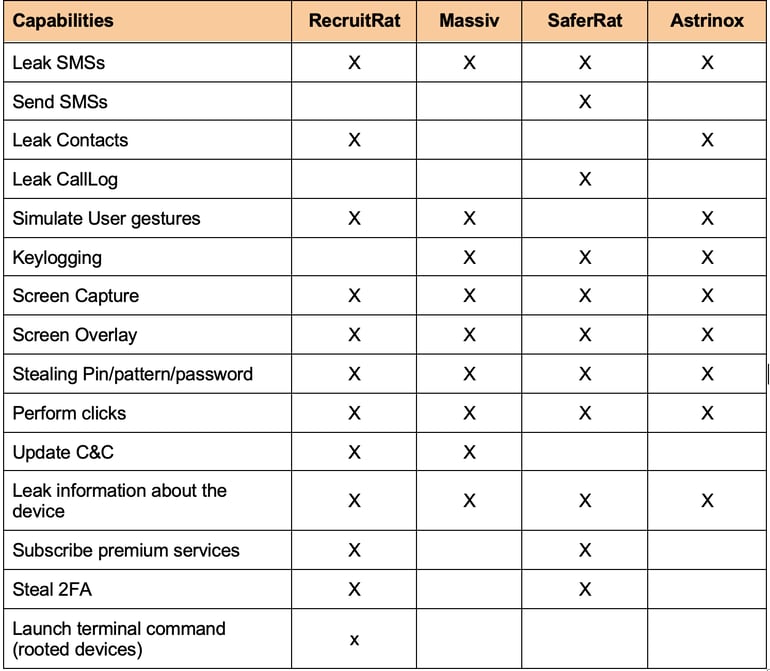
According to findings from Zimperium, its zLabs research team identified four parallel Android banking campaigns, each with different execution chains, but a shared objective. The team identified these campaigns as RecruitRat, SaferRat, Astrinox, and Massiv, a campaign it notes affects over 800 apps across banking, cryptocurrencies, and social platforms.
Entrance and persistence
Zimperium notes that the campaign relies on various forms of phishing to gain a foothold on victims’ devices.
When they are not impersonating legitimate platforms through homograph attacks, they send SMS messages designed to create a sense of urgency, prompting their victims to click on malicious links.
Another entry method is social engineering: promising victims premium services or solutions for free if they sideload apps from attacker-controlled websites.
Because these payloads come from either fake apps or cloned legitimate ones, they need to be sideloaded. And since Android now has strict sideloading rules, the team notes that this campaign abuses the Native Session Installation API to bypass them.
Upon infecting the victim’s device, the malware requests permissions disguised as necessary for normal app functionality. To evade further instant detection, it uses a multi-stage malware installation process.
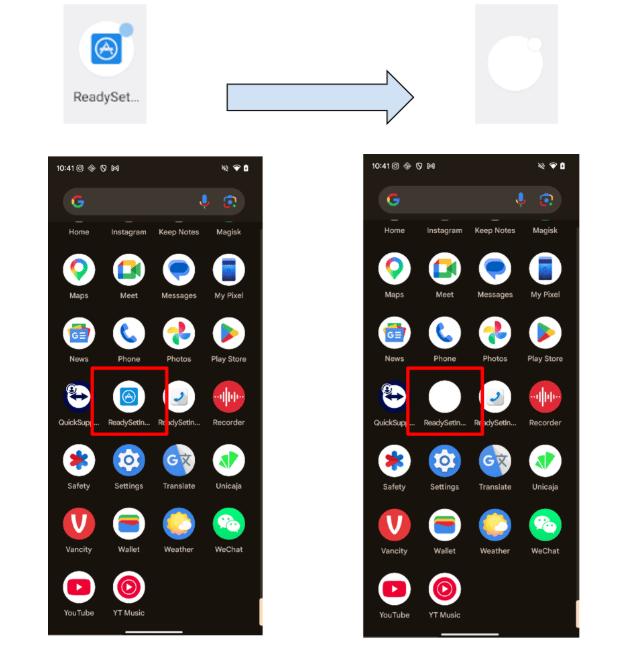
The Trojan gains persistence by actively resisting uninstallation. SaferRat, for example, manipulates system navigation to make it difficult for users to delete it. RecruitRat, on the other hand, applies transparency effects, making it vanish from the app drawer.
Execution
All four malware campaigns operate similarly. SaferRat, often distributed via enticing fake offers, executes its payload via a dropper (an example of a multi-stage installation). During observation, the dropper masquerades as a Google Play Store update prompt, urging the user to install a fake update. The logic is simple: users trust such prompts, resulting in lowered suspicion.
The next stage of attack is where it gets more interesting. The dropper now requests Accessibility Service permission. For many users, this permission isn’t visibly tied to privacy or security, so they grant it. However, with this permission, an app can:
- Read screen contents
- Monitor interactions
- Carry out tasks on the user’s behalf(clicks, swipes, typing)
- Create an overlay on top of other apps.
With this access, it then requests additional high-risk permissions. Only that this time, it uses a non-interactive overlay to hide what’s happening, preventing the user from seeing those permissions being granted. In its report, the team states that such permissions include access to contacts, device state, and SMS messages.
End objective
Armed with permissions to evade detection and carry out its activities, it proceeds toward its main objective: finding and launching targeted attacks on apps. It begins by scanning the device for apps across banking, crypto, or social media. As the team notes, “the effectiveness of a modern banker depends on its ability to identify high-value targets,” using different reconnaissance methods.
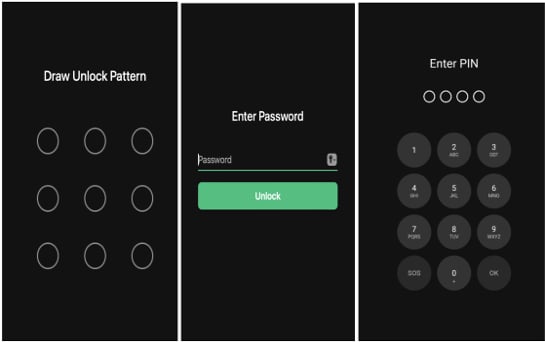
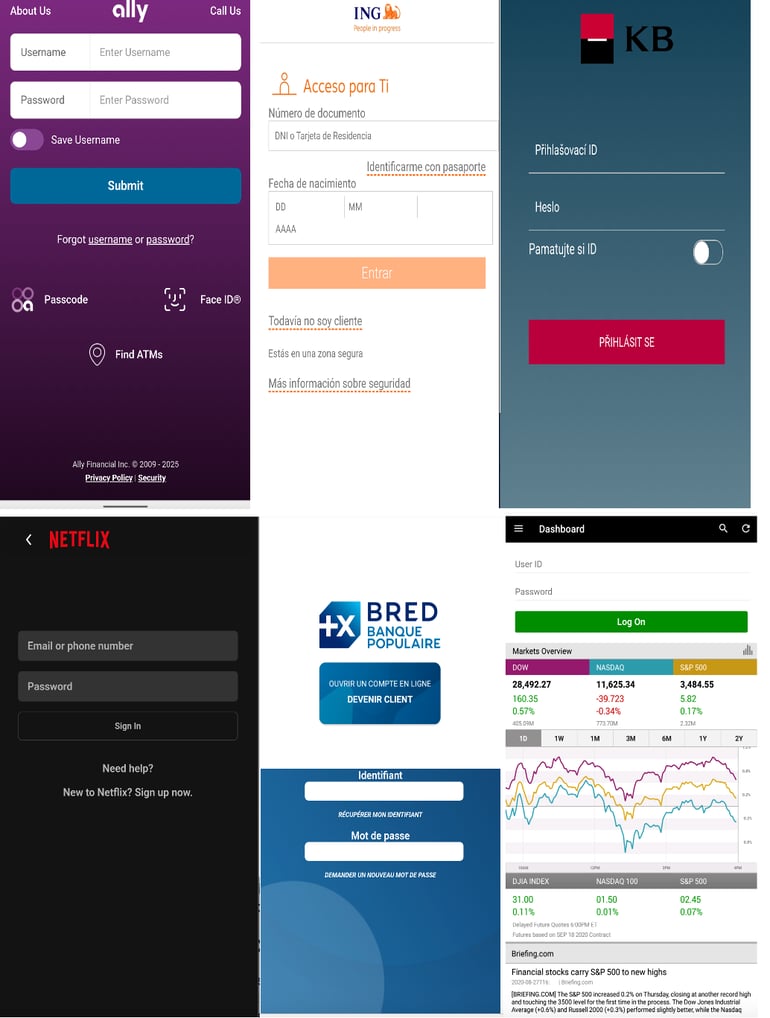
Once a target is found, it launches app-specific exploits. To gain deeper control, it deploys a fake PIN unlock overlay, tricking users into entering passcodes or patterns while capturing them in real time. This same technique is used to steal app logins and authentication codes.
Massiv and Astrinox have also been observed deploying static full-screen overlays disguised as system prompts or updates, enabling them to authorize actions, carry out malicious activities requiring the device passcode, or trigger navigation clicks behind the overlays.
Another tactic involves monitoring users’ activity to trigger a cloned overlay the moment a targeted app is opened, fooling the user into thinking they’re interacting with the actual app. The exact method for this depends on the malware campaign.
How do you stay safe?
Banking Trojans are one of the most sophisticated forms of mobile malware, often used in large-scale attack campaigns. But users still have safety options.
Using anti-malware tools can help detect and block threats like these. In some cases, stealth-focused malware has been found to avoid executing on protected devices to remain undetected.
Avoid sideloading apps, unless you fully trust the source. Do this instead: Open the Google Play Store > Search for an app > Install it. Plus, if something sounds too good to be true, it probably is.
One last tip here: review and revoke unnecessary Accessibility permissions. Aside from system apps, most apps shouldn’t need it. Overlay permissions should also be checked regularly for signs of weird app access.
Also read: A new iPhone scam targeting millions is using fake Apple Pay fraud alerts, bogus investigators, and social engineering to drain victims’ accounts.
Read the full article here