
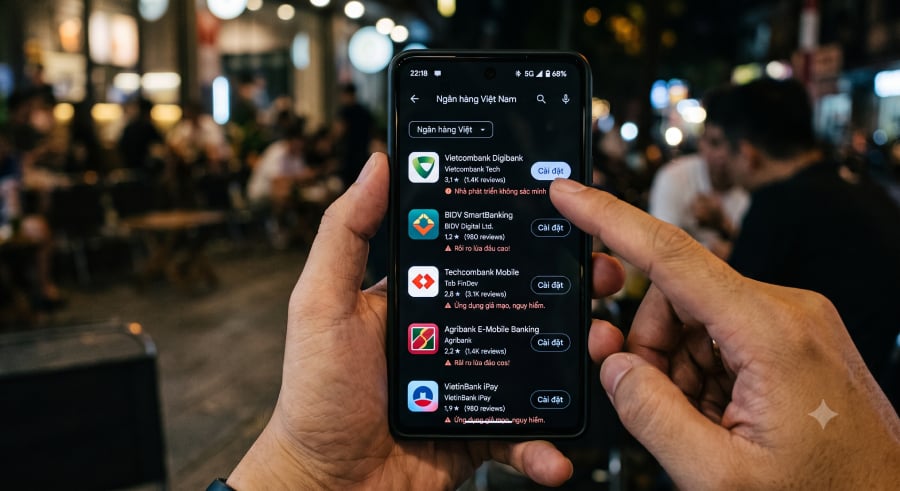

A fake banking app is giving scammers remote control of Android phones across Southeast Asia.
Researchers at Group-IB identified the malware as RedHook. Criminals contact users by phone or message, send them to counterfeit websites, and persuade them to install the app and approve a powerful Android permission.
One download can expose financial accounts and personal information stored on the same device.
Trusted names lead victims to fake apps
The attack begins with a simple call or message. Scammers may claim to represent a bank, public agency, or support team, then invent an urgent account problem that supposedly requires a new app.
Links sent during the conversation lead to counterfeit pages that copy Google Play or a familiar institution. Earlier versions impersonated Vietnamese banks, traffic police, and electricity providers, helping the download appear legitimate.
Installation alone is not enough. RedHook also requests Accessibility access, a permission granted to tools such as screen readers. Once approved, the malware can read screen content and press buttons on the user’s behalf, allowing it to change settings without repeated input from the victim.
Remote control exposes banking and identity data
Screen access gives operators a view of typed information and incoming messages. One-time banking codes may appear alongside login details, while fake forms can collect account information or identity records.
Operators can then act on what they collect. Once the required permissions are granted, remote commands can activate the camera and install or remove apps. Group-IB found 53 commands in the latest version, up from 34 when researchers documented the malware in 2025.
Wireless Debugging adds another layer of control. Android developers use the setting to test phones without a cable, but RedHook can turn it on after receiving Accessibility access.
According to BleepingComputer, the malware “essentially turns the phone into its own ADB client,” using the device’s developer connection to gain access a standard app would not receive.
Researchers have not classified the method as a zero-day. Someone still has to install the app and approve the requested permission before the malware can take over.
Must-read security coverage
One fake app can open several paths to fraud
Mobile banking users face the most immediate risk because a single phone may store login credentials and receive the code needed to approve a transfer. Remote access can place both pieces in front of the attacker at once.
Financial theft may be only one outcome. Camera access and fake verification forms can expose identity documents or facial images, which criminals could reuse in later impersonation or account recovery scams.
Group-IB has confirmed targeting in Vietnam and Indonesia. Operators could reuse the same method elsewhere by changing bank names, government branding, and language to match local institutions.
Anyone who receives an unexpected app link should verify the request through an official website or phone number. Banking and government apps also deserve extra scrutiny when they request Accessibility permissions after being downloaded from outside Google Play.
Also read: An exposed WP-SHELLSTORM server has pulled back the curtain on a campaign tied to 25,000 compromised WordPress sites.
Read the full article here