




Unlike most years, Apple’s WWDC 2026 carried more weight than usual, not just because it was Tim Cook’s final keynote as CEO, but also because it represented Apple’s chance at redemption after missing deadlines, mounting questions, and criticism about its ability to keep pace in the AI race.
Fortunately, Apple answered many of those questions on June 8, 2026, unveiling an upgraded AI-powered Siri alongside a range of new Apple Intelligence features, while also raising a few fresh questions. WWDC was packed with announcements across six operating systems that underpin Apple’s ecosystem of devices.
Here’s a quick roundup of everything that the company announced during its WWDC 2026 keynote.
Apple WWDC 2026 at a glance
| Topic | What Apple Announced |
| Operating Systems | iOS 27, iPadOS 27, macOS Golden Gate, watchOS 27, visionOS 27, and tvOS 27. |
| Design Changes | A refreshed design language brings greater visual consistency across Apple’s platforms. |
| Siri AI | Rebuilt Siri powered by Apple Foundation Models and Google Gemini, with deeper integration across apps and system features. |
| Apple Intelligence | New AI features for writing, productivity, communication, and contextual assistance tools. |
| iOS 27 | New customization options, AI-powered features, and system-wide improvements for speed and efficiency. |
| iPadOS 27 | Improved multitasking, productivity features, Apple Intelligence integrations, with new Siri AI. |
| macOS Golden Gate | New continuity features, productivity tools, and Siri AI. |
| watchOS 27 | Health, fitness, and personalization updates, along with the new Siri AI experience. |
| visionOS 27 | New spatial computing features, app capabilities, and ecosystem integrations. |
| tvOS 27 | Updates focus on entertainment, home integration, and user experience improvements. |
What’s new in iOS 27?
In line with the early rumors, iOS 27 is indeed a Snow Leopard-style software update that fixes all the underlying machinery.
Better day-to-day performance
The result is an update that feels faster and brings several quality-of-life improvements for iPhone users, including up to 30% faster app launches and up to 70% quicker photos loading times (after you’ve shot them), and, the most important one for me, up to 80% AirDrop transfers.
And it’s not like iOS 27 only focuses on the new or recent iPhone models. Even if you’ve been holding on to an older iPhone that supports iOS 27, a rebuilt CPU scheduler will make it feel genuinely more responsive in day-to-day use.
Liquid Glass transparency slider
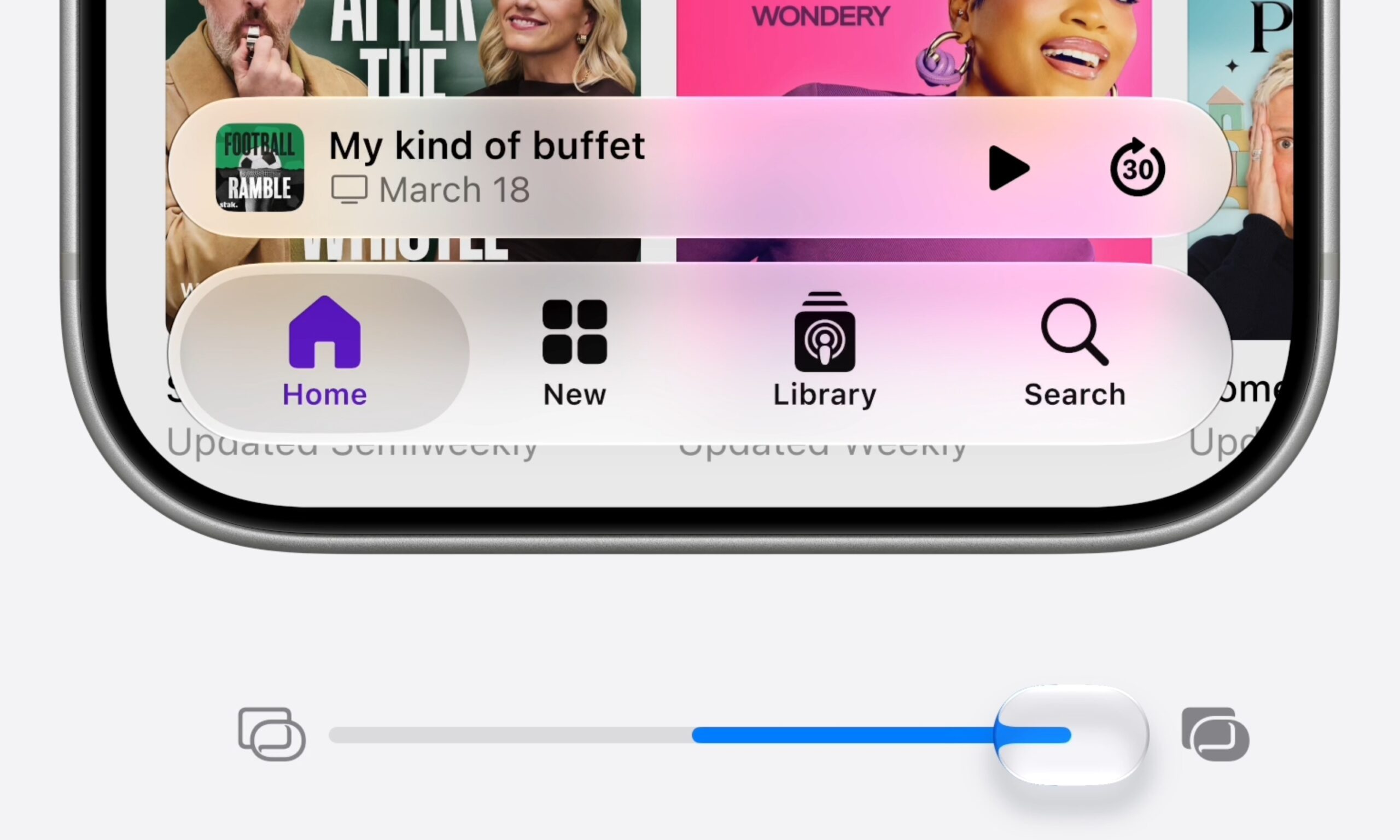
Addressing the legibility issues with Liquid Glass, Apple has added a new transparency slider that lets you dial it anywhere from ultra-clear to fully tinted. App icons have also been sharpened with additional refraction layers, and toolbars and sidebars (within apps) have been cleaned up for a more uniform look.
Safari, Search, Health, and everything else
Apple’s Safari web browser adds topic-based tab organization and a built-in Notify Me feature (for product restocks and price drops).
System-wide Search has been rebuilt from scratch. It now comes with a new index that loads on update, delivering faster and more reliable results across apps like iOS, Mail, and Photos. Mail gets a new ranking system that surfaces more relevant results.
Apple Maps gets an AI-powered Flyover that shows cities in a three-dimensional birds-eye view, with detailed and labeled environments including landmarks and buildings. The Passwords app now autonomously navigates to vulnerable sites and upgrades weak passwords.
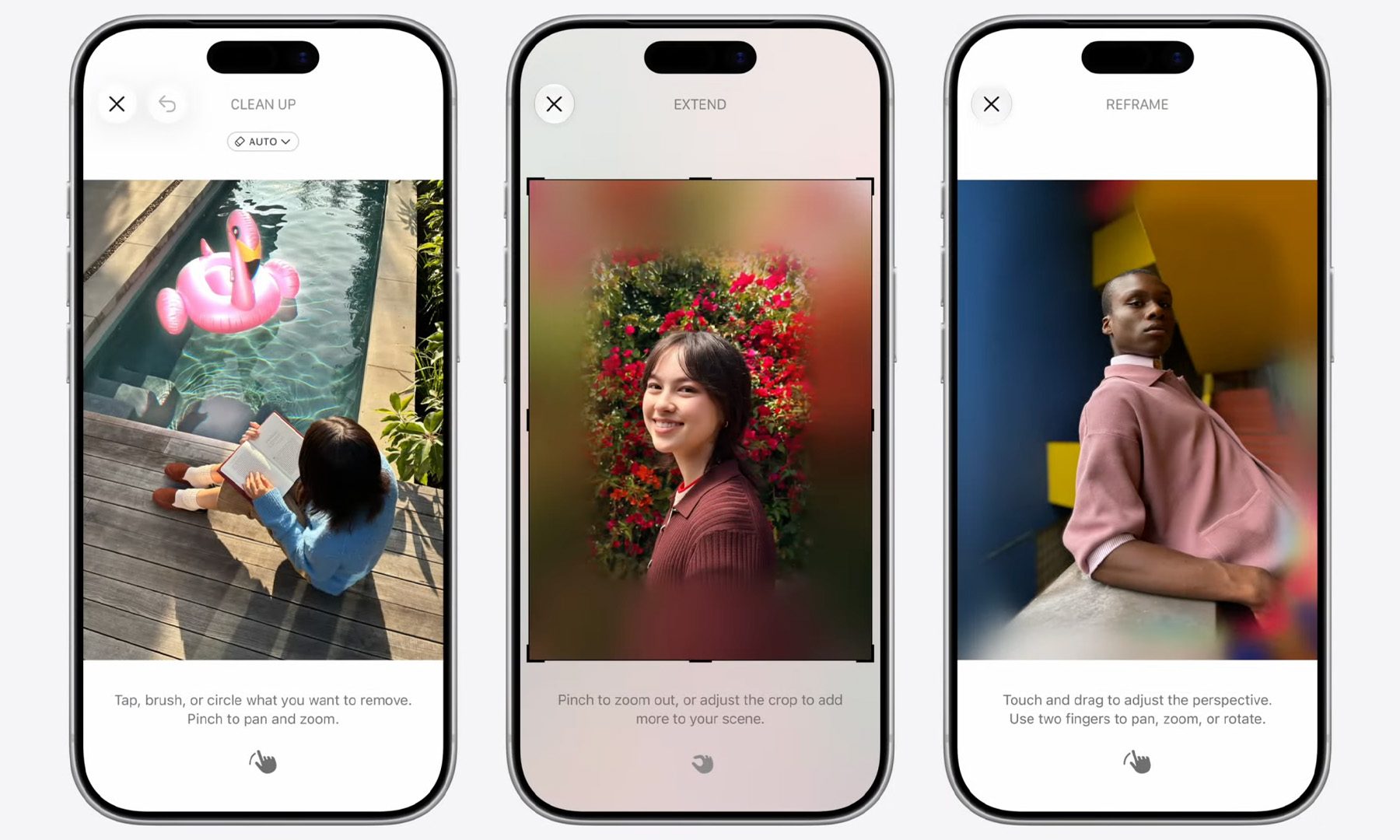
The Health app gets perimenopause and menopause support for Cycle Tracking, with notifications for deviations. Apple Photos now offers a new slideshow maker, along with three new Apple Intelligence powered editing tools: Spatial Reframing (the one I’m most curious about), Extend, and upgraded Clean Up.
You might have missed it, but Apple also announced a new way of creating Shortcuts. Instead of learning how to create them, you can simply describe a Shortcut in plain language, and iOS 27 will create one for you. That’s a win for most iPhone users I know, who never touched Shortcuts before.
iCloud Shared Albums now support full-resolution sharing with Windows and Android users, while CarPlay gets video app support.
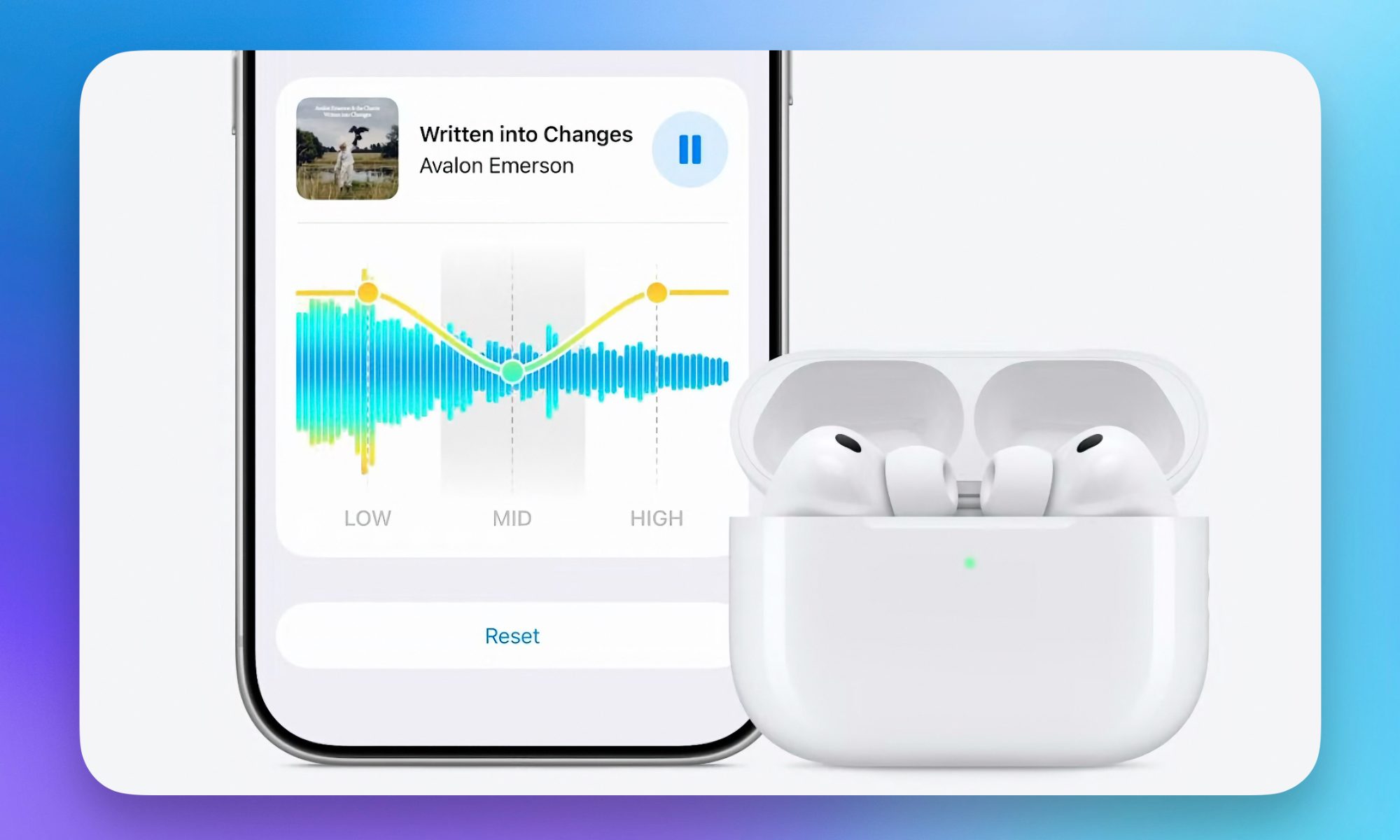
I’ve been wanting a custom EQ for AirPods for longer than I care to admit, and iOS 27 finally delivers it, and with iOS 27, I’ve got that as well. The AirPods Pro 3 also get GymKit heart rate syncing through the iPhone. Apple’s Home app also gets consolidated notifications, powered by Apple Intelligence.
Child safety and parental controls
The European Union (EU) has been a major regulatory driver behind all the child safety and parental control announcements you’re seeing from different companies, and Apple’s new child safety and parental control features, including Ask to Browse, Communication Safety enhancements, and Declared Age Range API are built around protecting younger users.
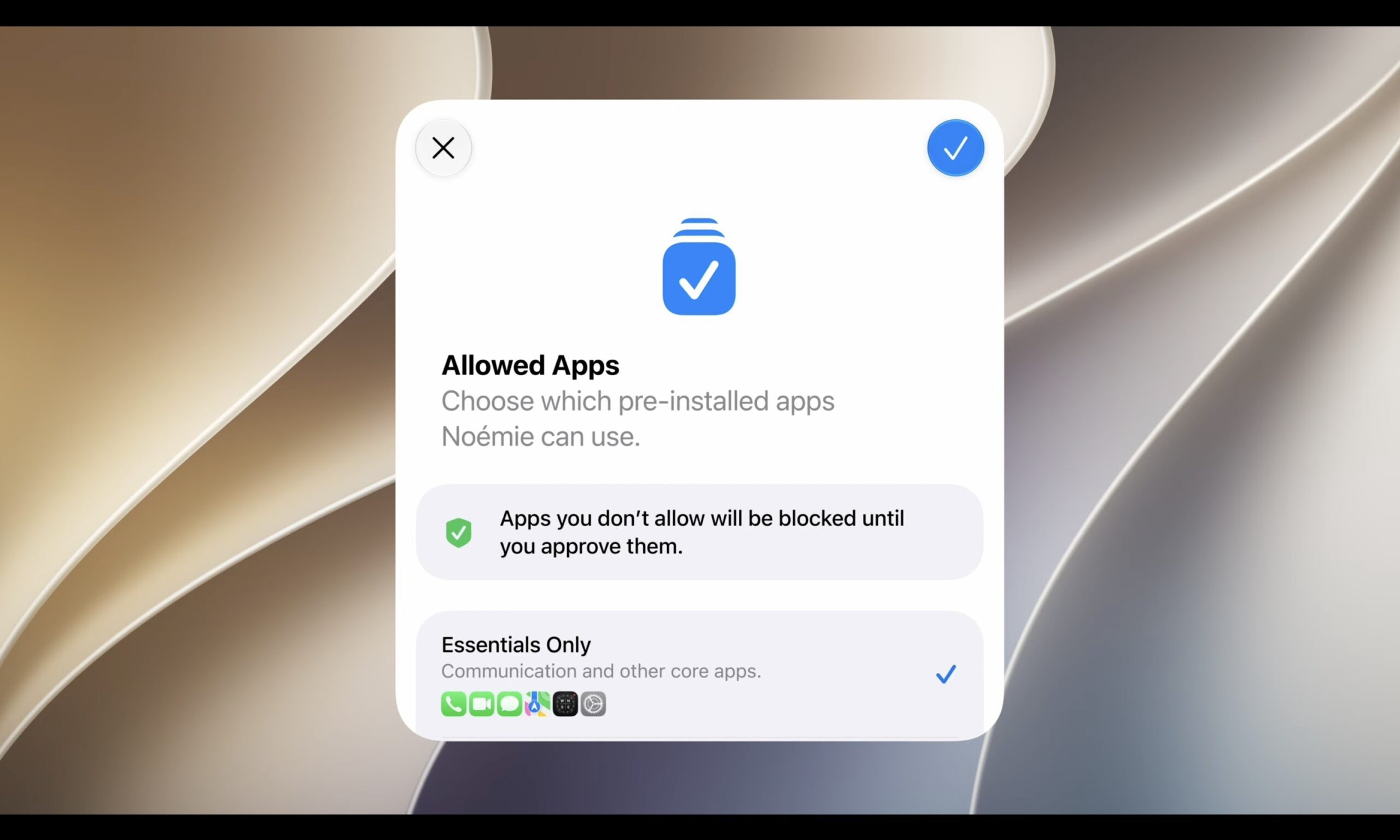
With a child account enabled, users need explicit real-time parental permission before accessing a new website via Safari. Communication Safety now blocks graphic violence and gore in shared images and videos. Developers can request a child’s broad age bracket via the child account without asking for an exact birth date.
Other features include mandatory contact approvals, category-specific time allowances, Screen Time dashboard overhaul, and a simplified child account setup.
iOS 27 compatibility and release timeline
Apple’s latest iPhone operating system doesn’t drop any old iPhones, including all the models in the iPhone 11 lineup. Apple Intelligence still required an iPhone 15 Pro or newer model, while the most advanced on-device AI features require the A19 Pro chipset (including the new Siri tone and updated dictation flows).
| Version | Date / Timeline |
| Developer beta | June 8, 2026 (live now) |
| Public beta | July 2026 |
| Stable release | Fall 2026 (expected mid-September) |
What is Siri AI and what can it do?
The old Siri, at least in my experience, wasn’t all that bad. It showed up and performed well for tasks like setting alarms, general knowledge questions, enabling/disabling location services, etc.
But when Google’s Gemini and third-party assistants like ChatGPT, Perplexity, and Claude raised the bar, Siri started to feel like it was stuck in the slow lane.
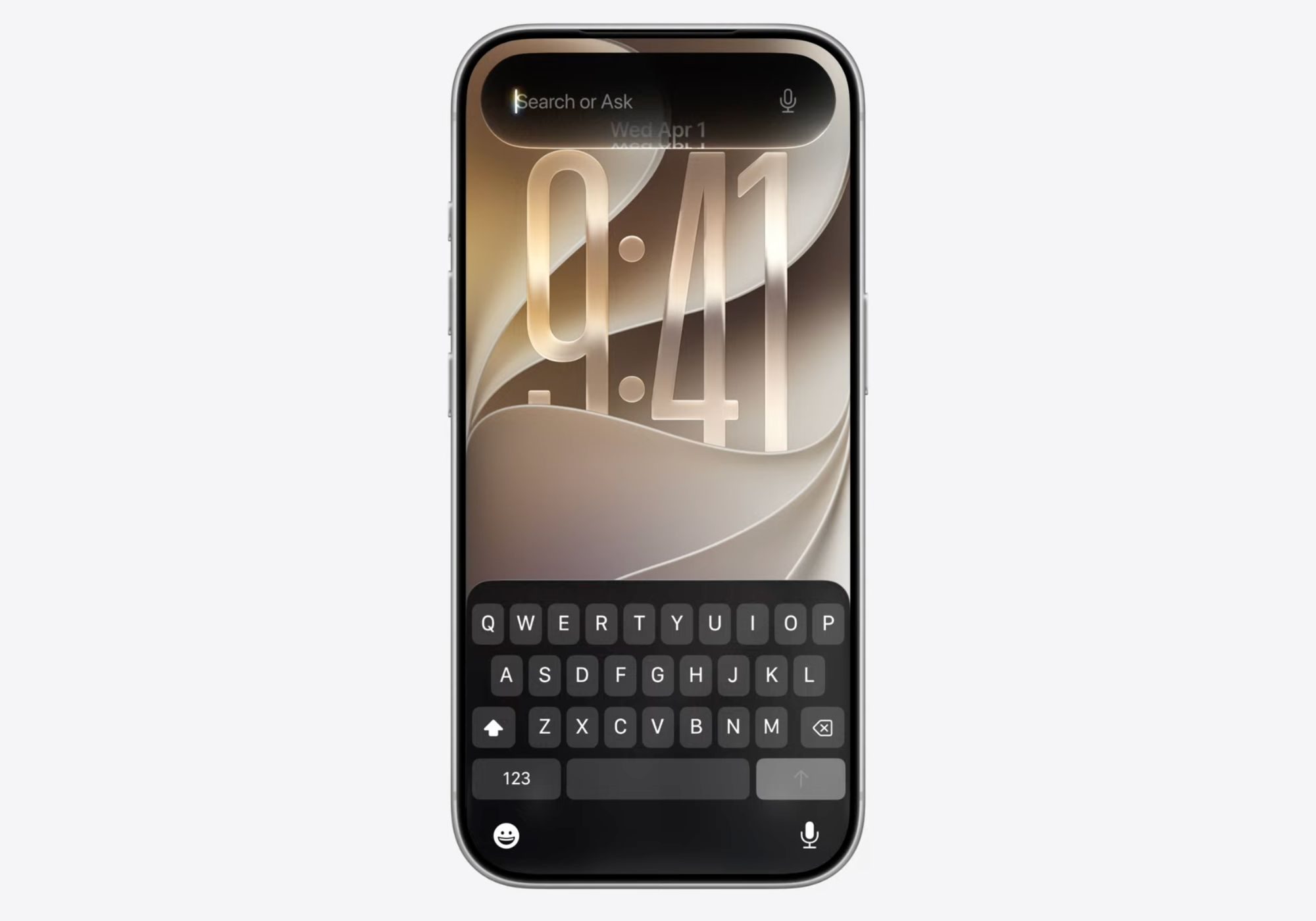
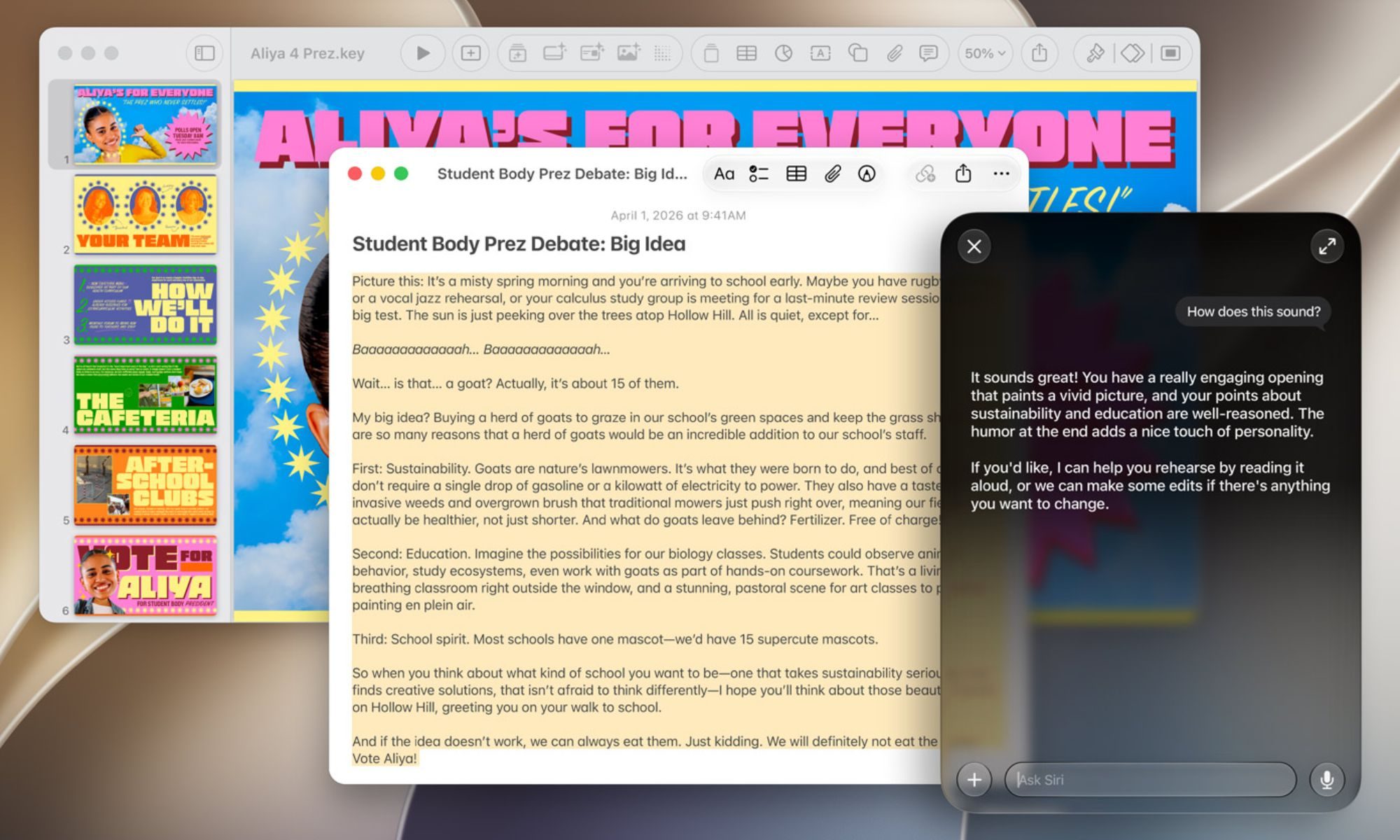
Apple’s new Siri AI fixes that. Built on Apple’s Foundation Models and Google’s Gemini tech, the new AI assistant now operates at the operating system level. This means that Siri can now access your Messages, Mail, Photos, and the on-screen content, in real-time, without switching apps.
WWDC 2026 demos showed Siri surfacing specific photos with filtered faces without opening the Photos app, building a multi-stop navigation route by identifying a beach arch from an on-screen photo, and pulling up something a contact mentioned in a week-old message.
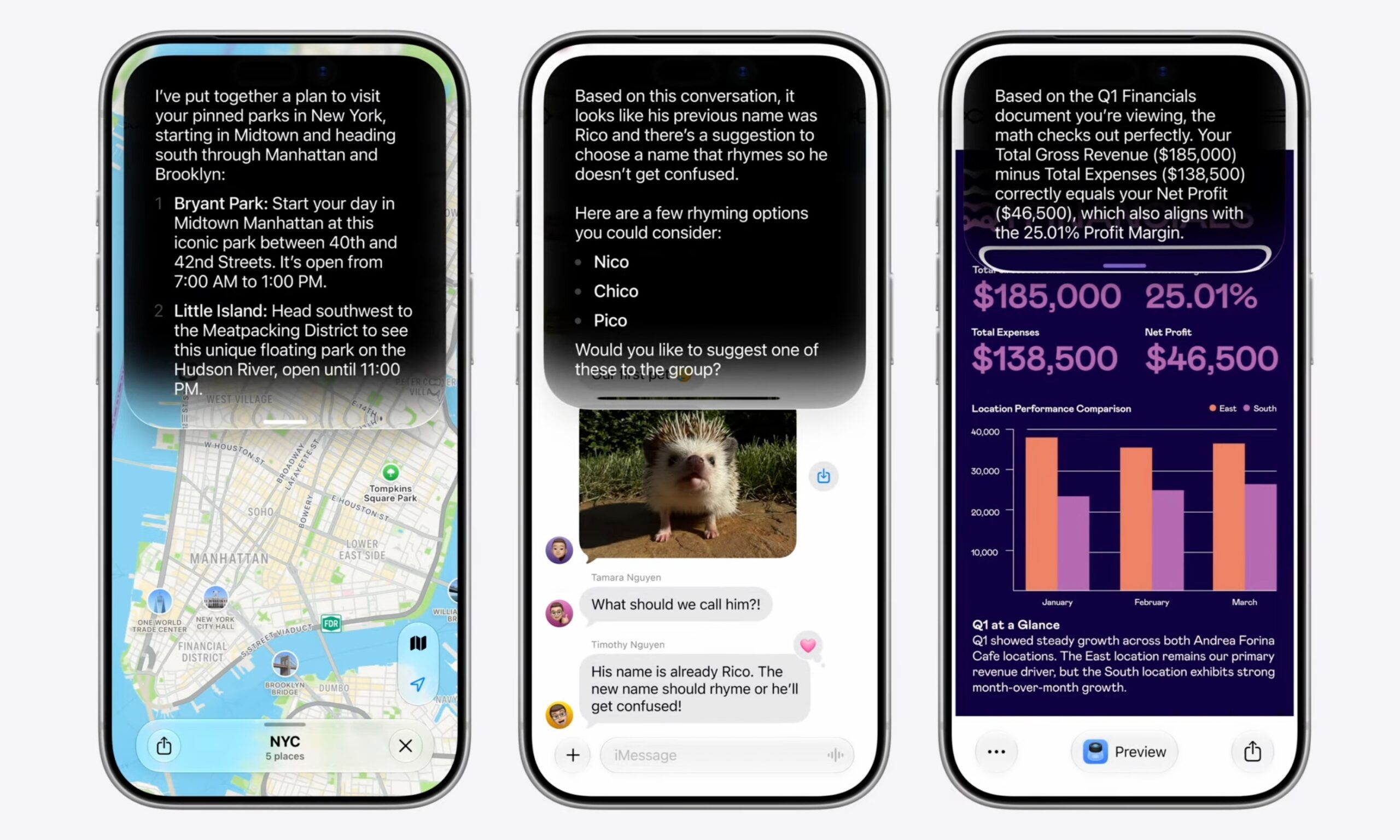
Siri AI can also write, edit, and proofread your mails, messages, or notes (similar to Writing Tools). What I find more interesting is that the assistant can match the tone of the conversation, drafting messages to your manager differently than the ones to your friends or family.
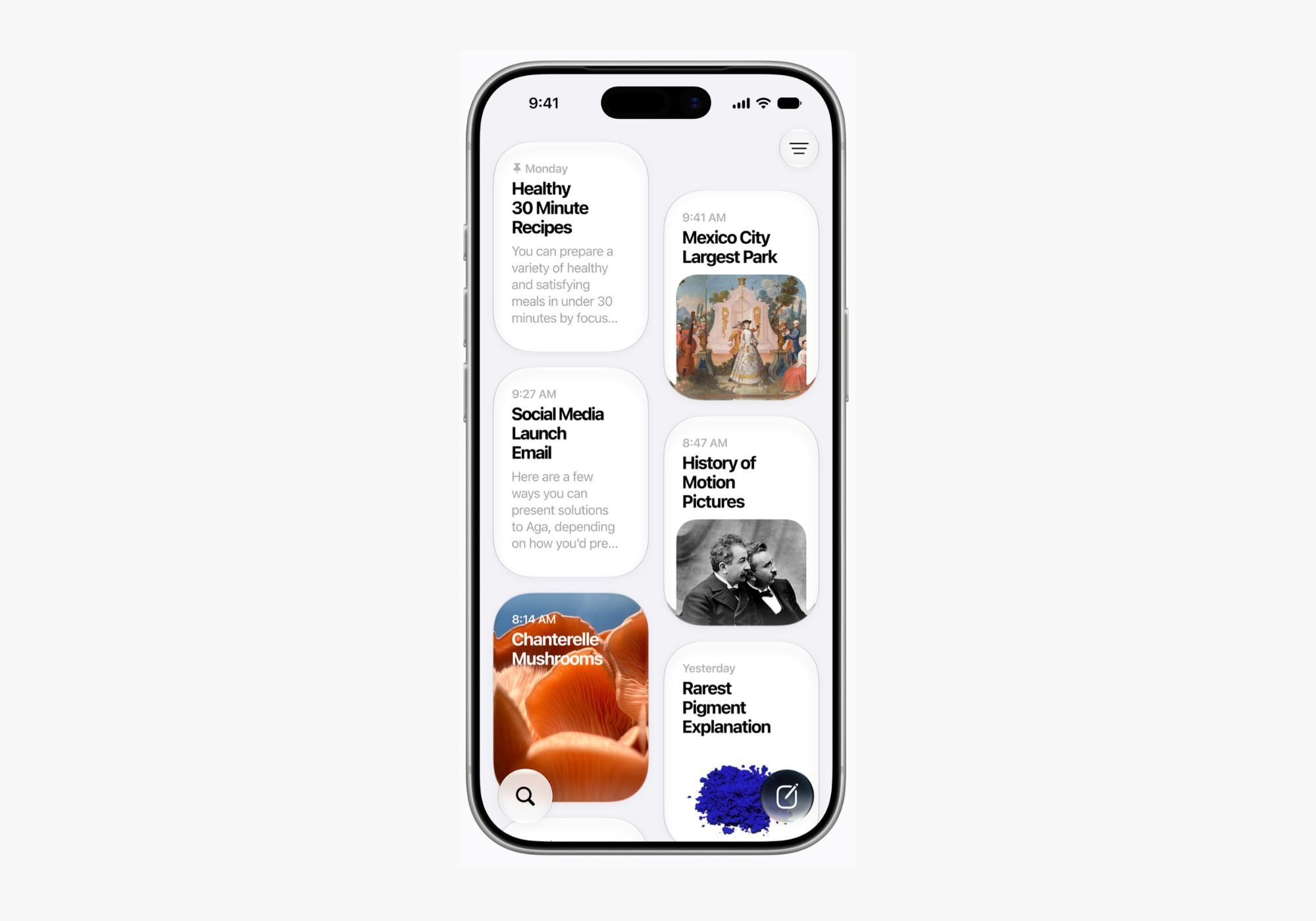
There’s a new dedicated Siri app that stores your conversation history and syncs it across all your devices.
With all the fancy bells and whistles, Siri AI (beta, opt-in) launches in English this fall across all the operating systems except tvOS 27. While it remains free with a daily usage allowance, features relying on server processing, including image generation and others, will have daily limits, with higher limits for iCloud+ users.
It’s worth noting here that Siri AI won’t be available in the EU on iOS and iPadOS, while it won’t be available in China entirely.
What’s new in Apple Intelligence beyond Siri?
While Siri AI has already made many headlines, Apple Intelligence has received multiple upgrades this time, enough that it finally feels like a platform rather than a feature list.
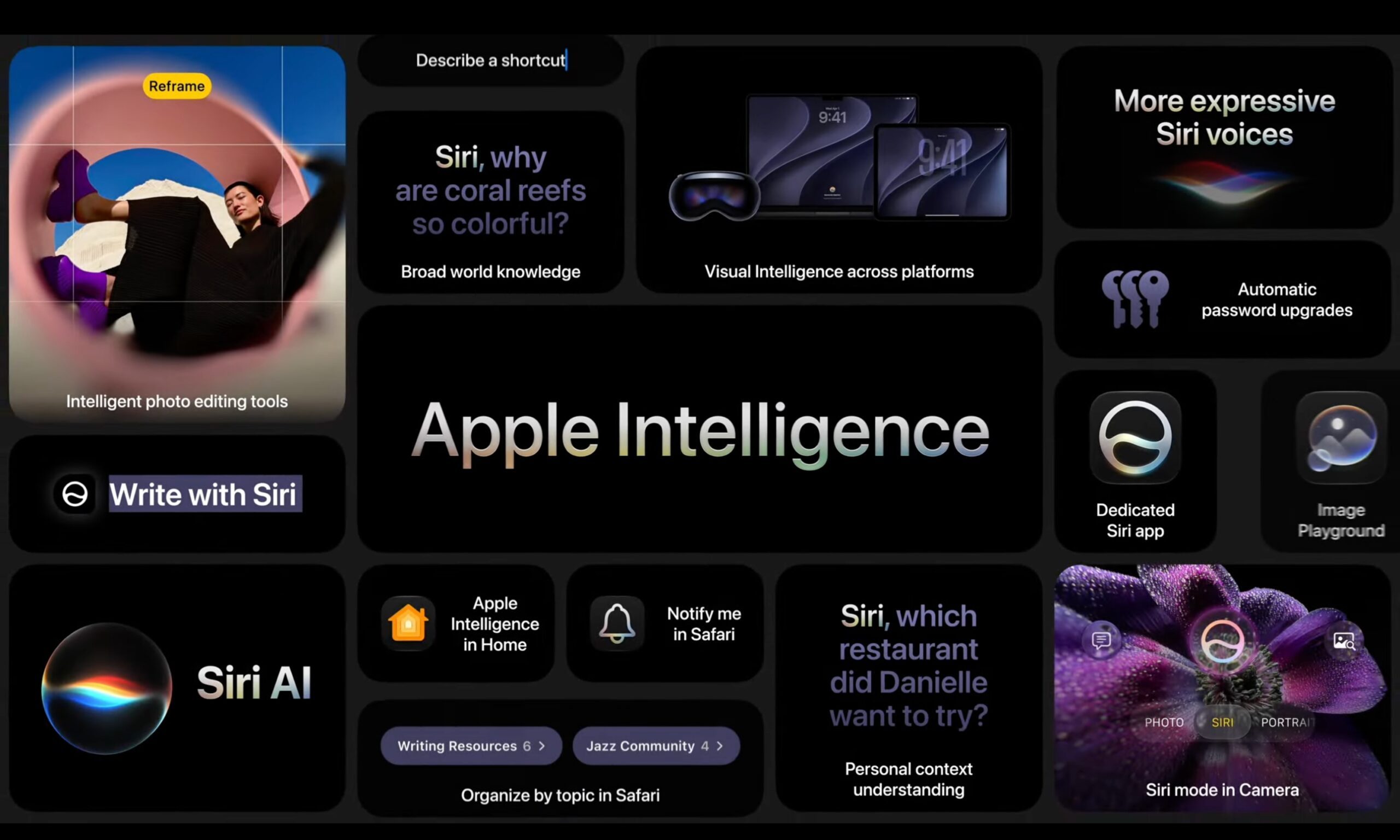
To begin with, Image Playground now generates photorealistic images alongside its existing illustration styles and supports more aspect ratios and platforms than it did with iOS 26. Genmoji has also been overhauled, creating faster and significantly more expressive emojis.
For the first time, Visual Intelligence expands beyond the iPhone. iPads get it integrated into the screenshot experience, while Macs get a dedicated keyboard shortcut for selecting anything on the screen and sending it directly to Siri. Vision Pro users can now look at anything around them and ask Siri about it.
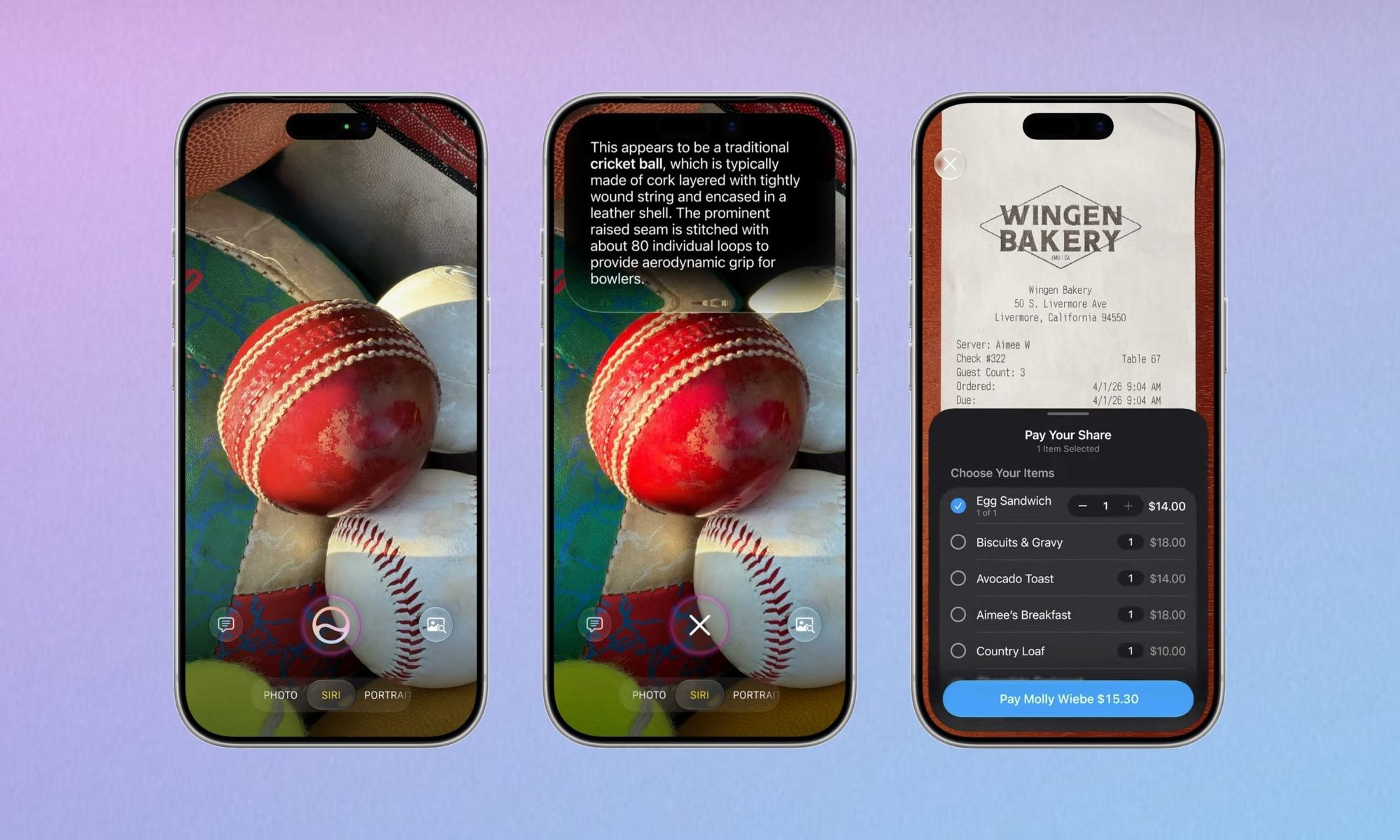
The Camera on iPhone gets a new dedicated Siri mode that lets you tap the shutter button and ask questions about what you’re looking at; it’s Apple’s answer to Google’s Gemini Live. Using the feature, you can get nutritional information about your meal, split bills through Apple Cash, and identify real-world objects.
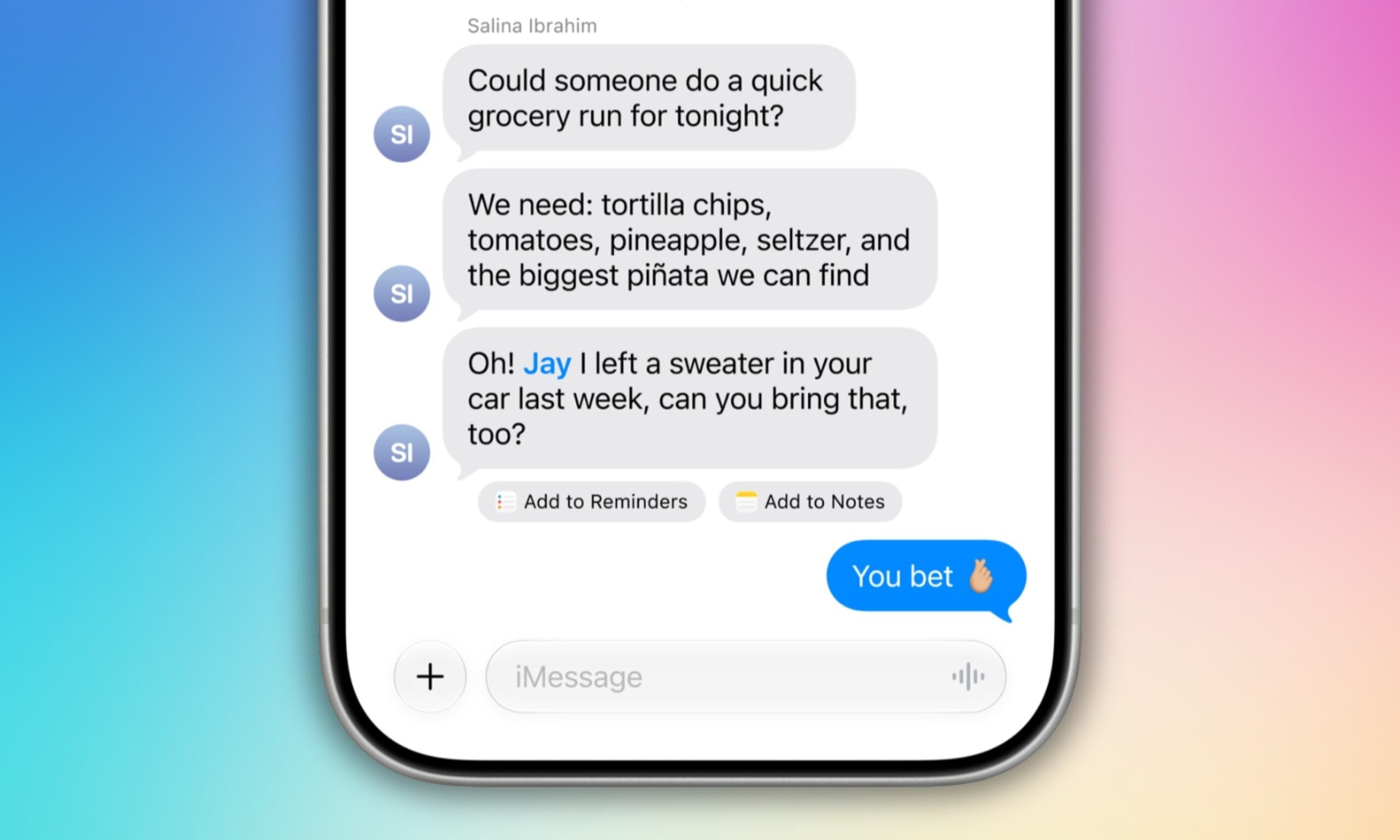
Messages now offers one-tap suggestions based on conversation context. So, tasks like creating a reminder, setting a note, and taking an action are all possible without leaving the thread. Call Context now generates AI summaries of incoming calls before you decide whether to answer.
Apple Intelligence is also doing meaningful work on accessibility. VoiceOver now offers richer descriptions of images, while users can press the Action Button to ask Siri about what the camera is seeing (with detailed responses no less). Voice Control lets you describe interface elements without memorizing exact names, while Accessibility Reader adds summarization and translation.
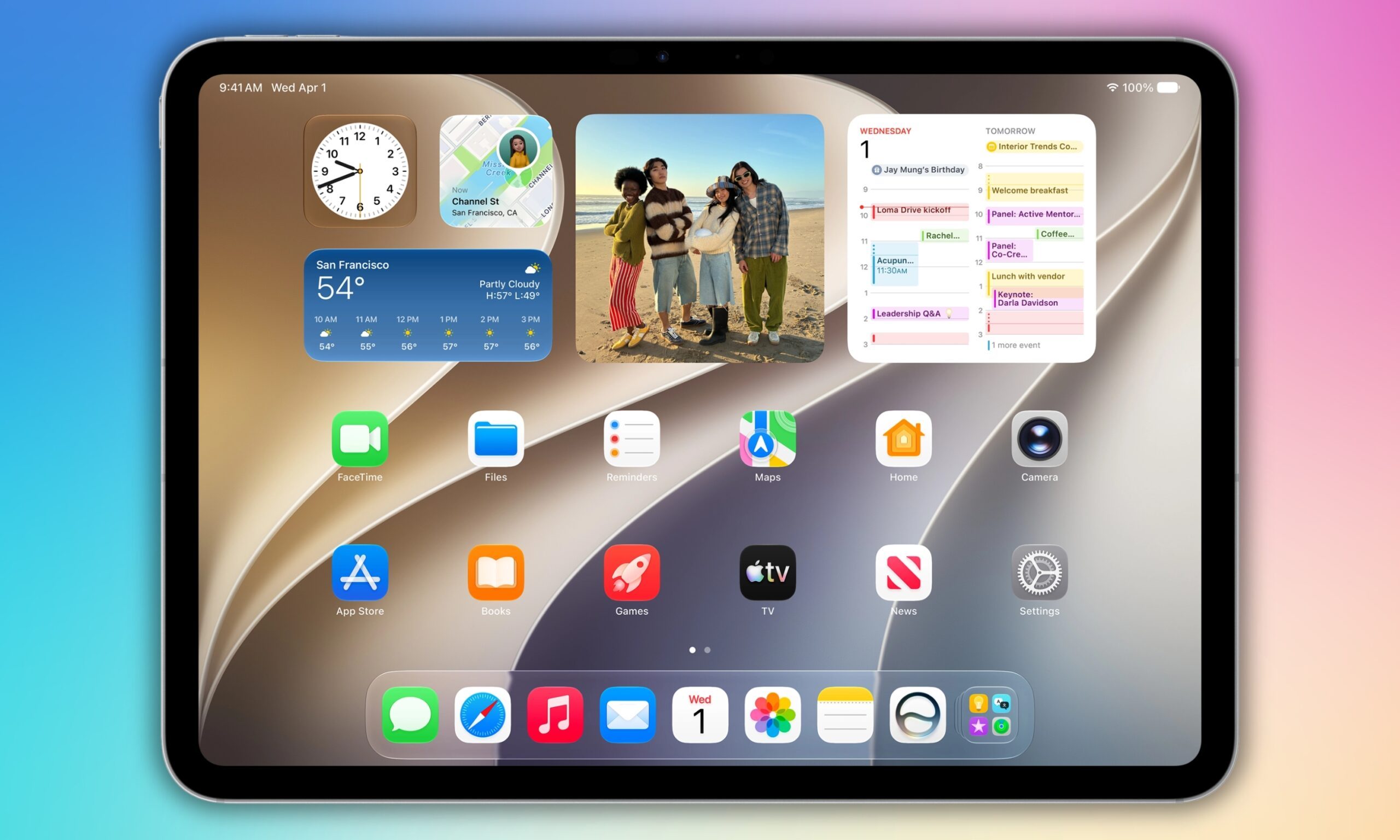
What does your iPad get with iPadOS 27 this fall?
iPadOS 26 sure made your iPad feel like a real computer, but I’d say it’s the iPadOS 27 that makes it feel like a polished one, thanks to all the meaningful productivity improvements across the board.
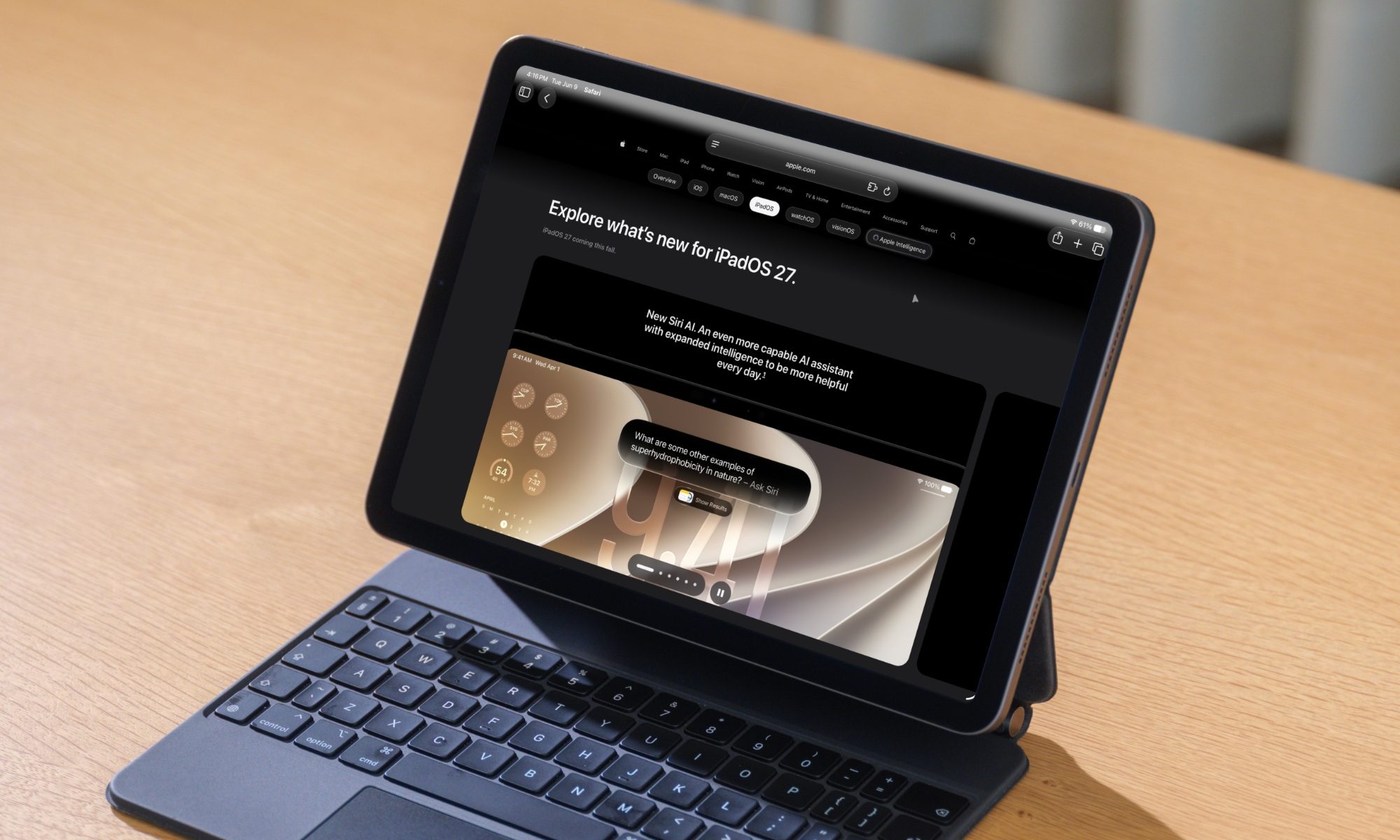
With iPadOS 27, you no longer have to swipe to access the Menu Bar; you can place it permanently on the screen. That’s a second or two saved every time you switch between apps. iPhone apps can also be resized when running on iPad, closing an awkward display gap for users whose favorite apps never got a proper iPad version.
External drive performance gets a significant boost and file browsing and transfers are up to 5x faster than iPadOS 26, putting iPad on par with Finder on Mac.
Siri AI is now available on compatible iPads with full capability, along with Safari’s topic-based tab organization, Notify me, AI-powered editing features in the Photos apps, and full-resolution iCloud Shared Albums with Android and Windows users.
iPadOS 27 compatibility and release timeline
Unlike iOS 27, iPadOS 27 drops support for several older iPad models, including the first-generation 11-inch iPad Pro, third-generation 12.9-inch iPad Pro, iPad Air 3, iPad mini 5, iPad 8, and earlier. If you’re rocking any of those, it’s time to think about an upgrade.
Developer beta is now available for iPad users, while public beta arrives in July. The stable build ships this fall.
Claude responded: | Devices | iPadOS 27 | Apple Intelligence |
| Devices | iPadOS 27 | Apple Intelligence |
| iPad Pro M4 or later | Yes | Yes (advanced AI on M4 with 12GB+) |
| iPad Pro 11-inch (2nd gen+), iPad Pro 12.9-inch (4th gen+), iPad Air (4th gen+) | Yes | M1 or later only |
| iPad mini (A17 Pro) | Yes | Yes |
| iPad mini (6th gen), iPad (9th gen or later) | Yes | No |
| iPad 8 and earlier, iPad Air 3 and earlier | No | No |
What is new for your Mac with macOS 27 Golden Gate?
This year’s Mac release is called macOS Golden Gate, which is a reference to the strait connecting San Francisco Bay to the Pacific Ocean, but also a symbolic threshold. macOS 27 entirely drops support for Intel-based Macs, closing the door on old architecture for good.
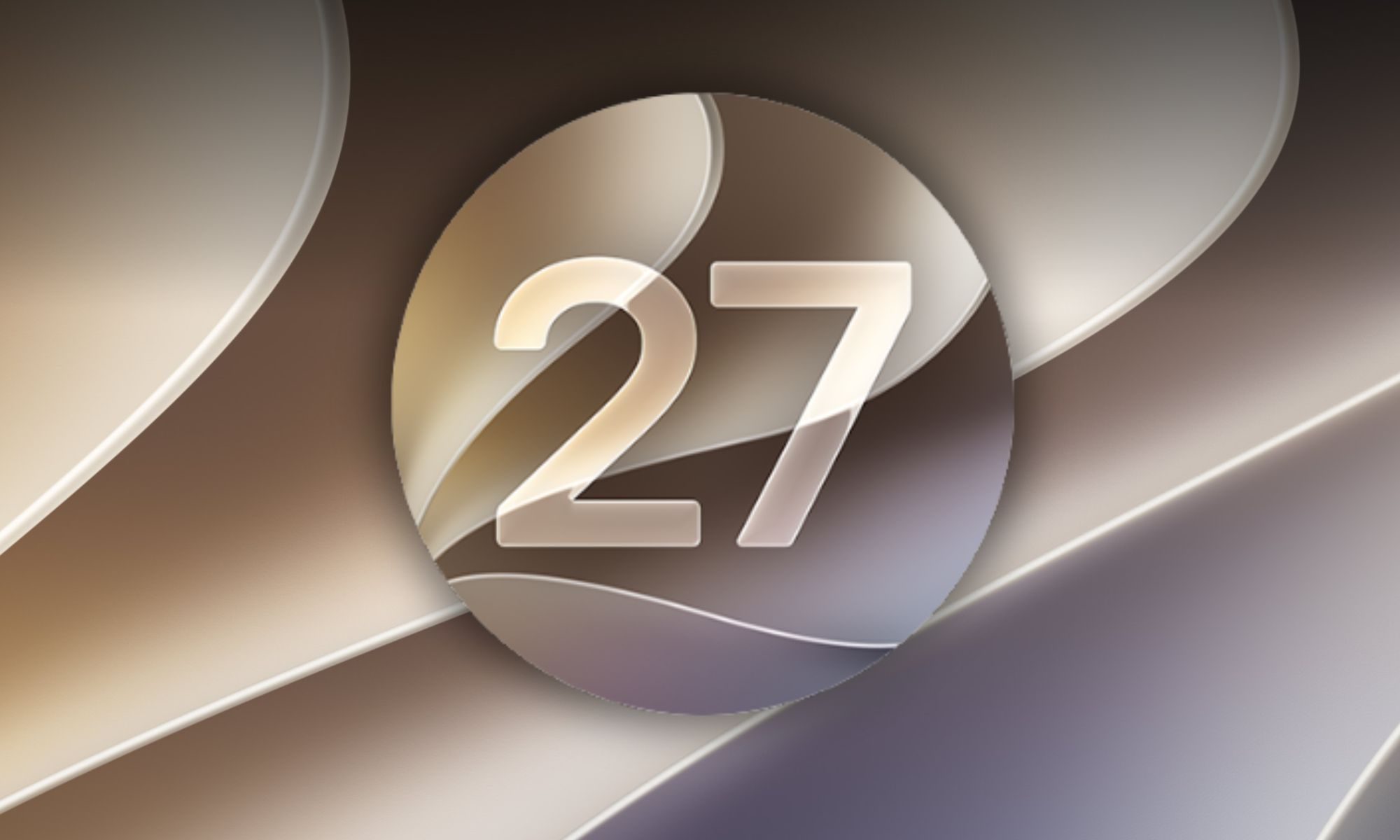
In terms of design, macOS Golden Gate gets its soul back with colored sidebar icons, edge-to-edge sidebars, and a uniform toolbar across apps. It also gets the Liquid Glass transparency slider.
In terms of functionality, Apple’s latest macOS version brings Siri AI integration directly into Spotlight search, letting you start a rich, multi-turn conversation from anywhere on your desktop. Visual Intelligence comes to Mac for the first time, while control-clicking an image or file now surfaces Siri as a native option in the context menu.
All the other iOS 27 performance changes apply to Mac, including faster app launches, faster Search, all the new Apple Intelligence features, and Siri AI. The most advanced on-device AI features require an M3 Mac or later with at least 12GB of unified memory.
| Device | macOS Golden Gate | Advanced on-device AI |
| Any Mac with M3 chip or later | Yes | Yes (12GB RAM required) |
| Any Mac with M1 or M2 chip | Yes | No |
| Intel-based Mac (any model) | No | No |
macOS 27 also follows the same schedule as iOS 27 and iPadOS 27: developer beta is already available, public beta ships July, while the stable build arrives in September 2026.
Everything else Apple announced at WWDC 2026
Apple also announced improvements for other operating systems, including watchOS 27, visionOS 27, and tvOS 27.
watchOS 27’s new features require Watch Series 10 or newer
This is the part where Apple raises more questions than it answers. The latest watchOS 27 makes the biggest compatibility cut in the device’s history, and I mean that. If you own a Series 9, Series 10, Ultra 2, or SE 3, you’re in the clear.
However, if you want to access new Apple Intelligence features, you’ll require a Series 10 or newer, which is where the compatibility cut hurts the most.
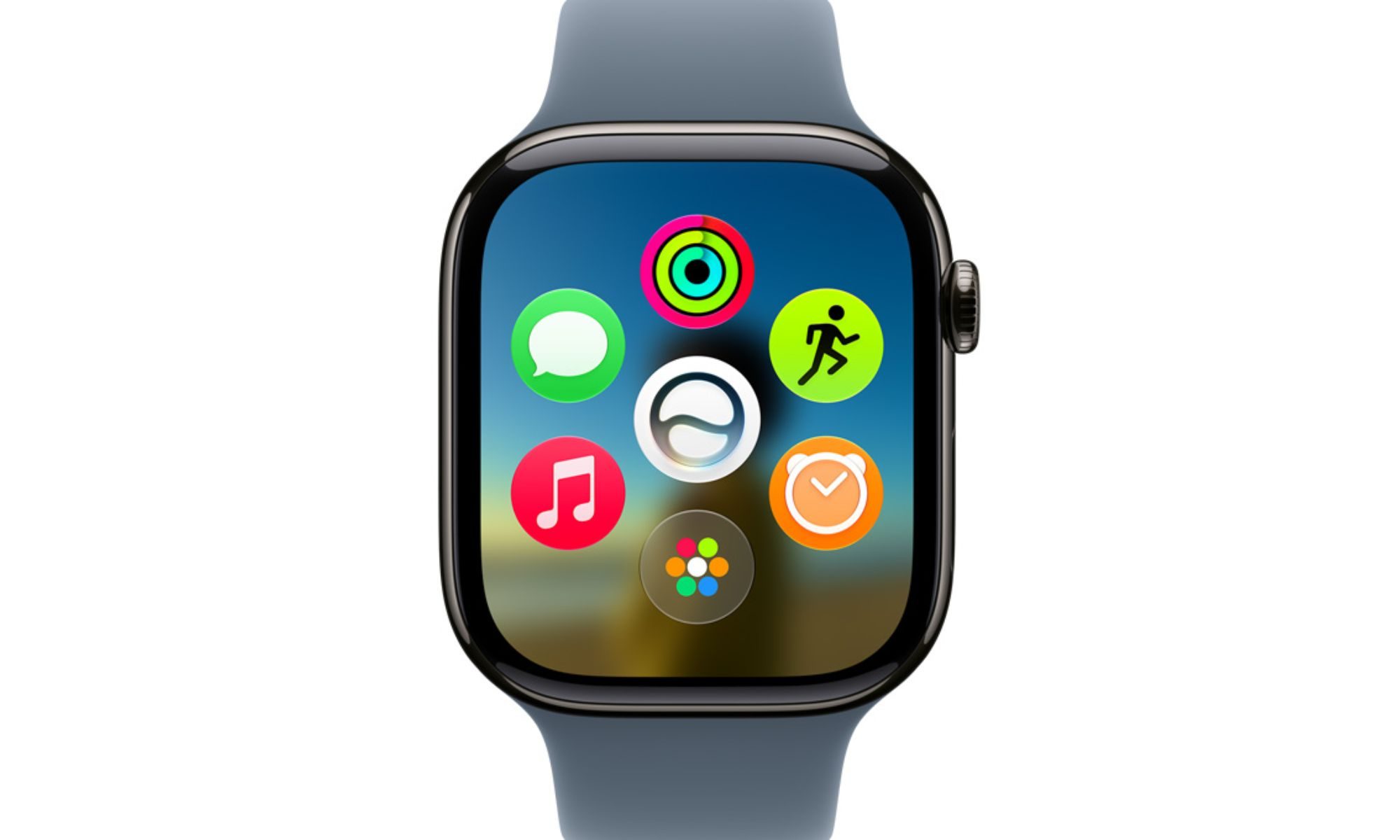
Supported Apple Watch models get a redesigned Dynamic App Grid with five Siri-suggested app shortcuts (on the home screen), a new tap gesture that opens the Smart Stack, and a Find My app that merges Find Devices, Find Items, and Find People into one. Siri AI also arrives on the smartwatch with full conversational capability.
| Devices | watchOS 27 | Apple Intelligence |
| Apple Watch Series 10, 11, Ultra 2, Ultra 3 | Yes | Yes |
| Apple Watch SE 3 | Yes | Yes (requires Apple Intelligence iPhone nearby) |
| Apple Watch Series 9 | Yes | No |
| Apple Watch SE 2, Series 6, 7, 8, Ultra 1 | No | No |
visionOS 27 gets Siri AI and Visual Intelligence
visionOS 27 gets Siri AI as a floating 3D orb (with a wave-like animation) that you can place and position anywhere in your virtual environment. You can just look at it and start talking to Siri, without speaking out the “Hey Siri” wake phrase.
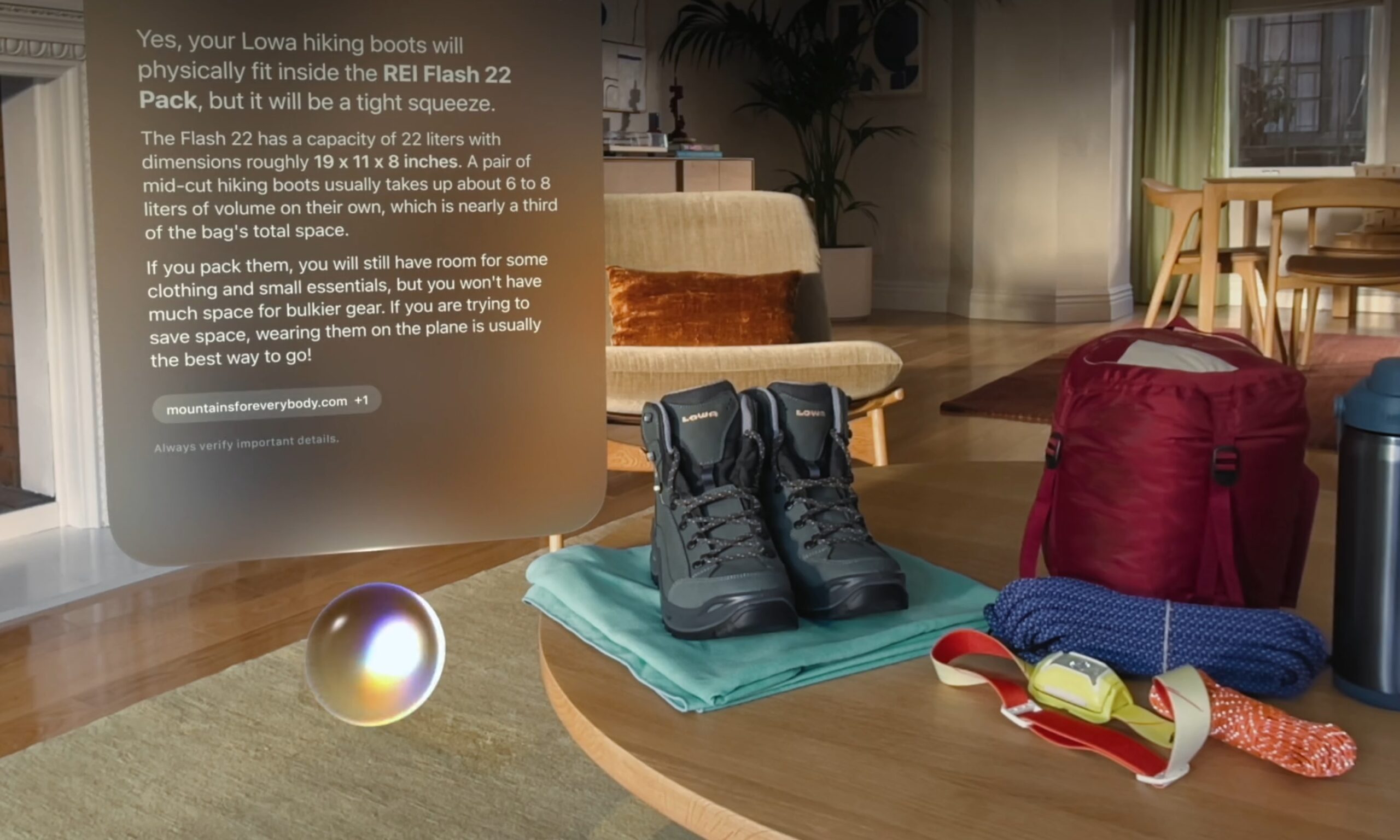
Visual Intelligence now works on physical objects in your immediate surroundings. Panoramas can be converted into full spatial environments for immersive personal use. While app windows get a subtle curvature for a natural spatial feel, Wi-Fi connections are up to 3x faster on the mixed reality headset.
And yes, Siri AI is available on Vision Pro in the EU.
What about tvOS 27?
tvOS 27 got the shortest shrift of any platform at WWDC 2026, but the version still gets a redesigned Podcasts app, smoother app launch animations, Hi-Res Lossless audio in Apple Music, faster AirPlay connectivity, and on-device HomeKit Secure Video processing.
Two models don’t make the cut: the Apple TV HD from 2015 and the Apple TV 4K first generation from 2017. The new update requires Apple TV 4K second generation or later.
It’s worth mentioning that WWDC 2026 was Tim Cook’s last keynote as Apple’s CEO. He will step down from the position on August 31, 2026, after being there for 14 years, handing over the company to John Ternus on September 1, 2026.
In a way, there couldn’t have been a more fitting farewell keynote for the executive, as it was truly where Apple redeemed its position as the side runner to one who is back in the lead in the on-device AI capabilities race.
Read the full article here