

As someone who records vlogging content using smartphones, there’s a glaring issue that’s difficult to overcome; the selfie camera is the easiest option, as you can properly frame your shot using the screen, but that’s usually the worst camera on your phone, while the best camera is around the back.
Quality matters to me so, a lot of the time, I flip the phone around and just guess my framing. Sometimes it works out, sometimes it doesn’t — but so far, the solutions I have tried are far from ideal.
Article continues below
It connects to your phone wirelessly, which is a nice idea, but this wireless connection introduces latency, and it gets worse the longer you record for. It also lacks touchscreen controls, the screen isn’t particularly bright, and the battery life isn’t too impressive, either. It’s still useful, but there’s a lot of room for improvement.
Thankfully Insta360 has just stepped into the frame with its own solution, the Snap Selfie Screen, and it seems like it might address all of these issues. I’ve been testing it out for the past week to see how it stacks up.
Meet the Insta360 Snap Selfie Screen
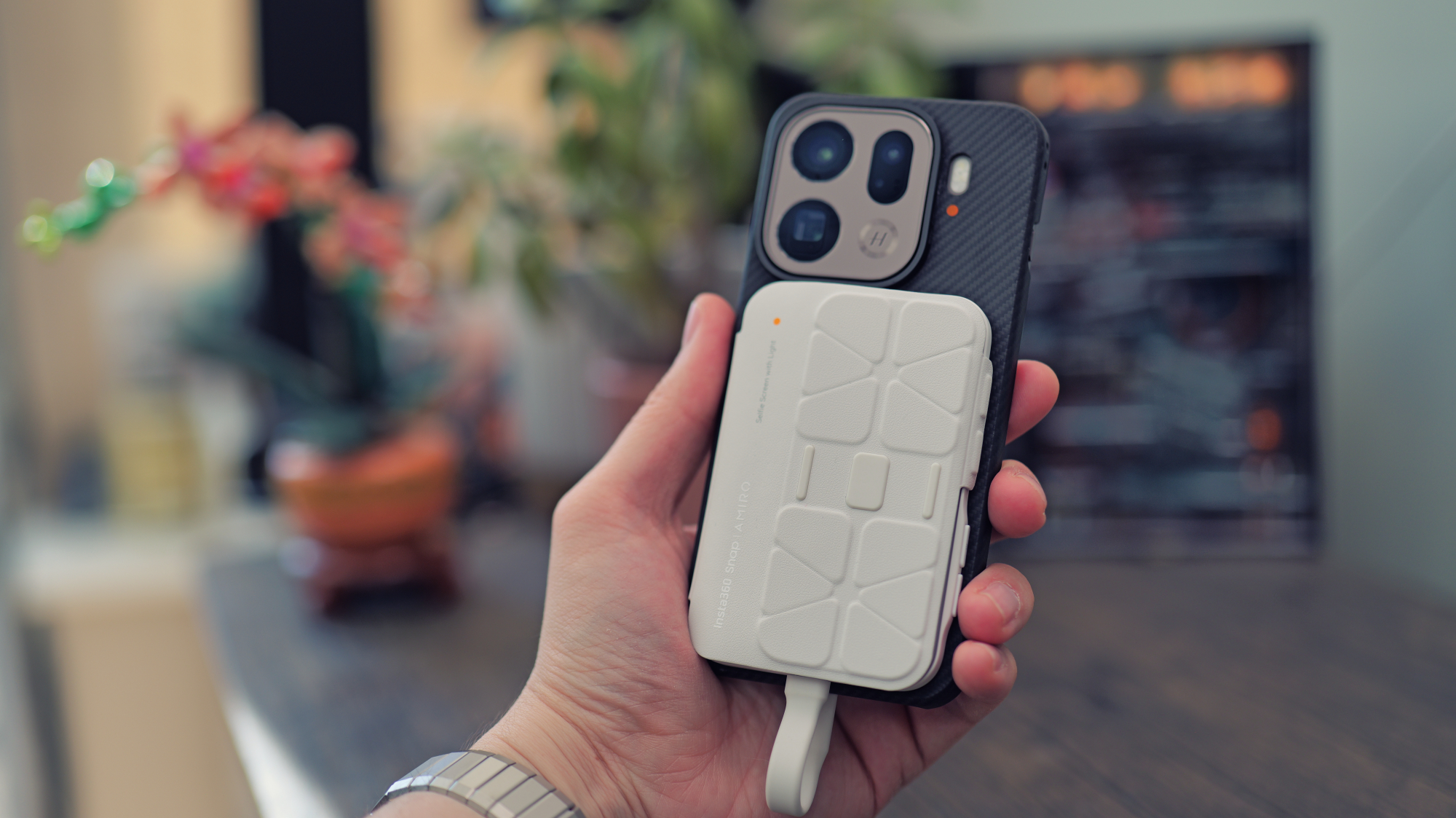
The Insta360 Snap Selfie Screen has the same goal as the other models I’ve tried, but it does a few things differently. Firstly, it’s a wired solution, powered by the phone, with no internal battery. As a result, it’s able to be much slimmer and lighter, which makes it easier to bring with you.
Price
The Insta360 Snap Selfie Screen is available in two versions; the standard costs $79.99 / £72.99 / AU$139.99 or the version with a built-in light costs $89.99 / £82.99 / AU$154.99 at Insta360 or other leading retailers — I’ve included live links to the best deals below.
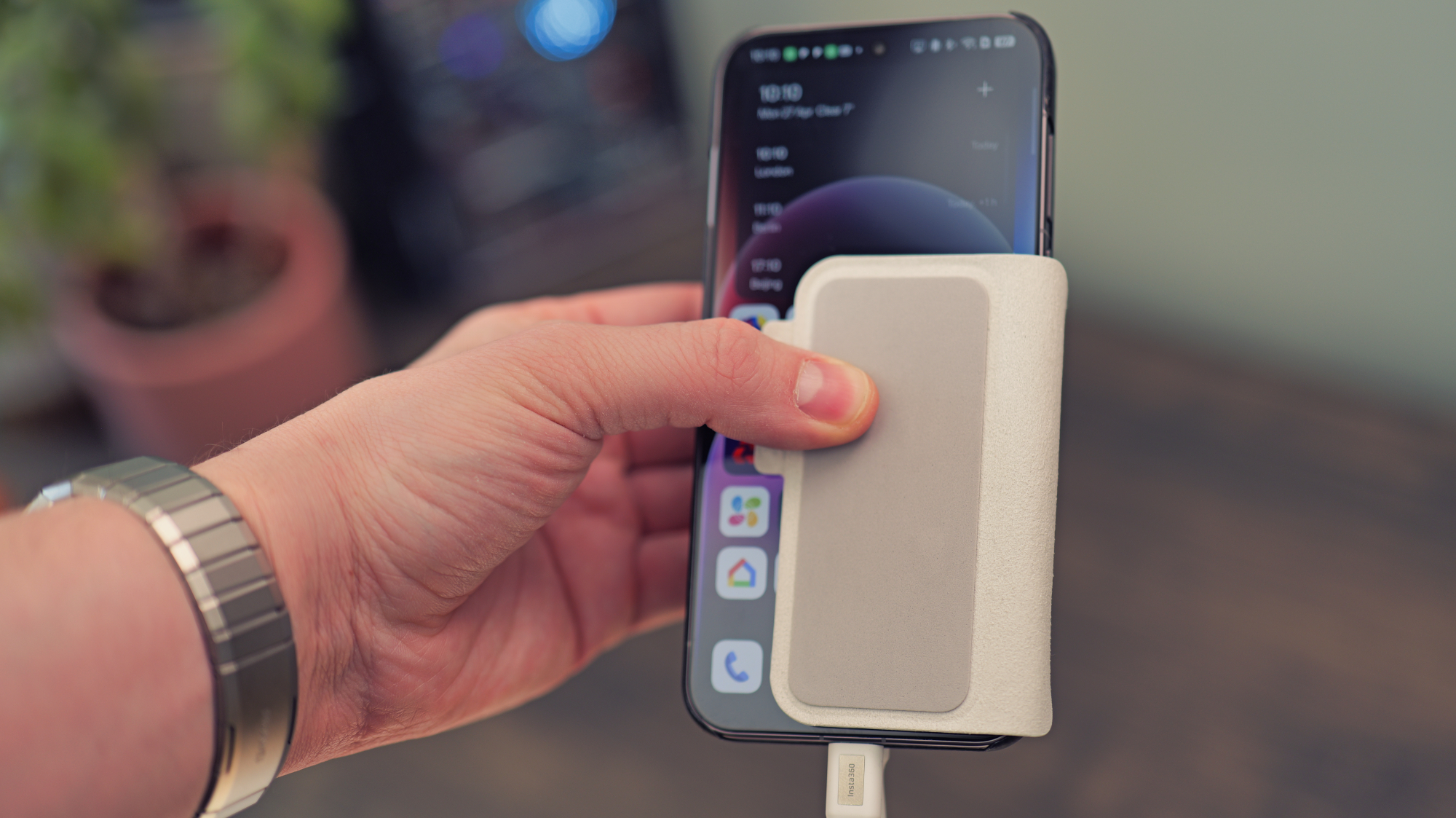
Insta360’s products have always impressed me with their thoughtful design touches, and the Snap Selfie Screen is made with the same attention to detail. It comes with a built-in screen cover to prevent scratches during transportation, and it flips around to cover your phone screen and prevent accidental touches when the Snap is in use.
The cable is permanently attached, but it has a built-in magnet that snaps to the screen cover and stops it from flopping around in your bag. It’s not something that’s strictly necessary, but it makes for a more polished experience. Insta360 is good at that.
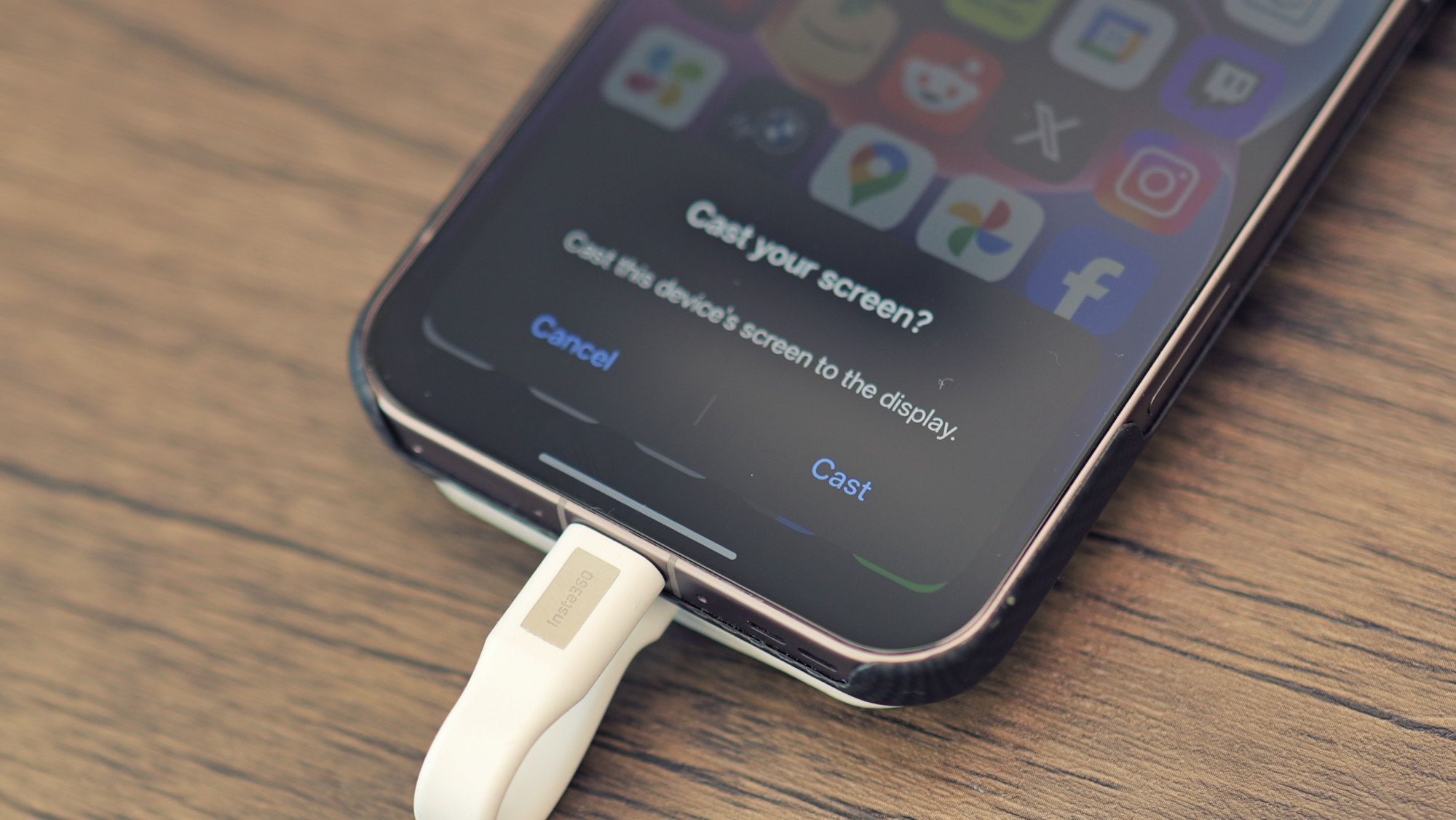
As for how it works, it couldn’t be easier. You attach the USB-C cable to your phone, a pop-up appears asking if you want to cast your display, you choose “Cast” and off you go.
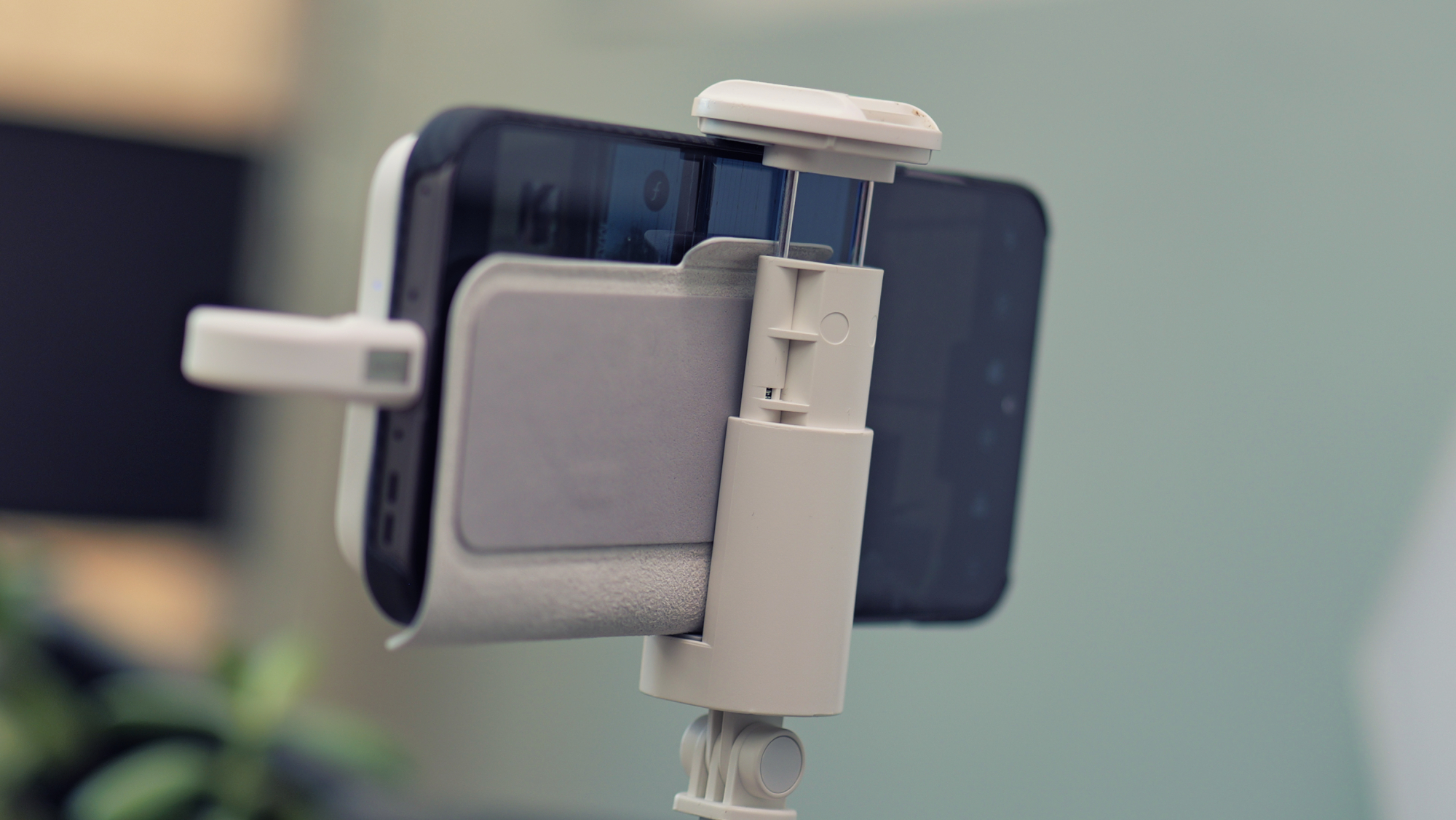
The Snap Selfie Screen has MagSafe-compatible magnets inside, and if you have an iPhone, or an Android with a compatible case, you just slap it on the back of your device. If not, Insta360 includes a stick-on adapter ring in the box.
The Snap Selfie Screen has a touchscreen display, and if you’re on Android, it’ll just work instantly. On iPhone, you have to go to accessibility settings and enable “Zoom” to get it to function. It seems like a bit of an awkward workaround, but hey, it works.
Image 1 of 2
What it’s like to use
The best thing about the Insta360 Snap Selfie Screen is that it’s convenient. You can set up to record yourself in a matter of seconds, and you can control everything from the monitor, rather than having to flip around to the main screen whenever you need to change a setting.
By contrast, with a wireless monitor, you need to set up a screen cast, which can be fiddly and varies from brand to brand. You’ll also be contending with latency, and with an iPhone, the latency is so bad at 4K that it’s basically unusable.
There are no such issues with Insta360’s latest offering, but there is something you should be aware of. Not all phones support display output over USB-C, so you’ll need to check carefully if it’ll work with your phone before ordering.
I’m not just talking about budget phones, either. You’d be surprised how many premium handsets lack the feature. Vivo’s X300 FE, despite being a brand-new flagship-series release, is not compatible, for instance.
The screen-covering flap is a great addition that helps with usability. There’s a special area that blocks touch inputs, and so long as you train yourself to keep your fingers in that spot, it makes one-handed vlogging much more comfortable.
I can’t help but wish this flap was removable, though. It’s permanently affixed, and while it magnetically keeps itself closed when the screen isn’t in use, it can flop around annoyingly if you aren’t holding it in the intended fashion. It makes using phone clamps a little fiddly, too. Nothing some scissors can’t fix, I suppose.
Image 1 of 2
The Insta360 Snap Selfie Screen is easily the brightest selfie monitor I have tried, and that makes a massive difference when you’re shooting outdoors. It’s also the only one I’ve seen with the option of a built-in fill-light.
If you choose the pricier of the two models (which is the version I’m testing), you’ll get a diffused LED border that surrounds the display, plus two buttons for controlling the color temperature and brightness level.
I’m not the biggest fan of on-camera lighting, so I haven’t found myself turning it on very often, but it’ll almost certainly look more flattering than the built-in LED flash on your phone. Plus, if you find yourself needing to vlog in a really dark location, it could save the day.
Should you buy one?
While I haven’t been shy about the shortcomings of selfie screens like this, the truth is, I use them all the time. Being able to use the larger sensors on the rear of your phone makes such a dramatic difference to the quality of your videos. Until more manufacturers start putting screens on the back of phones (or dramatically improve the quality of selfie cams), accessories like these are a necessity for any mobile creator.
The Insta360 Snap Selfie Screen, while not flawless, is by far the best implementation I have come across. It walks all over my previous favorite from SmallRig, and it’ll be staying in my kit bag for the foreseeable future.
It’s more convenient, it’s brighter, it’s easier to use, and it’s the most thoughtfully designed. Plus, it’s not significantly more expensive than any of its competition. If you’re in the market for a selfie screen, the Insta360 Snap is now the obvious choice.
Follow TechRadar on Google News and add us as a preferred source to get our expert news, reviews, and opinion in your feeds.
Read the full article here