



After rolling out Gemini Spark on macOS earlier this year, Google is now upgrading the Gemini app for Mac with two useful features that could change the way you get things done, whether that means ditching your current AI dictation app or letting Gemini act on whatever’s on your screen.
One key press turns speech into clean text anywhere
With the latest update, you can long-press the Fn key in any open window and start talking. Gemini transcribes what you say into clean text right at your cursor, cutting out filler words like “ums” and “ahs” as you go. The feature is on by default, so there’s nothing to set up first, and it works across the system, letting you type out an email, respond to a Slack message, or draft a document.
AI dictation apps like Wispr Flow and Willow already do something similar, cleaning up spoken language and dropping polished text wherever your cursor sits. But they require a separate download and, in some cases, a subscription. Now that the same idea is built directly into the Gemini app, a standalone dictation tool may feel unnecessary for Mac users who already use it.
The dictation feature is rolling out globally to all Gemini app users on macOS. It currently supports dictation in English, but Google says more languages will be added later this year.
Gemini can now see what’s on your screen and act on it
Along with system-wide dictation, the Gemini app for Mac has gained screen-aware reasoning. This opt-in feature lets Gemini read your active windows and use them as context to handle more complex requests. For example, you can highlight a page of rough notes and ask Gemini to turn them into an executive summary, and it will rewrite the text and place it exactly where your cursor sits.
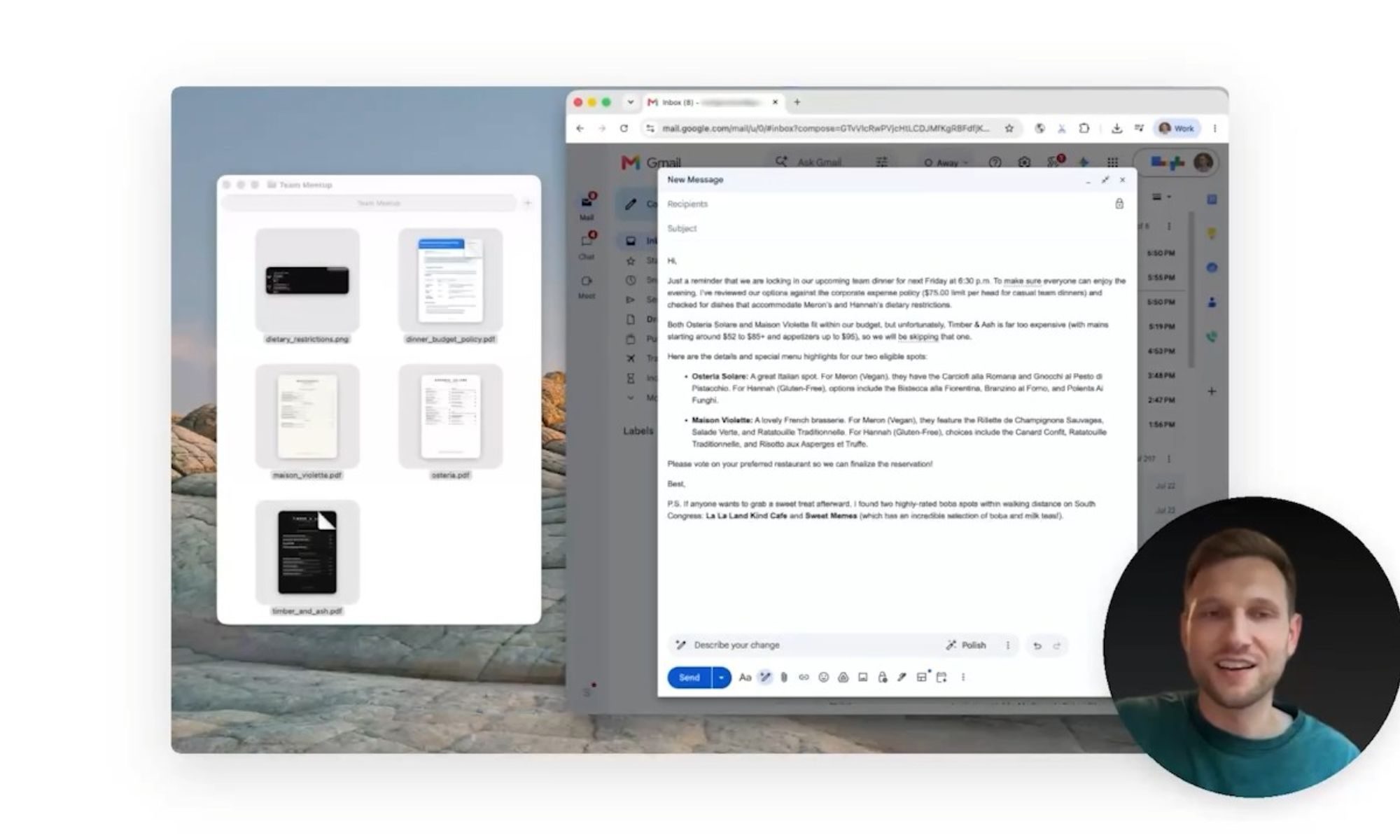
Google also showed a more layered example, where a user planning a team dinner asked Gemini to check highlighted files for details on the budget policy and dietary restrictions, and draft a reminder email based on those details. The same request also had Gemini pull nearby boba shop recommendations from Google Maps to add as a postscript to the email.
With these new features, Gemini on Mac is moving beyond simple answers. It’s now a more capable tool that can transcribe speech and act on what’s on your screen, putting Google well ahead of Apple, whose own Siri overhaul with similar capabilities still hasn’t shipped.
Read the full article here