



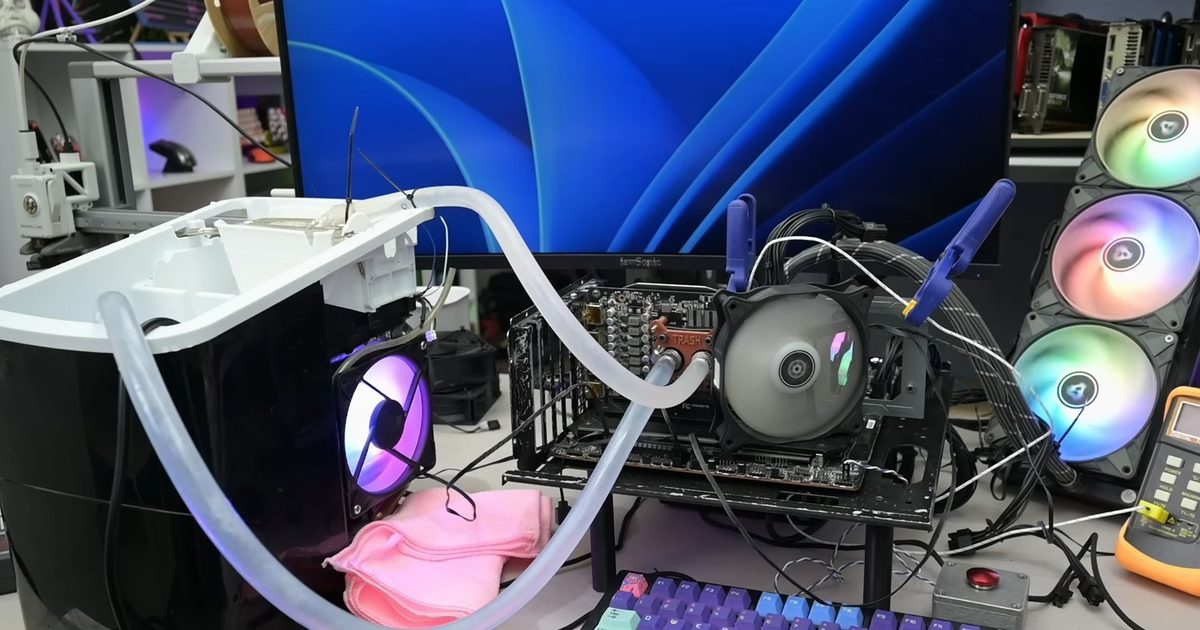

A countertop ice machine is not exactly standard PC hardware, but YouTuber TrashBench has shown that it can be turned into a surprisingly effective GPU cooler. In a new video, the creator used an ice maker as the basis for a custom cooling setup for an Nvidia GeForce RTX 3060, and the results were far better than expected.
The project was inspired by another creator, Mr. Yeester, who used an ice machine to cool a CPU. TrashBench took the concept in a different direction by trying to cool a graphics card with the machine itself, rather than simply dumping ice into a loop.
The air-cooled RTX 3060 was already running within normal limits before the experiment. In Cyberpunk 2077, it reached around 60 degrees Celsius, while the GPU hot spot sat at about 75 degrees. After the modified ice-machine setup was working properly, those numbers dropped sharply. The GPU stayed around 22 to 23 degrees in the same game, while the hot spot fell to roughly 34 degrees.
The ice machine needed serious help
A normal countertop ice machine is not designed to handle a constant GPU heat load. Its standard cycle makes ice, shuts the compressor off, refills with water, and repeats. That is fine for drinks, but it was not enough to keep the water cold while the RTX 3060 was dumping heat into the loop.
To make the setup work, TrashBench modified the machine’s behavior. He used an external thermostat, the kind he said he normally uses for a beer fridge, to keep the compressor running continuously. He also had to work around the machine’s evaporator placement so the cooling section could actually chill the water being used in the loop.
It worked, but it is not practical
The results are impressive, but the setup also showed exactly why this should stay in the “fun experiment” category. Once the water temperature dropped below ambient, condensation became a real problem, with moisture collecting around the hardware.
So yes, an ice machine can cool a gaming GPU, and in this case it cooled an RTX 3060 dramatically. But between the condensation risk, the messy setup, and the obvious safety concerns, this is more proof of concept than practical advice for a gaming PC.
Read the full article here