
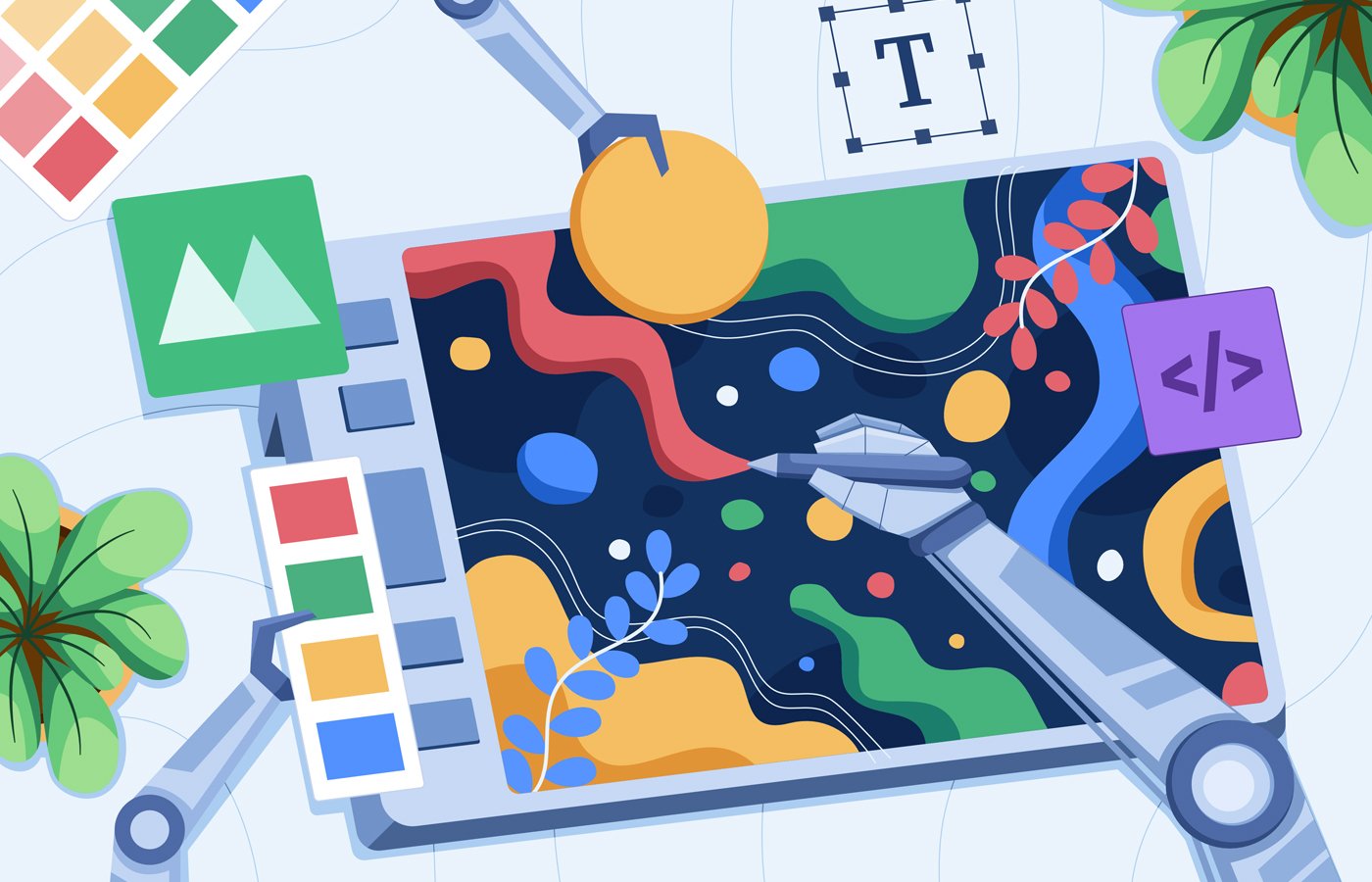

AI art generators help creators, marketers, and businesses turn simple prompts into original images, illustrations, product mockups, social media graphics, and other digital assets. The best tools now go beyond basic text-to-image generation, offering editing, upscaling, style controls, brand-friendly workflows, and integrations with broader creative platforms.
To identify the best AI art generators for 2026, I compared popular tools based on image quality, ease of use, customization, pricing, commercial-use value, and fit for different creative workflows.
Some tools are best for beginners who want quick results, while others are better suited for marketers, designers, AI artists, or teams producing video and campaign assets.
Here are my top picks:
Side-by-side glance at the top AI generators
AI art generators enable users to experiment with different styles, techniques, and aesthetics, pushing the boundaries of traditional artistic expression. Below is a comparison of some of the best AI art generators on the market.
| Software | Free software version | Key features | Best for | Pricing |
|---|---|---|---|---|
| DALL·E 3 | Yes | Natural-language prompting, image generation and editing, conversational refinement, ChatGPT integration | Ease of use | $20 a month as part of ChatGPT Plus |
| Midjourney | No | Photorealistic image generation, image upscaling, Zoom Out feature, and Discord community | Photorealistic art | Starts at $8 per month, billed annually |
| Craiyon | Yes | Basic text-to-image generation, simple interface, style customization, and image upscaling | Free access | Starts at $10 per month, billed annually |
| Jasper Art | No | Marketing-focused image generation, multiple styles, fast output, royalty-free commercial use | Professional use | Starts at $59 per month, billed annually |
| NightCafe | Yes | Multiple AI models, style customization, image editing, community features, cross-platform access | Seasoned AI artists | Starts at $7.49 per month, billed annually |
| DeepAI | Yes | Text-to-image generation, API access, style customization, image colorization, and multiple generation tools | Customization | $9.99 per month |
| Runway | Yes | Text-to-image and video generation, AI video editing, image upscaling, and custom model training | Video editing | Starts at $12 per month, billed annually |
DALL·E 3: Best for user-friendliness
Why I chose DALL·E 3
I chose DALL·E 3 because it is one of the most user-friendly AI art generators available, especially for users who want to create images through simple text prompts. Since it is available through ChatGPT, users can describe the image they want, refine the prompt conversationally, and make adjustments without learning advanced prompt engineering.
DALL·E 3 is especially useful for beginners, content creators, and business users who need quick image ideas, illustrations, or creative concepts. While it may not offer the same level of artistic control as some dedicated AI art platforms, its ease of use and ChatGPT integration make it a strong option for fast, accessible image generation.
Pros and cons
| Pros | Cons |
|---|---|
| ✅ Generates art from text descriptions written in natural language for easy use. | ❌ The simplistic nature of the model makes it unable to provide as many customization options as other AI image generators |
| ✅ Best used for generating art quickly and simply, thanks to its user-friendly interface | ❌ No image expansion/outpainting feature, like there is for DALL·E 2 |
DALL·E 3 pricing
- Free version: Available via ChatGPT Free and Go plans; other third-party platforms
- ChatGPT Plus: $20/month
- API: Starts at $0.040 per image
Standout features
- Clean and easy-to-use interface
- Ability to combine attributes, styles, and concepts
- Image editing/inpainting
- Integration with ChatGPT
Midjourney: Best for generating photo realistic art
Why I chose Midjourney
Midjourney is among the best resources out there for creating photorealistic AI art, making it ideal for image upscaling. However, the factor that sets the tool apart the most is definitely its Discord-based interface. Users must access the image generations by requesting them from a Discord bot via a Mac, Windows, Linux (deb, tar.gz), iOS, or Android device.
For anyone out there who is unfamiliar, Discord is a social messaging platform and the only way to utilize Midjourney. But once you make a Discord account and begin requesting images from the robot using specialized commands, you’ll get the hang of the process.
From there, Midjourney allows users to request image generations and learn tips and tricks from other program users within their Discord public channels. This solution makes it easy to create stunningly realistic generations and integrate yourself among a community of other AI digital artists.
Pros and cons
| Pros | Cons |
|---|---|
| ✅ The platform makes it easy to join a supportive community of other Midjourney users and AI artists | ❌ Midjourney no longer offers a free version of the tool |
| ✅ Makes it easy to create stunningly realistic generations | ❌ Interface relies on Discord, which may cause a learning curve |
Midjourney pricing
- Basic Plan: $8 per month, billed annually; $10 per month
- Standard Plan: $24 per month, billed annually; $30 per month
- Pro Plan: $48 per month, billed annually; $60 per month
- Mega Plan: $96 per month, billed annually; $120 per month
Standout features
- Ability to upscale and edit imported images
- Graphic generation based on text description
- Stylize function to improve artistic quality and realism
- Zoom-Out, a tool to expand on original images
Craiyon: Best for free access

Why I chose Craiyon
As its name would suggest, Craiyon is a web-based tool that can be used to create art images, and the developer even offers a free version of the platform. Formerly known as DALL·E Mini, the service can generate photos from written descriptions and features an easy-to-use interface.
Craiyon LLC provides its service for free to all website visitors who feel like giving it a spin. The simplistic model is ideal for any AI artist newbies who may be curious about learning the ins and outs of AI graphic generation but aren’t ready to purchase a subscription plan just yet.
To provide the free server, the model relies on ads. If you’re not a fan of the ads and want to support the developer, you have the option to purchase the service through one of the paid subscription plans. The paid plans provide access to speedier generations, watermark-free artwork, an ad-free experience, and more affordable perks.
Pros and cons
| Pros | Cons |
|---|---|
| ✅ Create free, basic designs without a membership | ❌ Free users will encounter ads and may experience long generation wait times |
| ✅ Introductory tool into the world of AI digital art creation | ❌ Model can produce results that contain harmful stereotypes |
Craiyon pricing
- Free plan: Access to basic features
- Supporter: $10 per month, billed annually; $12 billed per month
- Professional: $20 per month, billed annually; $24 per month
- Ultra: $70 per month, billed annually; $84 per month
Standout features
- Free access to basic AI art generation
- Ability to enhance generated art in higher resolutions
- Extensive customization options
- Digital printing services via the Craiyon community
Jasper: Best for professional use
Why I chose Jasper
Through Jasper Art, marketing teams, content creators, business owners, and non-professionals alike can generate unique, high-quality AI images for marketing and commercial use. Jasper Art is part of Jasper’s broader AI content platform, making it especially useful for teams that want to create visuals alongside campaign copy, blog content, social media posts, and other branded assets.
The model can generate custom art, images, illustrations, and even 3D animations for business marketing and other royalty-free commercial uses. Although it may be pricier than some of the other AI art generators out there, it does save time and money when compared to sourcing art through other means.
Marketing teams and professionals can also use it alongside the Jasper AI writing generator if they use the service. The multiple content creation tools offered by Jasper make it easy to create visual art and professional writing for all of your business needs.
Pros and cons
| Pros | Cons |
|---|---|
| ✅ Generations are watermark-free and royalty-free for commercial use | ❌ Does not allow users to upload images for reference |
| ✅ Fast generation times, with most prompts taking less than 10 seconds | ❌ Some issues with generating realistic faces and extremities |
Jasper pricing
- Pro: $59 per seat, per month, billed annually; $69 per seat, per month
- Business: Custom pricing
Standout features
- Unlimited text-to-picture image generations
- High-resolution 2K pixel images
- Royalty-free commercial use
- Marketing-focused image generation
NightCafe: Best for seasoned AI artists
Why I chose NightCafe
NightCafe is a popular web- and mobile-based AI art generator developed by NightCafe Studio that stands apart for its creative features and artistic options, which make it a perfect tool for AI artists.
The model’s expansive features and deep customization tools are ideal for skilled AI artists looking to create distinctive images. Users can select from a wide range of styles and features to generate a visually impressive image. Alternatively, they can input their own photos to generate an all-new creation!
While the text-to-image AI model does allow for easy art generation, this tool is anything but basic. Its features enable users to create in multiple AI art models, including Stable Diffusion, DALL·E 2, CLIP-Guided Diffusion, VQGAN-CLIP, and even Neural Style Transfer. It offers plans for free users, beginners, hobbyists, enthusiasts, and artists, but we believe the software is best for serious AI artists, as its creative capabilities are endless.
Pros and cons
| Pros | Cons |
|---|---|
| ✅ Intuitive user interface makes it accessible for all users | ❌ Beginners may experience a learning curve with advanced features |
| ✅ Users can participate in art challenges and share creations | ❌ Many features are limited to paid plans |
NightCafe pricing
- Free plan: Five free credits daily
- AI Hobbyist: $7.49 per month, billed annually; $12.49 per month
- AI Enthusiast: $14.99 per month, billed annually; $25 per month
- AI Creator: $23.99 per month, billed annually; $40 billed per month
Standout features
- Code-free image generation
- Multiple style options and art models
- Access to the AI art community
- Chat rooms and other collaboration features
DeepAI: Best for customization
DeepAI’s customization capabilities enable users to generate tailor-made images that are fine-tuned for their needs. The open-source web-based solution is an AI text-to-image generator that can produce captivating artwork from a single-word text prompt.
DeepAI is a great model for users who want to quickly create a resolution-independent vector image. While the free version of the software produces art based on text prompts, DeepAI’s paid plans provide extensive options for creating and customizing AI images, including many stylistic options for adjusting textures, colors, and other details, making it a top AI art generator.
While DeepAI does a great job at generating impressively realistic images, its highly customizable nature lets users bring their ideas to life. The tool also ensures that its users can create unlimited unique works of art, as no two generations are the same.
Pros and cons
| Pros | Cons |
|---|---|
| ✅ API developers can connect DeepAI to another software using the text-to-picture AP | ❌ Some users have reported slow processing time |
| ✅ DeepAI’s Nudity Detector tool can filter out images containing nudity and rate images on whether they should be considered not safe for work | ❌ Many features are limited to paid subscription plans |
DeepAI pricing
- Free plan: Access to basic features
- Pro: $9.99 per month; $89.99 billed annually
Standout features
- Resolution-independent vector image generation
- Fantasy World Generator to create fantasy-style artwork
- BigGAN for headshot creation.
- CartoonGAN to create cartoon-style animations
Runway: Best for video editing
Why I chose Runway
Runway offers a suite of AI tools for generating and editing images, videos, 3D media, and audio. Runway AI’s use of ML models in Runway allows for an expansive list of features and capabilities that go beyond those of your standard art generator.
The web-based platform provides various art-generation tools, from text-to-image to AI animations and video edits. Users can even transform images into animated videos or simply use text prompts.
Video editing and generation aside, this is a robust resource that can allow artists to harness the creative powers of AI. The generator is ideal for serious occupational use, as developers can even utilize the solution to train their own custom models and AI image generators.
Pros and cons
| Pros | Cons |
|---|---|
| ✅ Provides video editing features like background removal without a green screen | ❌ Free and lower-cost plans provide limited generation capabilities |
| ✅ Allows users to train custom models and AI image generators | ❌ Free version comes with limited credits |
Runway pricing
- Free version: 125 credits upon signing up
- Standard: $12 per user, per month, billed annually; $15 per user, per month
- Pro: $28 per user, per month, billed annually; $35 per user, per month
- Max: $76 per user, per month, billed annually; $95 per user, per month
- Enterprise: Custom quote
Standout features
- AI text-to-video and video-to-video generation
- Generation of images and 3D textures from text prompts
- Image resolution upscaling
- Custom model training
Review methodology
This review was developed using product information from vendor websites, available documentation, product demos, and user feedback. Where possible, I reviewed product interfaces and publicly available demos to better understand how each AI art generator performs in real-world use.
I evaluated each tool based on image quality, ease of use, features, pricing, customization options, and fit for different creative and business needs. Pricing and feature details were reviewed during this update, but they may change over time.
How I chose the best AI art generators
Working with AI art generators opens new avenues for artistic exploration, facilitates collaboration, and allows users to create visuals in new and innovative ways. However, not all tools provide the same capabilities or benefits.
To identify the best options, I focused on the key factors users should consider when choosing an AI art generator:
- Core features: I evaluated generators that offer various artistic styles, adjustable parameters, and advanced rendering techniques. I also considered how well each tool supports different creative goals and provides the resources needed to bring ideas to life.
- Ease of use: I considered each platform’s interface and usability. A user-friendly interface with intuitive controls and clear instructions can help users reach their creative goals more quickly.
- User feedback: I reviewed user feedback and testimonials to better understand each tool’s reliability, performance, and overall ease of use.
By evaluating these factors, I identified AI art generators that best suit different creative needs, preferences, and use cases.
Why you can trust us
TechRepublic’s editorial team regularly reviews and updates buyer’s guides across a wide range of AI and business software categories. For this guide, I evaluated leading AI art generators based on their core features, ease of use, and user feedback.
This review is based on compiled information from vendor websites, product documentation, and aggregated user feedback. Where possible, I reviewed product interfaces and available demos to better understand how these tools perform in real-world use.
Our goal is to provide accurate, up-to-date, and practical recommendations so you can confidently choose the AI art generator that best fits your needs.
FAQs
What are the key features of AI art generators?
AI art generators use generative AI algorithms to create images from text prompts, reference images, or other inputs. Many tools can produce illustrations, digital artwork, realistic images, product concepts, marketing visuals, and other creative assets.
Common features include style transfer, prompt-based image generation, adjustable creative settings, realistic rendering, and image editing tools. Some platforms also offer upscaling, background removal, image-to-video generation, and collaborative features for teams.
What are the benefits of working with AI art generators?
AI art generators can help users create visuals faster and explore more creative options without needing advanced design skills. They can be useful for brainstorming, concept development, social media graphics, blog images, marketing assets, and other visual content.
For businesses, these tools can reduce the time and cost involved in creating or sourcing images. They can also help teams test visual ideas quickly before investing in professional design, photography, or production resources.
Which AI art generator is best for beginners?
Of the AI art generators TechRepublic has reviewed, the most appropriate one for beginners is DALL·E 3. It is free to try out, so there is no financial loss if it is not what you are looking for. It is very user-friendly, understanding natural language prompts so users can describe what they want without needing technical phrasing. It also has built-in safety filters and lets users refine images through consecutive follow-up instructions.
Bottom line: Choosing the right AI art generator for your creative workflow
The best AI art generator depends on your creative goals, budget, and preferred level of control. Beginners may want a tool that understands natural language prompts and makes image refinement easy, while artists and designers may prioritize photorealism, style control, and output quality. Marketing and business users should also consider whether a platform supports branded assets, commercial use, team workflows, and other content creation needs.
Before choosing a tool, compare pricing, ease of use, customization options, image quality, usage rights, and how well the platform fits into your existing creative or business workflow.
Want better results from ChatGPT image generation? Check out these ChatGPT image prompts to learn how to create clearer, more realistic AI photos.
Read the full article here