




A free merchant account can help businesses accept credit card and digital payments without paying monthly account fees or signing long-term contracts. When I evaluated the best free merchant account providers, I focused on pricing transparency, ecommerce tools, POS capabilities, invoicing features, and scalability for growing businesses.
| Merchant account provider | Best for |
|---|---|
| Square | Overall value for businesses needing POS, ecommerce, and payment processing in one platform |
| Helcim | Low processing fees |
| PayPal | Online businesses |
| Stripe | Multichannel platforms |
| Wave | Invoicing |
When I refer to a “free” merchant account, I mean providers with no setup costs, monthly subscription fees, long-term contracts, or monthly minimums. Businesses still pay payment processing fees for each transaction.
That’s because every card or digital payment passes through multiple parties, including payment processors, card networks, and banks, all of which charge a portion of the transaction.
The providers in this guide keep costs low by removing recurring account fees while still offering competitive processing rates for online and in-person payments.
Top free merchant account providers compared
| My rating (out of 5) | In-person transaction fee | Online transaction fee | Free card reader? | |
|---|---|---|---|---|
| Square | 4.58 | 2.6% + 15 cents | 2.9% + 30 cents | Yes, 1st magstripe reader |
| Helcim | 4.24 | Interchange-plus pricing | Interchange-plus pricing | No |
| PayPal | 4.19 | 2.29% + fixed fee | 2.99% + 49 cents | Yes, 1st card reader discounted |
| Stripe | 4.11 | 2.7% + 5 cents | 2.9% + 30 cents | No |
| Wave | 3.83 | N/A | From 2.9% | N/A (online payments only) |
How I chose the best free merchant account provider
I chose the best free merchant account providers by comparing pricing transparency, payment features, ecommerce tools, contract terms, customer support, and real user reviews. I also evaluated how well each platform supports different business needs, from online sales and invoicing to multichannel and in-person payment processing.
Why you can trust my recommendations
I have more than three years of experience researching and evaluating payment processing platforms, POS systems, and more than a decade’s experience reviewing ecommerce technology for business buyers. In addition to reviewing provider documentation and pricing structures, I regularly evaluate product updates, feature rollouts, and platform demos to stay current on changes in the payments industry. I also referenced verified customer feedback and industry review data to validate how these providers perform in day-to-day business operations.
This guide is regularly reviewed and updated to reflect the latest pricing, features, and merchant service offerings.
Square: Best overall
Our rating: 4.58
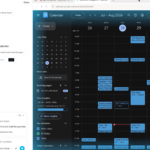
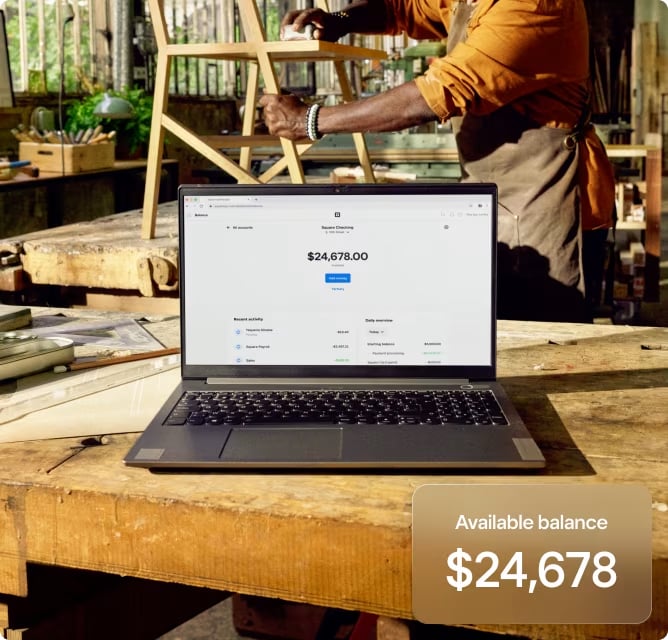
Square is one of the most accessible free merchant account providers for businesses that want payment processing, POS software, and ecommerce tools in a single platform. Businesses can start accepting payments without monthly software fees, long-term contracts, or separate merchant account setup costs. Square also supports in-person, online, mobile, and invoiced payments, making it a flexible option for retailers, restaurants, and service-based businesses.
Beyond payment processing, Square includes free business management tools such as inventory tracking, sales reporting, customer directories, invoicing, and online checkout features. Businesses can also add paid upgrades for advanced POS functionality, payroll, appointments, and marketing tools as they grow.
Why I chose Square
I chose Square as the best overall value because it combines free merchant account access with a broader set of built-in business tools than most competitors. When I compared providers, Square consistently delivered the best balance of affordability, ease of use, and scalability for businesses that need both online and in-person payment capabilities.
Unlike many payment processors that focus only on transactions, Square includes free POS software, ecommerce features, invoicing tools, and hardware options without requiring long-term contracts or monthly minimums. Its straightforward flat-rate pricing also makes it easier for businesses to predict payment processing costs, especially for smaller or growing operations.
Square pricing and fees
Software pricing plans
- Free: $0/month
- Plus: $49/month
- Premium: $149/month
Processing fees
- In-person: 2.6% + 15 cents
- Online: 2.9% + 30 cents
- Keyed-in: 3.5% + 15 cents
- Custom rates available for businesses processing over $250,000 annually.
Visit Square
Features
- Free Square account includes POS, online store/checkout, virtual terminal, invoicing, and more.
- Square includes a free mobile card reader with every signup; in-person rates are industry standard.
- Loads of add-ons and upgrades with valuable features at inexpensive prices.
Pros and cons
| Pros | Cons |
|---|---|
| Lots of freebies, including free hardware. | Less suited to businesses that accept most of their payments as card-not-present. |
| Options for B2B services like marketing and business banking. | Processing fees are not the lowest available. |
| Custom processing rates available for high-volume sellers. |
SEE: Best cloud POS systems
Helcim: Best for low processing fees
Our rating: 4.24

If the account is free, then the biggest expenses you’re likely to contend with are the processing fees. You can’t get around those fees, but you can minimize their impact by finding the ones most amenable to your organization. Helcim cuts down the costs across the board, but the numbers have to get kind of complicated to make it happen.
Where Square and Stripe flatten transaction processing fees to a single price, Helcim doesn’t. The former two can only achieve a flat fee format by varying their own profit margin, meaning they sometimes take a bigger cut. Helcim does the opposite, applying the same (rather thin) profit margin to every transaction.
In practice, it looks like your fees are all over the place — because they are — but you’re never paying extra just to get the flat fee. You only ever pay the interchange fees plus their flat margin. That’s why it’s known as “Interchange Plus pricing.”
Why I chose Helcim
In addition to interchange-plus rates, Helcim also offers pass-through fees; which allows customers and donors to pay processing fees and send you the full transaction amount. This isn’t commonly done in retail sales or other for-profit contexts.
But if you’re running a nonprofit, a charity, or anything else that takes donations rather than selling goods/services, this can be quite the lifesaver. Donors are already looking to help you make the most of the money they’re giving, so the majority are happy to keep the fees from eating into what you receive.
Interchange Plus and pass-through fees alone qualify Helcim for this list.
Helcim pricing and fees
- In-person processing fees: Interchange plus 0.15% + 6 cents to 0.4% + 8 cents
- Online and keyed-in processing fees: Interchange plus 0.15% + 15 cents to 0.50% + 25 cents
- American Express transactions: 0.10% + 10 cents
- ACH processing fees: 0.5% plus 25 cents per transaction
Visit Helcim
Features
- Interchange plus pricing means you’ll pay less for processing fees with Helcim than anywhere else.
- Pass-through fees option so you can set up your processing to give the payee the option to eat the cost of those fees themselves.
- Volume-based discounts help you save more the more you sell.

Pros and cons
| Pros | Cons |
|---|---|
| Super low processing fees, though calculations are a bit more confusing. | You save less if you process mostly high-interchange transactions (e.g., AmEx). |
| Better suited to businesses processing high volumes, nonprofits accepting donations, and organizations doing lots of ACH transactions. | Fewer add-ons and ancillary features available. |
| Save more when you process low-interchange transactions (Visa cards, etc.). | Limited options for rapid disbursement. |
PayPal: Best for online businesses
Our rating: 4.19

PayPal has been around for a long time: it is a well-known and trusted payment institution. For years, PayPal was purely an online service, facilitating e-commerce and card-not-present transactions exclusively.
That background is evident in how PayPal operates now, even as the company started offering POS solutions and in-person processing. Where Square tilts the scales of its fees towards the face-to-face experience, PayPal does a little of the opposite. PayPal makes it easier and less expensive for up-and-coming businesses to accept payment and profit from online sales.
Why I chose PayPal
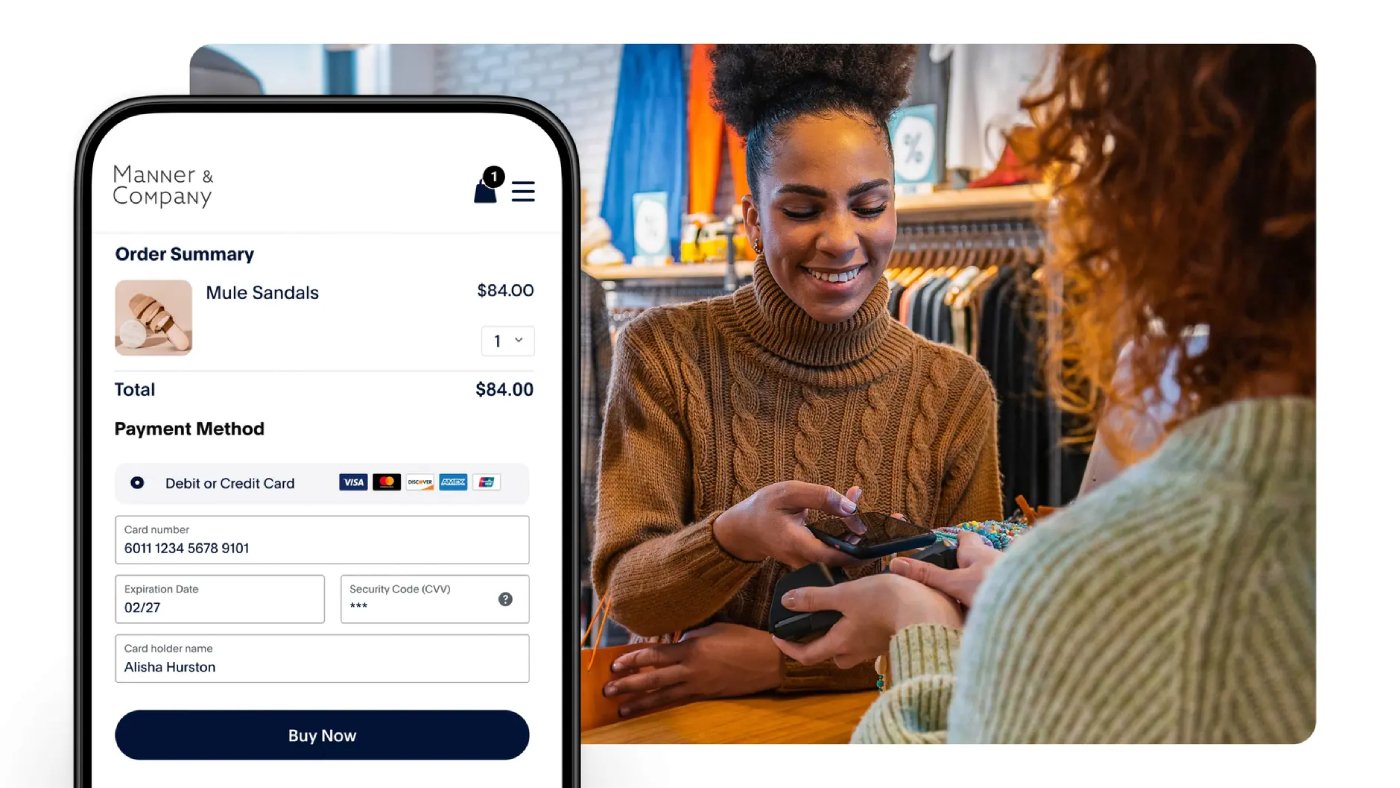
Better fee rates for online transactions are not the only reasons to pick PayPal, though. All around, PayPal is better equipped to support and enable brands that are trying to establish a foothold in online markets. It’s free to get an account, and you have an extensive list of compatible payment methods, from QR codes, to copious third-party integrations and embedded payment portals, to even payment apps, and installment-based payments.
What’s more, PayPal can be used to facilitate transactions on your digital storefront basically anywhere you might build a website or already have one built.
SEE: Best international merchant accounts
PayPal pricing and fees
- No monthly fees.
- Standard credit/debit payments: 2.99% + fixed fee.
- In-person and QR code transactions: 2.29% + fixed fee.
- PayPal Checkout: 3.49% + fixed fee.
- Pay with Venmo: 3.49% + fixed fee.
- Other transaction types: 3.49% + fixed fee.
Note: The fixed fee is a flat amount added to every transaction — like the “plus $0.15” you might see in other processors’ pricing — with the only difference being that the fee is dependent on the type of currency used in the transaction.
Visit PayPal
Features
- Lots of options for online selling and e-commerce.
- One of the longest lists of accepted payments.
- Invoicing, digital storefront, and embed/integration functionality.
- Free mobile POS app.
Pros and cons
| Pros | Cons |
|---|---|
| A major payment solution and a trusted name in the space. | Limited options for in-person selling compared to competitors in this list. |
| Works with just about any form of payment, currency, and digital marketplace. | Only one POS option available. |
| Highly adaptable for different websites and online checkouts. |
What’s hot at TechRepublic
Stripe: Best for multichannel payment platforms
Our rating: 4.11

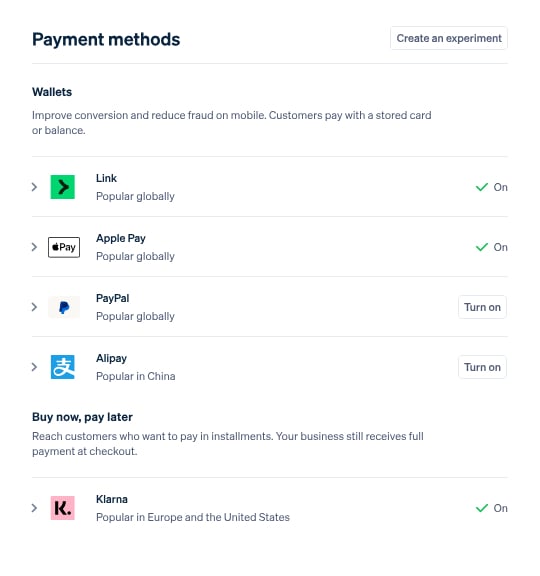
Stripe provides its users with advanced customization tools at no extra cost. You’re not penalized for wanting to tailor your online and in-person payment platforms; in fact, Stripe offers an impressive array of API and SKD documentation and solutions to guide you through the process. However, if plug-and-play is more your speed, Stripe has hundreds of integrations with other software.
Why I chose Stripe
If you find success by pulling from multiple income streams, you shouldn’t have to cringe at the cost of customizing your payment tools just to offer your customers the best checkout experience.
Stripe takes a unique approach by letting businesses use its developer tools for free. So, while it offers many of the same value propositions of forever-free plans from brands like Square, you’re not limited to pre-built custom options, though Stripe has those, too. That leaves you free to tailor your in-person and online checkout platforms as much as you want.
Stripe pricing and fees
- No contracts, no monthly fees.
- In-person transaction fee: 2.7% + 5 cents.
- Online transaction fee: 2.9% + 30 cents.
- Custom pricing packages available.
Visit Stripe
Features
- Options for rapid payouts.
- Advanced tools for reporting, automation, and other functions.
- Top-notch security features.
- Best-in-class API and SDK documentation.
Pros and cons
| Pros | Cons |
|---|---|
| Get paid faster, possibly even without paying extra fees. | Fewer in-person and POS hardware options than competitors like Square. |
| Powerful mobile card readers and terminals. | Does not support high-risk industries (e.g., age-restricted goods, etc.). |
| User-friendly open API. | |
| Hundreds of integrations. |
Wave: Best for invoicing
Our rating: 3.83

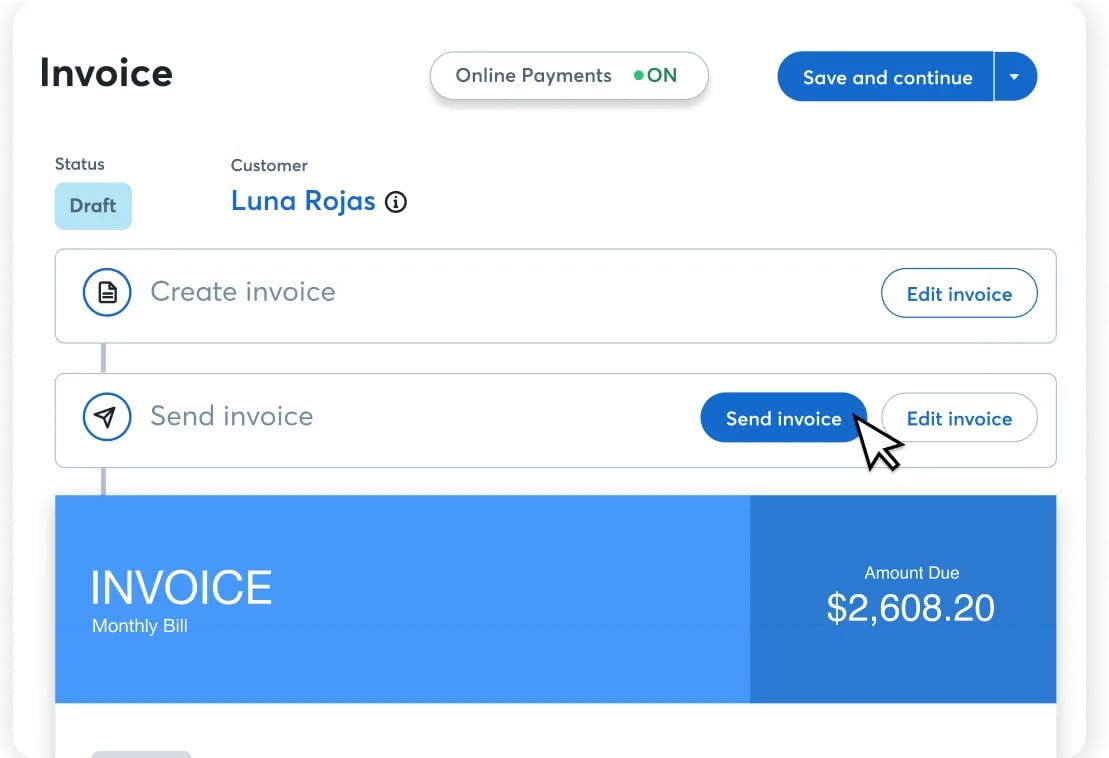
Wave is an outlier on this list; all of the other picks have POS hardware options available and can be used to collect payments in person — Wave does not. What Wave does have is the most robust invoicing capabilities of the bunch, which are free to use.
While you need to upgrade if you want a slight reduction in processing fees and remove the Wave watermark from your invoices, you otherwise have full access to Wave’s functionality. Notably, you can use Wave to create estimates and invoices and convert the former into the latter.
By comparison, Helcim doesn’t facilitate estimates; Stripe reserves estimate creation for users who upgrade to a plan with a higher fee rate; and Square doesn’t allow estimates to be converted to invoices without subscribing to a paid plan.
Why I chose Wave
Not every business needs to be able to swipe a card or even let customers purchase a storefront. But everyone needs a way to get paid, and it’s helpful if you have a way to track that cash flow and simplify records for things like financial reporting and taxes.
Finally, Wave has a few standout add-ons, including expert support and even full bookkeeping services, which are pricey but potentially worth it for peace of mind.
Wave pricing and fees
Pricing plans
- Starter Plan: $0/month, plus processing fees.
- Pro Plan: $19/month, plus processing fees.
Processing fees
- Starting at 2.9% + $0.60.
- Fees reduced to 2.9% + $0.60 for the first 10 transactions/month for Pro subscribers.
Available add-ons
- Digital receipt capture.
- Run payroll.
- Hire a bookkeeper.
Visit Wave
Features
- Intuitive, browser-based interface.
- Convenient billing functionality, allowing clients to pay you directly from a digital invoice.
- Helpful add-ons for small businesses (e.g., payroll, receipt capture, bookkeeping services).
Pros and cons
| Pros | Cons |
|---|---|
| Easy to set up, use, and get paid. | No support for in-person payments. |
| Nearly all core functionality available to free account users. | Reduced fees for Pro Plan are limited to the first 10 payments per month and then Starter Plan pricing after that. |
| Keep costs low, or upgrade for boosted functionality as needed. |
Methodology: How I evaluated the best free merchant account providers
To build this list of the best free merchant account providers, I compared leading payment processors based on the factors businesses most often consider when choosing a payment solution: pricing transparency, transaction capabilities, business management tools, customer support, and user satisfaction. I also reviewed whether providers offered truly free merchant accounts, meaning no setup fees, monthly account fees, long-term contracts, or monthly minimums. Businesses still pay payment processing fees for transactions.
I scored each provider using a weighted rubric that evaluated four core categories:
- Pricing and contract terms (30%): I compared monthly fees, cancellation policies, chargeback fees, hardware pricing, and monthly minimum requirements.
- Business and payment features (45%): I evaluated support for card-present and online payments, invoicing, virtual terminals, ACH processing, cloud reporting, POS tools, and multichannel payment capabilities.
- Ease of use and support (15%): I reviewed application speed, deposit times, hardware flexibility, and customer support availability.
- User reviews (10%): I incorporated customer ratings and reputation data from platforms including G2 and Capterra to validate real-world user experiences.
When available, I also reviewed provider demos, onboarding flows, pricing documentation, and feature availability to verify how each platform supports ecommerce, retail, and service-based businesses. Final scores were calculated using a weighted scoring model to identify the best overall value and strongest use cases for different business needs.
How to choose a merchant account provider for your business
Step 1: Identify how you accept payments. Start by listing your sales channels: in person, online, mobile, invoicing, recurring billing, or a combination of channels. This helps narrow your options to providers that support your actual payment workflow.
Step 2: Compare total processing costs. Look beyond monthly software fees. Review card-present rates, online payment rates, keyed-in rates, ACH fees, chargeback fees, hardware costs, and any paid plan requirements.
Step 3: Check contract terms. Prioritize providers with no long-term contracts, cancellation fees, or monthly minimums. This gives your business more flexibility if your processing needs change.
Step 4: Evaluate payment features. Make sure the provider supports the tools your business needs, such as invoicing, virtual terminals, card-on-file payments, ecommerce checkout, POS software, subscriptions, or ACH processing.
Step 5: Review funding speed. Compare standard deposit timelines and same-day funding options. Faster deposits may cost extra, but they can help businesses maintain healthy cash flow.
Step 6: Assess scalability. Choose a provider that can support future growth, whether that means lower interchange-plus pricing, advanced reporting, developer tools, multiple locations, or international payment support.
Step 7: Read user reviews and support options. Check customer feedback on reliability, account holds, support response times, and dispute handling. Since payment issues directly affect revenue, responsive customer support is important.
Also read:
Frequently asked questions (FAQs)
What is a free merchant account?
A free merchant account is a payment processing account with no setup fee or monthly subscription cost. Most providers still charge transaction fees for card payments and online checkouts.
Can businesses get free payment processing?
Some payment processors offer free payment processing through surcharge or cash discount programs, but most providers charge per-transaction processing fees instead of monthly account fees.
What is the best free online merchant account?
The best free online merchant account depends on your sales channels. Stripe and PayPal work well for ecommerce businesses, while Square supports both online and in-person transactions.
Are free merchant services actually free?
Most free merchant services eliminate monthly fees, PCI compliance fees, and long-term contracts, but businesses still pay credit card processing fees on each transaction.
How do I get a free merchant ID number?
Businesses receive a merchant ID number automatically after approval for a merchant account through a payment processor or acquiring bank. Most providers include it at no additional cost.
What is a merchant account agent program?
A merchant account agent program lets consultants, IT providers, agencies, or resellers partner with payment processors to refer clients and earn recurring commissions.
What is the best merchant account for growing businesses?
Square is a strong option for businesses needing simple flat-rate pricing and POS tools, while Helcim and Stripe are better suited for companies that want scalable payment infrastructure and lower-volume-based processing rates.
Read the full article here