


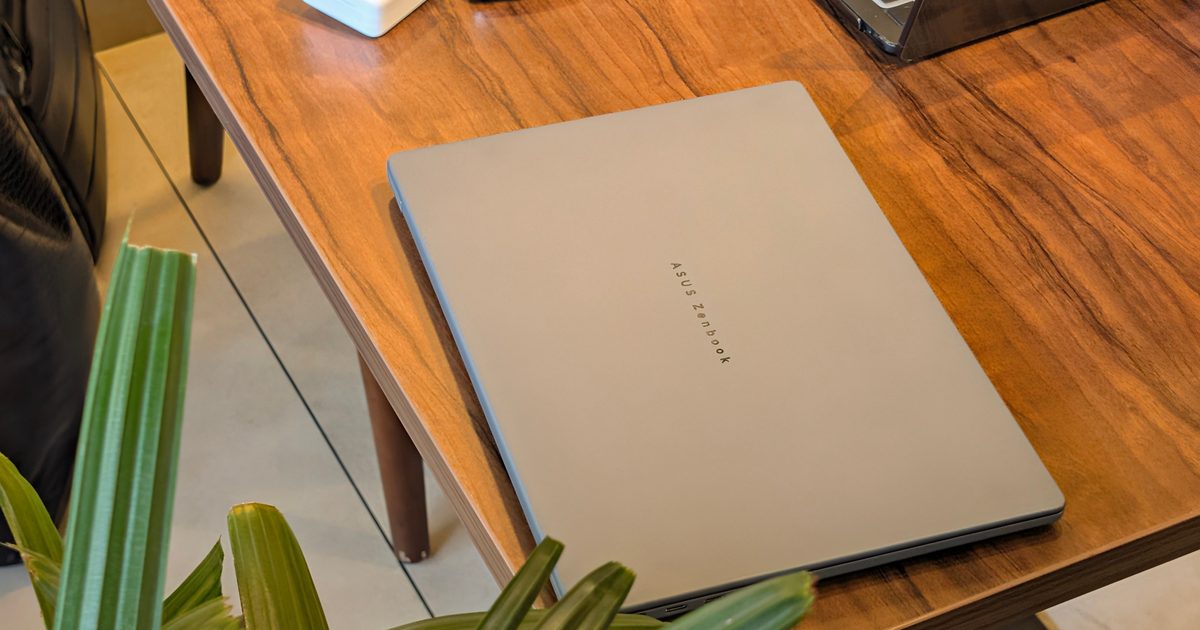

ASUS Zenbook A14 (UX3407NA)
MSRP $1,349.00
“Weighs almost nothing, lasts all day, and finally makes Windows on Arm easy to forget.”
Pros
- Impressively light Ceraluminum construction
- Top-tier battery life
- Snapdragon X2 Elite brings some serious performance upgrades
- OLED display still looks excellent
- Decent port selection
Cons
- 1200p display with 60Hz is a letdown
- 16GB of soldered RAM
- SSD performance trails recent rivals
- Both USB-C ports are on the same side
Quick take
Picking up the ASUS Zenbook A14 for the first time messed with my perception of how much a 14-inch laptop should weigh. My review unit comes in at just 0.99kg, and somehow that number still doesn’t prepare you for holding it. This is not the first time I’ve used such a lightweight notebook, but even then, the experience is still refreshing.
Carrying the A14 around with one hand quickly became completely normal. ASUS already had the lightweight part figured out with the previous Zenbook A14. The bigger change this year is inside. My UX3407NA review unit uses Qualcomm’s 18-core Snapdragon X2 Elite X2E88100, along with 16GB of LPDDR5X memory and a 512GB PCIe 4.0 SSD. The NPU has also jumped to 80 TOPS.
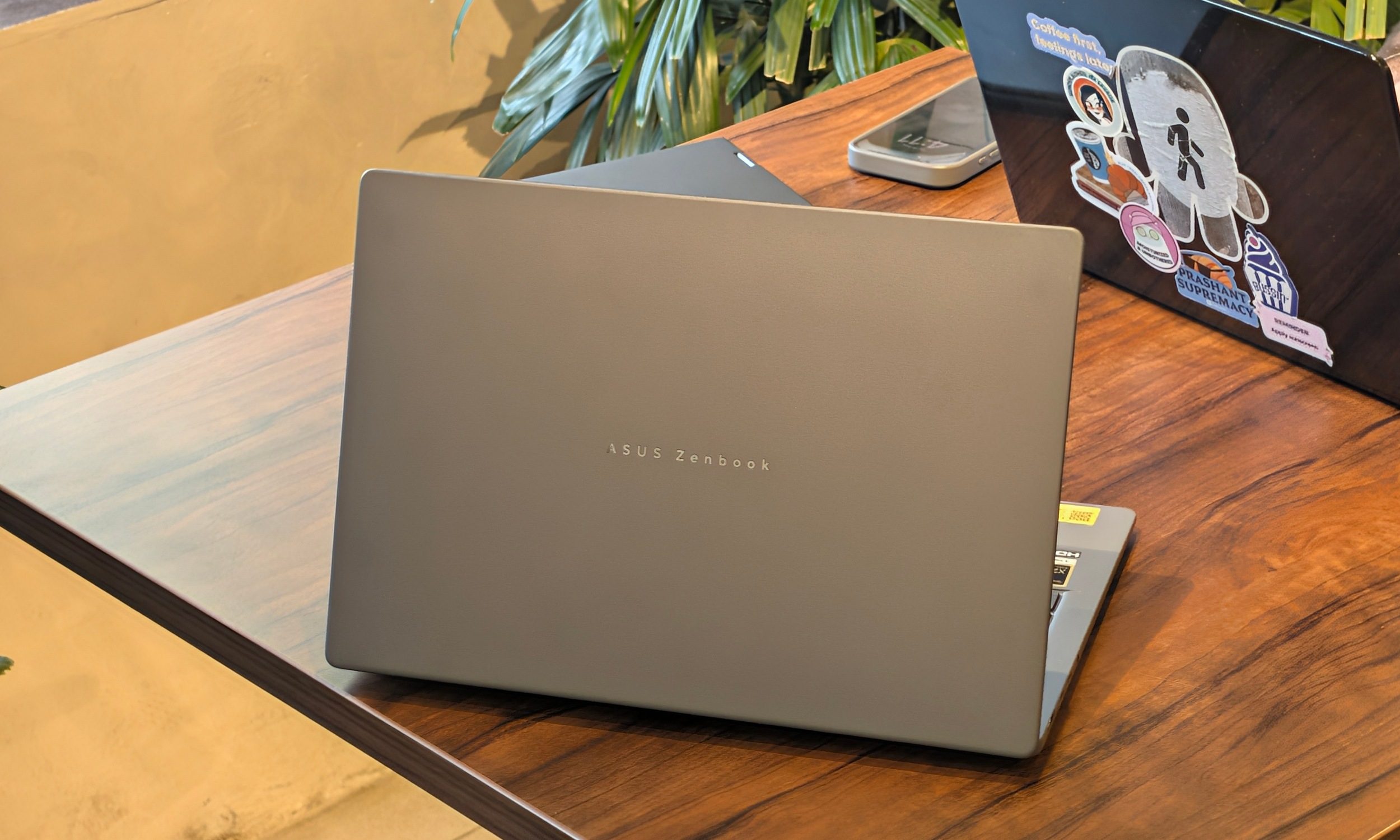
I used it as my main work laptop for around two weeks, and most of the time, I was away from a charger. That meant a lot of browser tabs, Google Docs, Discord, YouTube, Spotify, and the usual research workload I put every laptop through.
Somewhere during that process, I stopped thinking about the fact that I was using Windows on Arm.
Performance has climbed considerably, battery life is excellent, and almost everything I use regularly worked without drama. The A14 still has some irritating compromises. A 60Hz FHD+ display on a premium Zenbook in 2026 is particularly difficult to ignore, while 16GB of soldered memory limits its long-term appeal.
Best Buy currently sells the comparable US Snapdragon X2 Elite configuration with 16GB of RAM and 512GB of storage for $999.99, which makes those compromises considerably easier to stomach.
ASUS Zenbook A14 specs
| Feature | Specification |
| Model | ASUS Zenbook A14 UX3407NA |
| Processor | Snapdragon X2 Elite X2E88100, 18 cores, up to 4.7GHz |
| Operating System | Windows 11 Home |
| Memory | 16GB LPDDR5X |
| Storage | 512GB PCIe 4.0 NVMe SSD |
| Graphics | Qualcomm Adreno |
| NPU | Qualcomm Hexagon, up to 80 TOPS |
| Display | 14-inch 1920 x 1200 OLED, 60Hz, 400 nits SDR, 600 nits HDR |
| Color Gamut | 100% DCI-P3 |
| Ports | 2x USB4 Type-C, USB-A 3.2 Gen 2, HDMI 2.1, 3.5mm audio |
| Wireless | Wi-Fi 7, Bluetooth |
| Webcam | FHD IR camera with Windows Hello |
| Battery | 70Wh |
| Charger | 100W USB-C |
| Weight | 2.18lbs. (0.99kg) |
| Color | Iceland Gray |
While the regional unit I received comes in Iceland Gray, the equivalent US configuration differs slightly, including its Zabriskie Beige finish.
Design: It almost weighs nothing
Quick take: The A14 is one of those laptops where portability becomes a feature you notice every single day.
I knew the Zenbook A14 was going to be light. Holding it still blew my mind. The 0.99kg construction changes how casually you can carry this thing around. I was perfectly happy walking around with the laptop in one hand rather than immediately hunting for a bag. ASUS even includes a surprisingly premium sleeve, and the combination makes a lot of sense for someone who regularly moves between rooms, meetings, classrooms, or cafes.
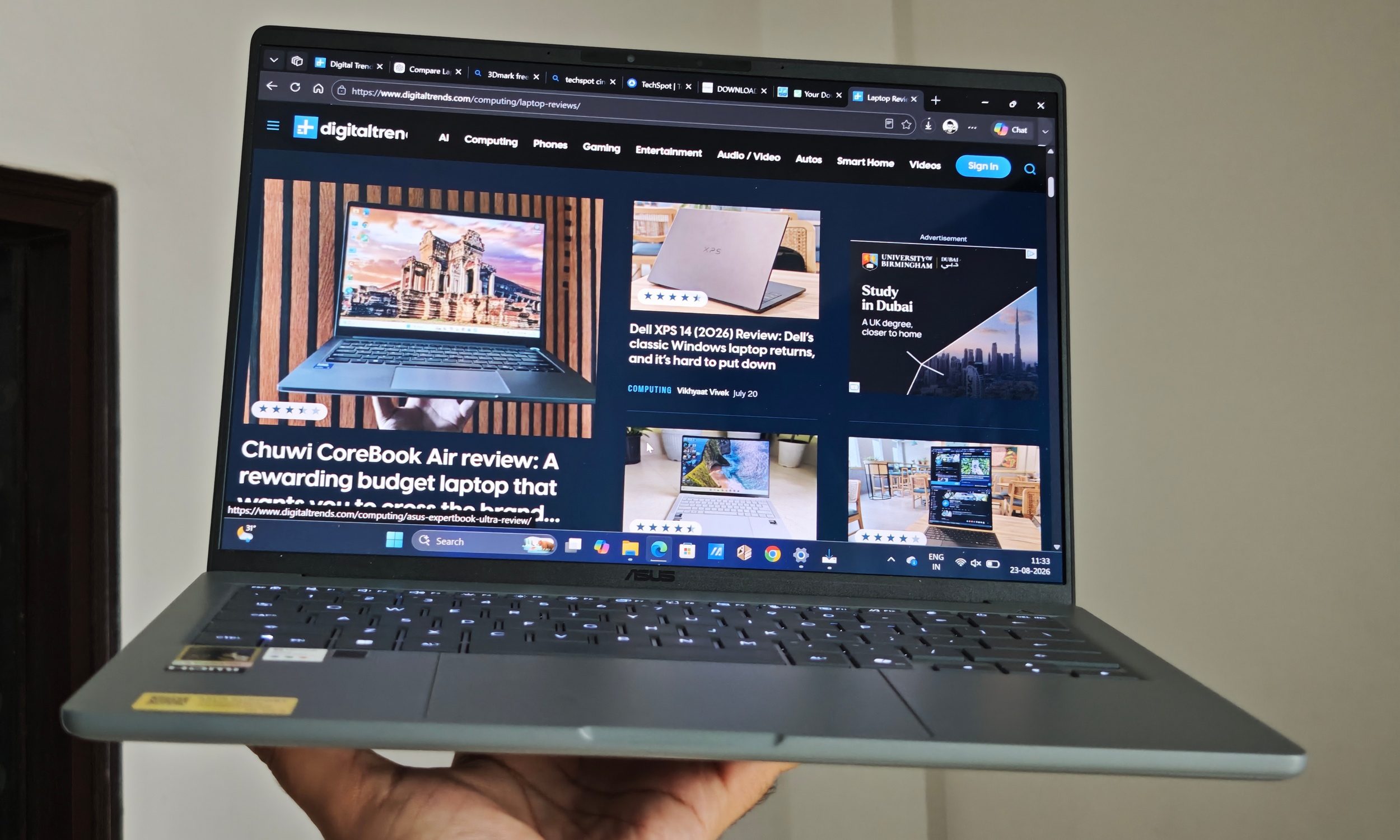
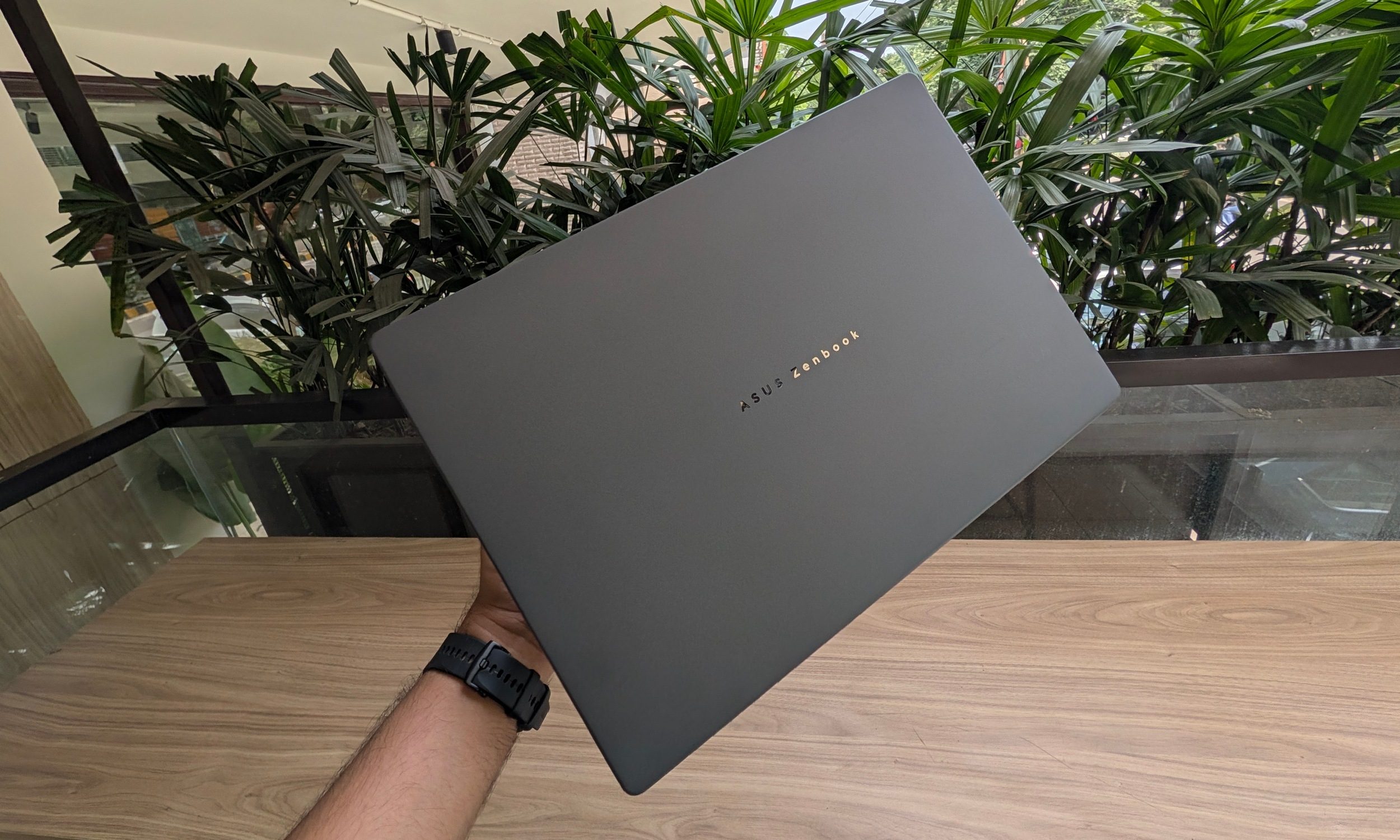
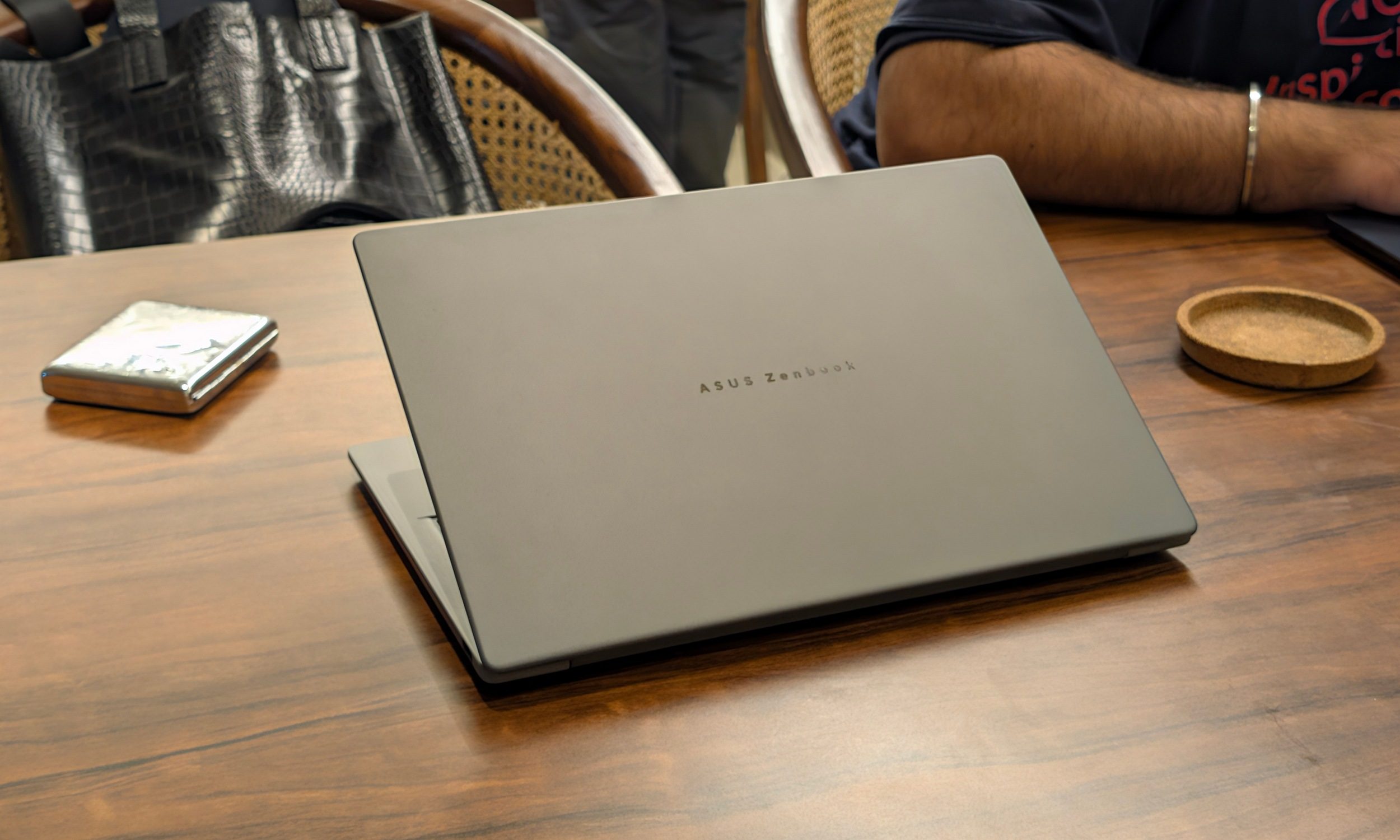
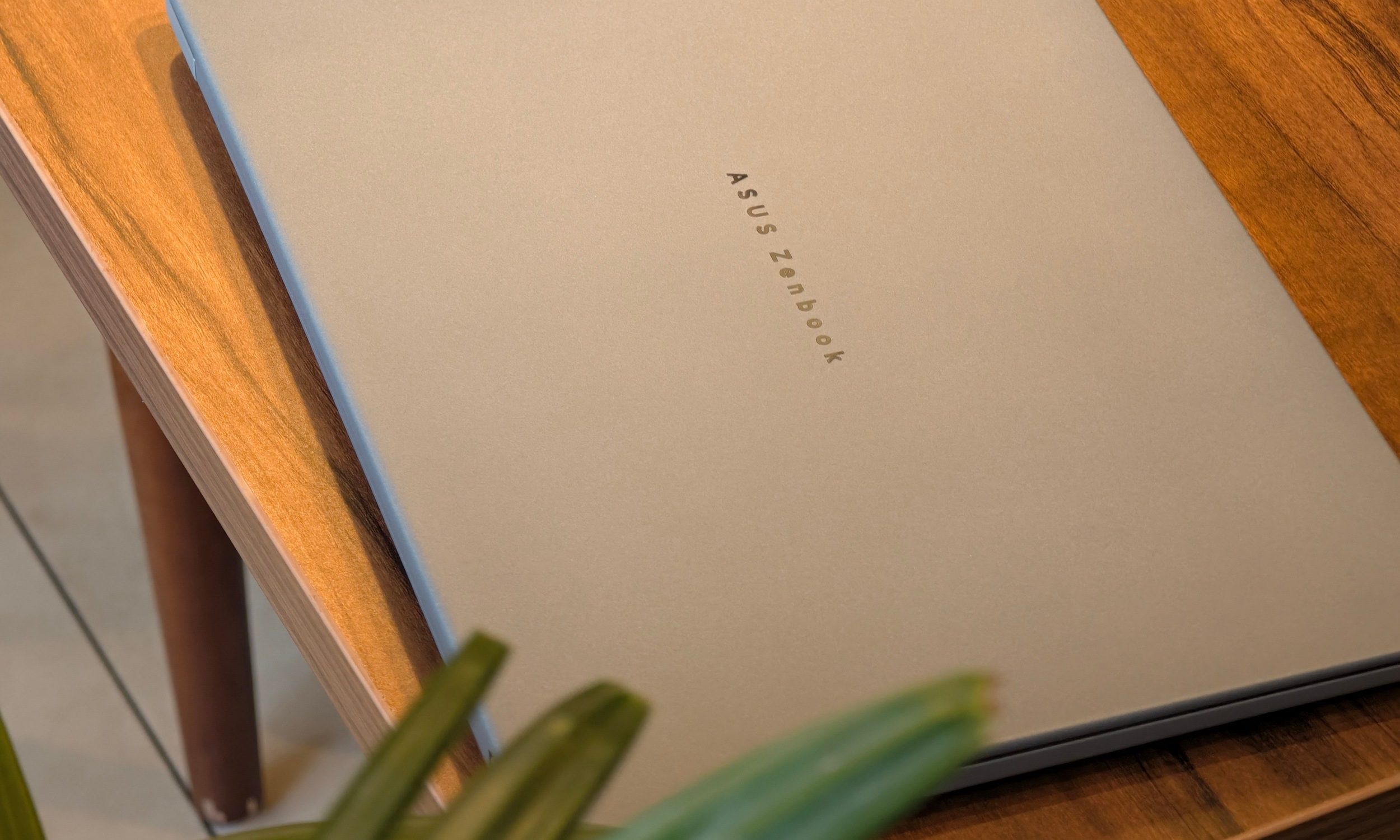
The Ceraluminum construction deserves a lot of credit. ASUS uses a ceramized aluminum-magnesium alloy, giving the chassis a soft texture that makes the laptop easier to grip without adding much weight. The Iceland Gray finish also works beautifully with the minimal design. Sober colors don’t have to look boring.
Its lack of weight initially gives the impression that ASUS has built something flimsy. But that quickly disappears once you actually start using it. The keyboard deck is impressively solid, and the chassis doesn’t twist or creak during normal handling. There is some flex in the display lid, but that isn’t particularly surprising given how thin it is.
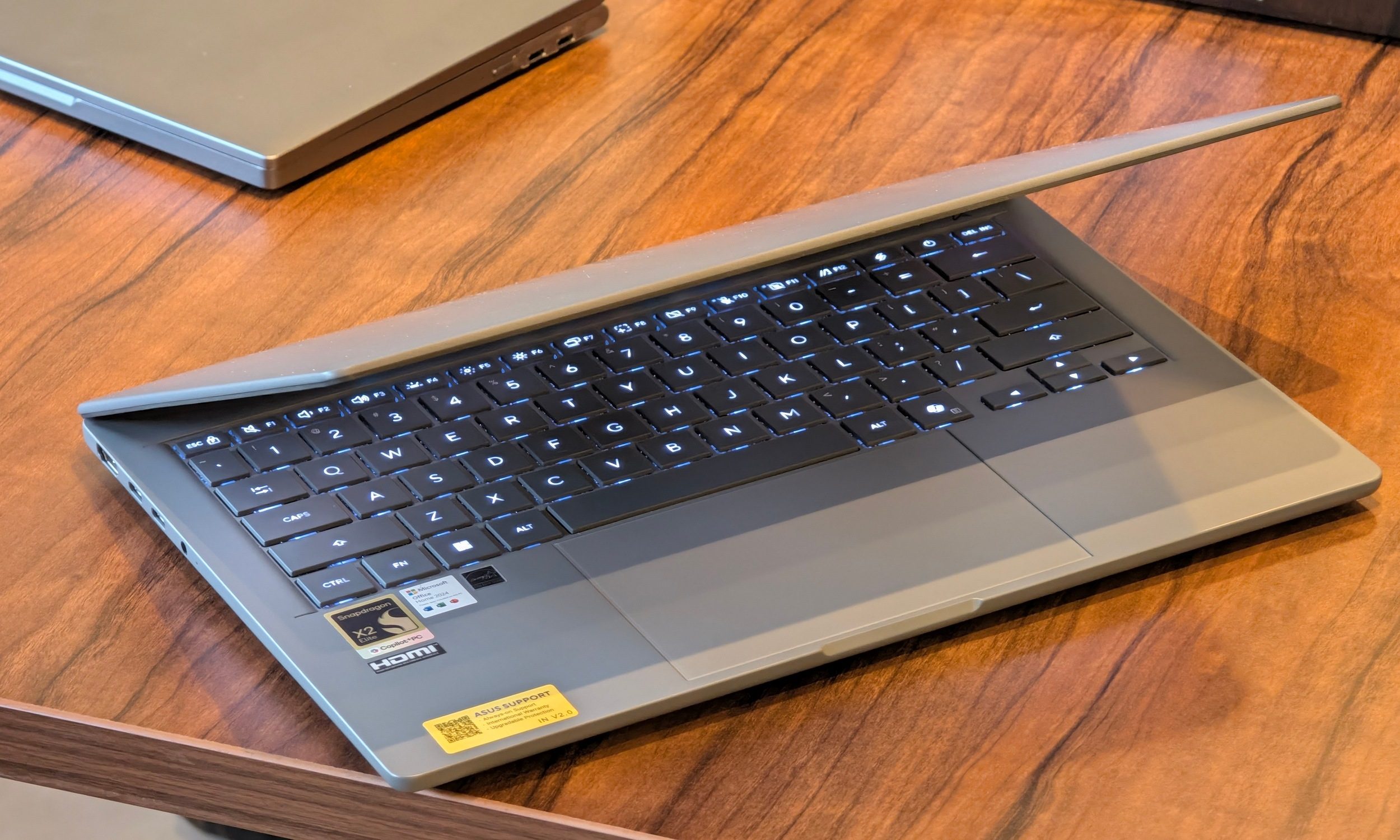
The hinge is even better. I can lift the lid with one finger without dragging the base around, yet it holds the display firmly with barely any wobble.
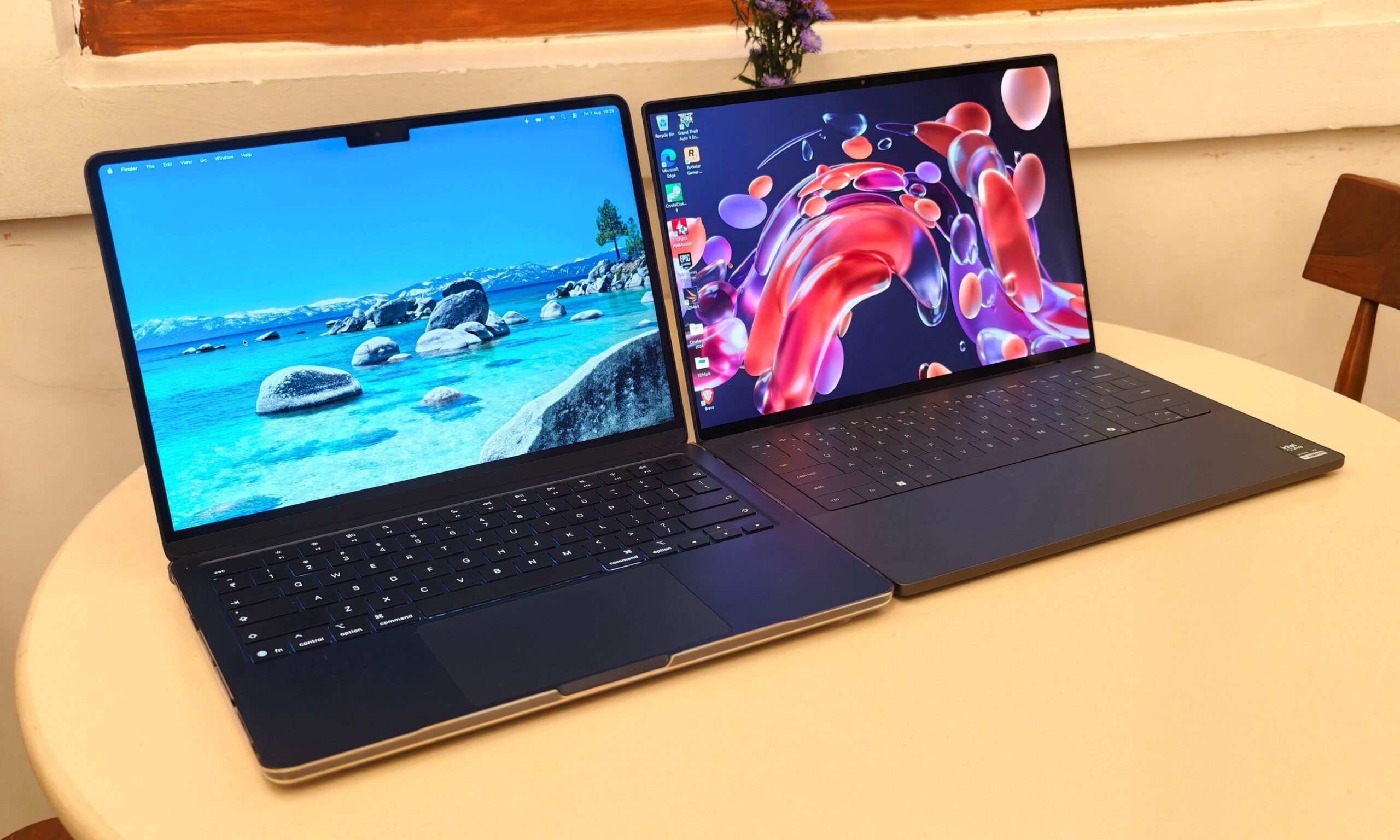
Compared with something like the Dell XPS 14, the difference isn’t comical. The XPS weighs around 1.36kg, which is hardly heavy on its own. Still, the extra mass becomes very obvious after carrying the A14 around for a few days. The XPS still has the denser and more luxurious CNC aluminum construction, while the A14 wins the moment mobility becomes the priority.
Design score: 9/10
Display: 60Hz in 2026 hurts
Quick take: OLED saves the A14’s display from being mediocre, but the resolution and refresh rate are difficult compromises to justify on a premium Zenbook.
The 14-inch OLED display has a 1920 x 1200 resolution, 60Hz refresh rate, 400 nits of regular brightness, and up to 600 nits with HDR content. You also get 100% DCI-P3 coverage and VESA DisplayHDR True Black 600. Most of that sounds perfectly respectable till you realize you’re stuck with a 60Hz refresh rate.
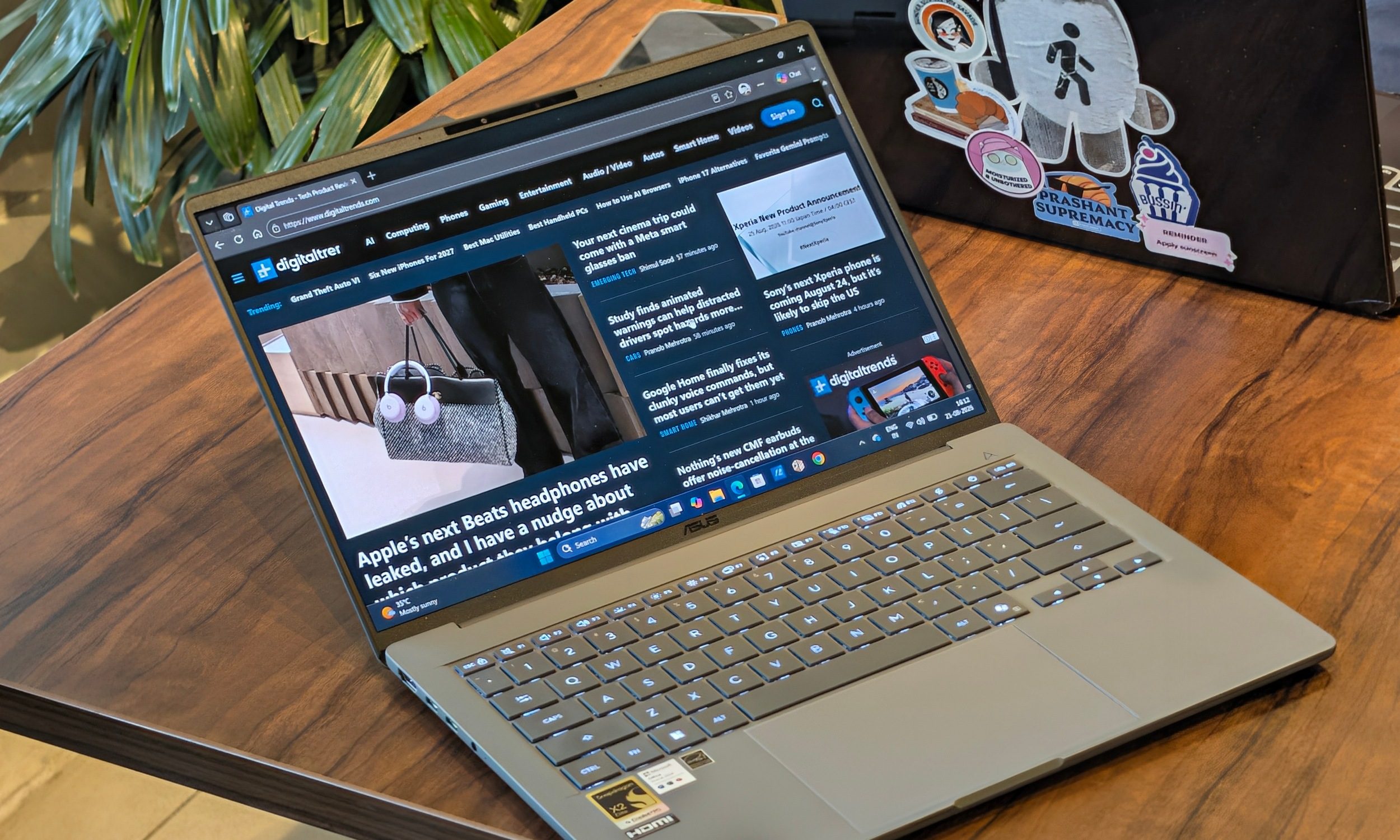
This is one of my biggest problems with the Zenbook A14. ASUS has spoiled me with 120Hz and even 144Hz OLED panels elsewhere in the Zenbook family. Going back to 60Hz makes scrolling and Windows animations visibly less fluid, even when the Snapdragon underneath is keeping everything responsive.
Resolution is the other compromise. 1200p remains sharp enough at 14 inches for text, spreadsheets, websites, and general productivity. At this price, I still want more. A 2.8K or 3K display gives you the option of enjoying sharper 1440p content and higher-resolution photos before dropping the resolution when maximum battery life matters.
My regular Zenbook 14 is a good example. Its 2.8K 120Hz OLED panel is one of the reasons I still enjoy using that laptop despite the A14 being lighter, faster, and longer-lasting.
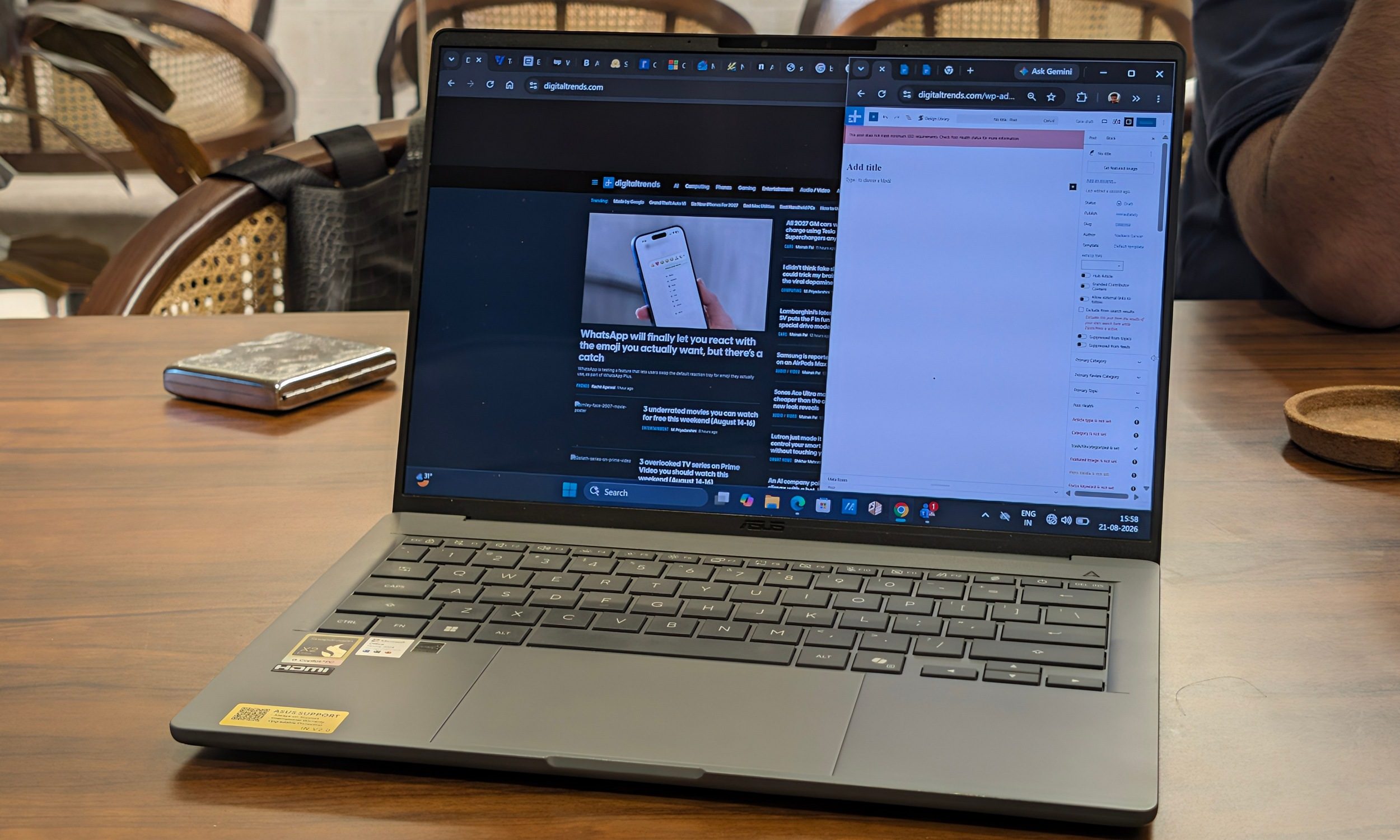
At least the fundamentals are excellent. OLED gives movies the deep blacks and contrast I expect, HDR content has plenty of punch, and colors have that richness ASUS’ OLED laptops usually deliver. Brightness is sufficient inside offices and cafes. Outdoor use is harder, and reflections become noticeable depending on where the light is coming from.
The MacBook Air M5 presents the opposite compromise. Apple is still stuck at 60Hz as well, yet its panel offers a higher native resolution. I personally prefer having OLED on the A14, especially for movies and darker content, but neither machine gives me the display configuration I actually want.
Display score: 7.5/10
Keyboard and touchpad: very familiar ASUS territory
Quick take: Comfortable keys and a large touchpad make the A14 easy to work on for hours.
I’ve used enough ASUS laptops that sitting down at the A14 required almost no adjustment. I’ve used this exact layout before.
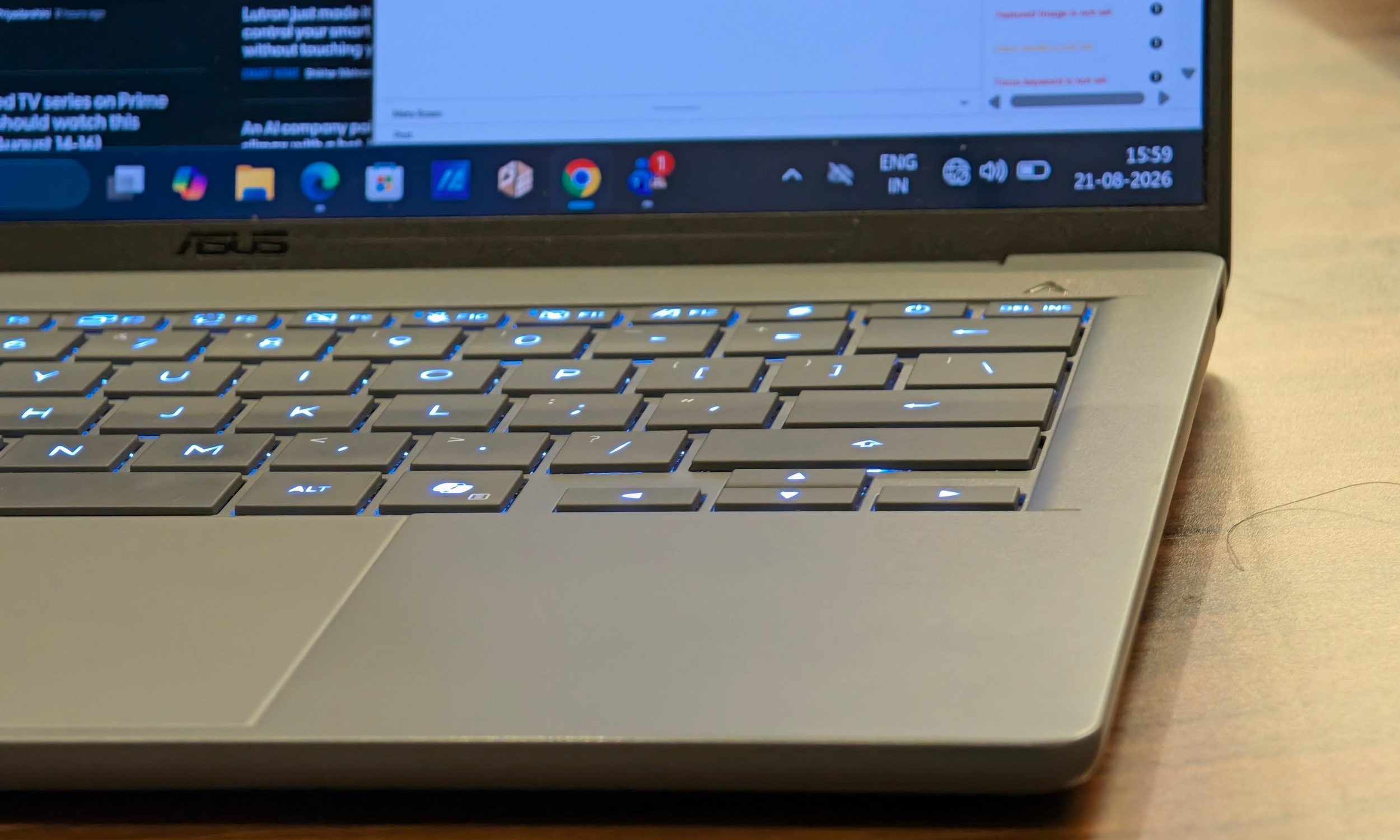
The keyboard has 1.3mm of travel. The response is satisfying enough for the amount of writing I do every day, even if the travel isn’t that deep. The keycaps are sturdy, the layout is familiar, and the backlighting does a good job illuminating the symbols.
The large touchpad underneath is another strong point. Tracking remained accurate throughout my testing, and the mechanical click is one of the better implementations I’ve used recently.
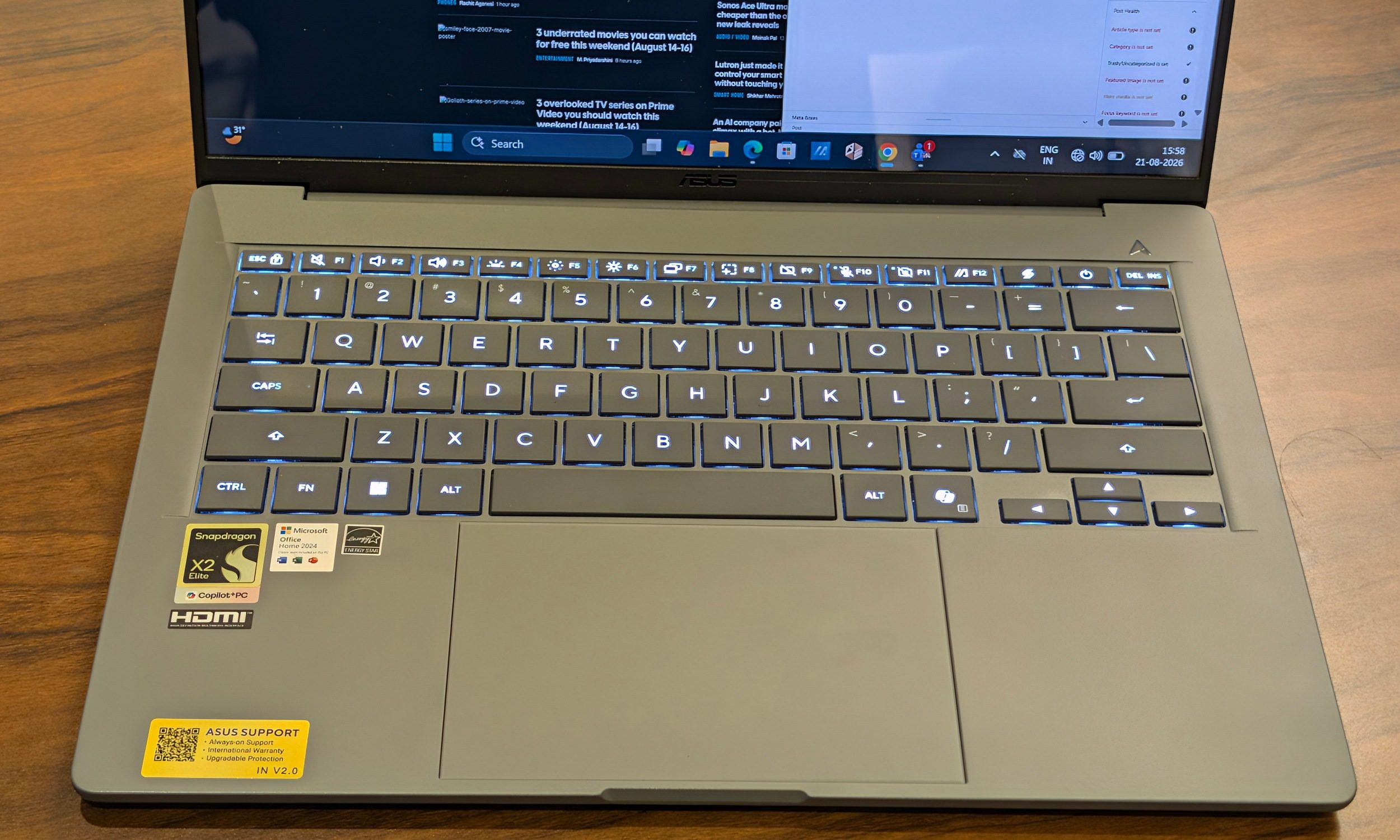
I still miss the haptic touchpad from the Dell XPS 14. Dell has one of my favorite Windows trackpads right now. ASUS does make up some ground with Smart Gestures. Sliding along the edges can control brightness and volume, which becomes surprisingly handy once it enters muscle memory.
Keyboard and touchpad score: 8/10
Performance: Snapdragon is getting scary good
Quick take: The Snapdragon X2 Elite gives the A14 enough power that Windows on Arm stopped occupying my attention.
This is where the new Zenbook A14 really starts separating itself from the machines that came before it. The Snapdragon X2 Elite X2E88100 has 18 CPU cores, a maximum single-core boost of 4.7GHz, and an 80 TOPS Hexagon NPU. My configuration pairs that with 16GB of LPDDR5X memory.
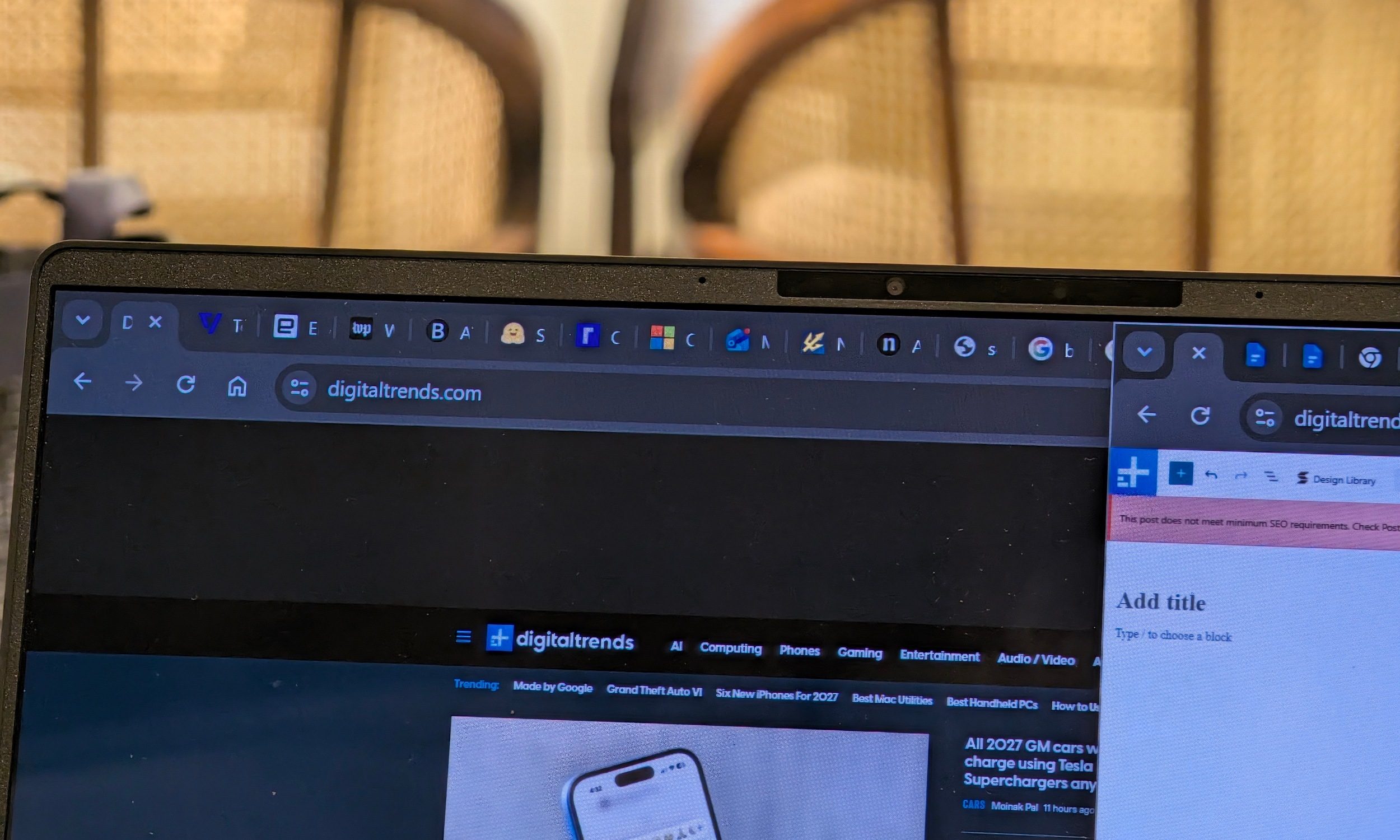
For my regular workload, it was easily overkill. I routinely had a dozen or more Chrome tabs open alongside Google Docs, Discord, Spotify, and YouTube. Windows stayed responsive, apps launched quickly, and I never had a crash or complete freeze during my two weeks with the laptop. Waking from sleep generally took around a second, sometimes less.
The 60Hz screen masks some of that speed because animations simply cannot look as fluid as they do at 120Hz. The laptop underneath is still plenty quick. The limitation is memory. 16GB is rapidly becoming the minimum I am comfortable recommending on a premium Windows laptop.
My writing and research workflow rarely overwhelmed it, but heavier Photoshop projects, big Lightroom catalogs, large development environments, virtual machines, or several memory-hungry creative applications could put much more pressure on that capacity. Since the memory is soldered, there isn’t an upgrade waiting later.
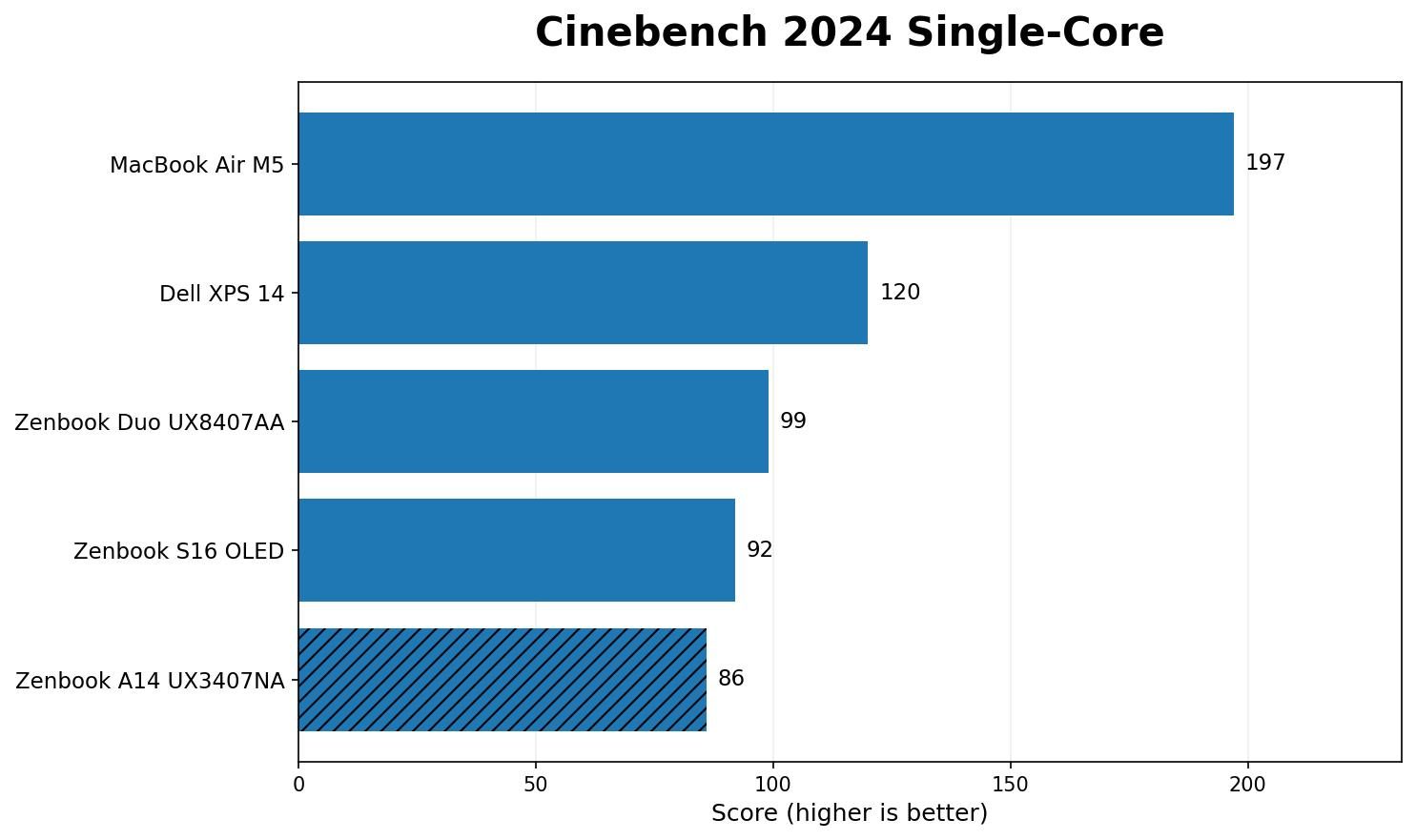
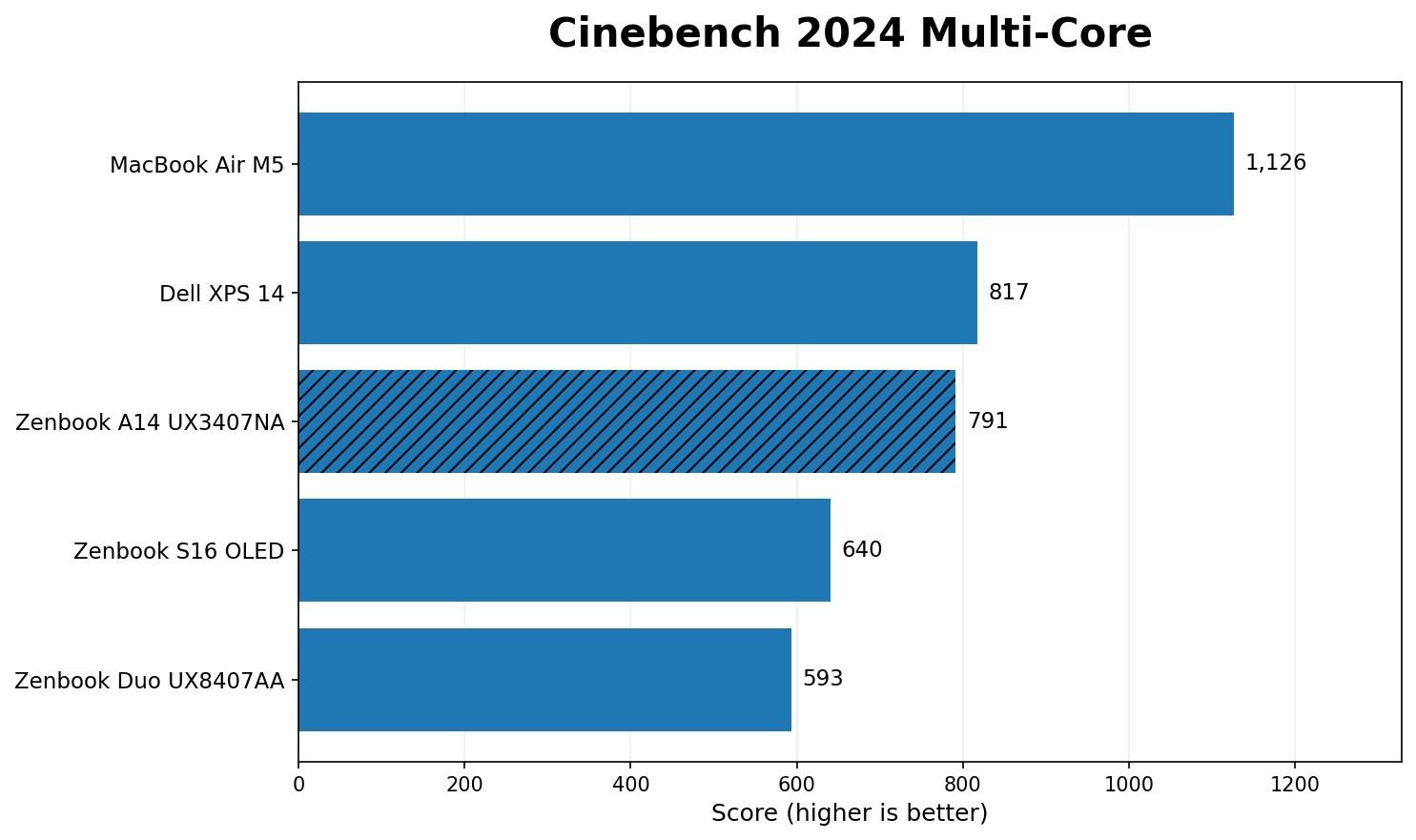
The benchmark results are pretty impressive. In Cinebench 2024, the Zenbook A14 scored 86 points in single-core and 791 points in multi-core. This puts its single-core result behind the Dell XPS 14’s 120 points and the Zenbook Duo’s 99. Multi-core performance is far more competitive. The A14 gets surprisingly close to the XPS 14’s 817 while comfortably beating the Zenbook S16 OLED at 640 and the Zenbook Duo at 593. Apple’s M5 MacBook Air still sits ahead at 197 and 1,126, respectively.
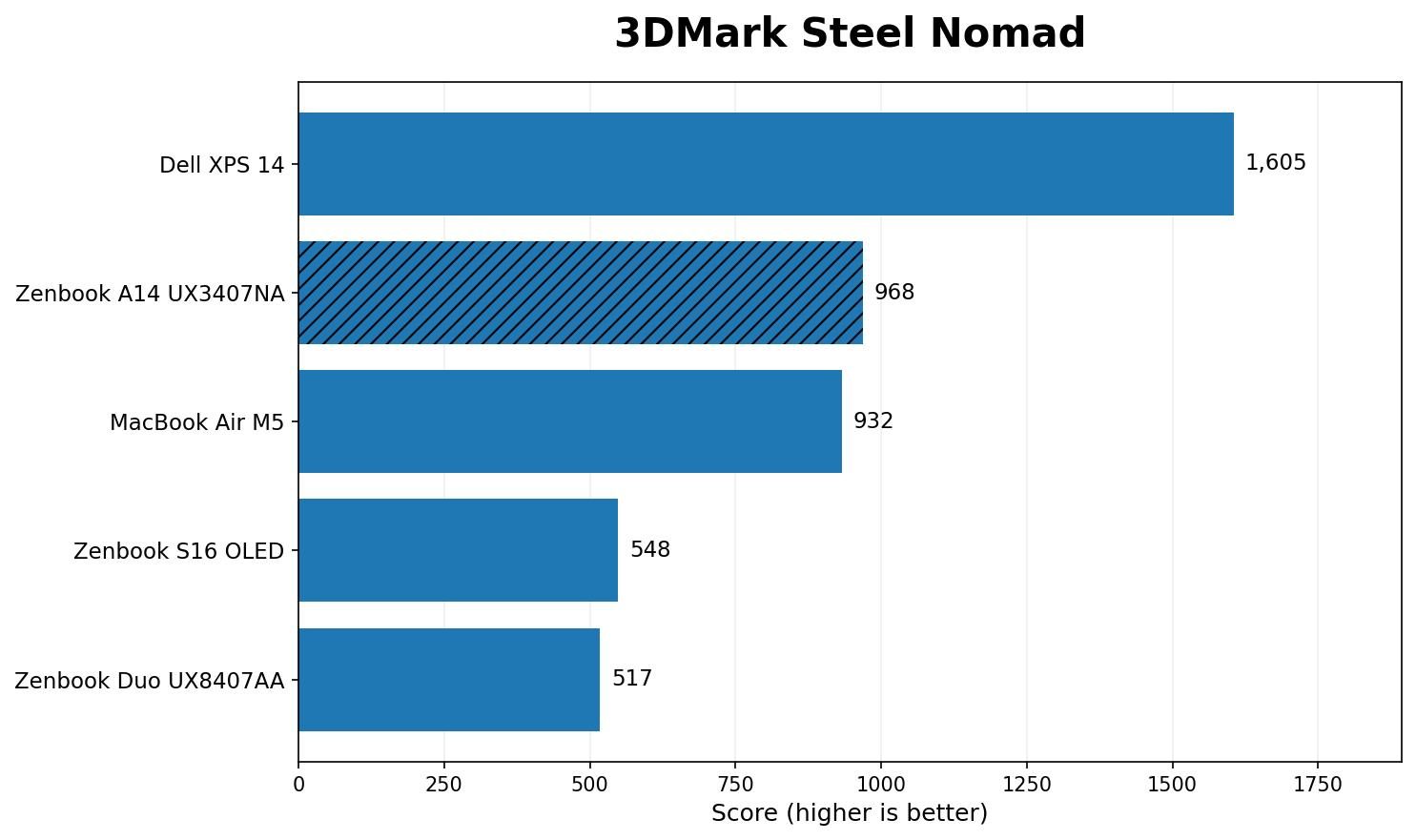
The A14 scored 968 in 3DMark Steel Nomad. That nudges it ahead of the fanless M5 MacBook Air’s 932 and comfortably beats the Zenbook S16 OLED at 548 and the Zenbook Duo at 517. Dell’s Arc B390 in the XPS 14 remains considerably faster at 1,605.
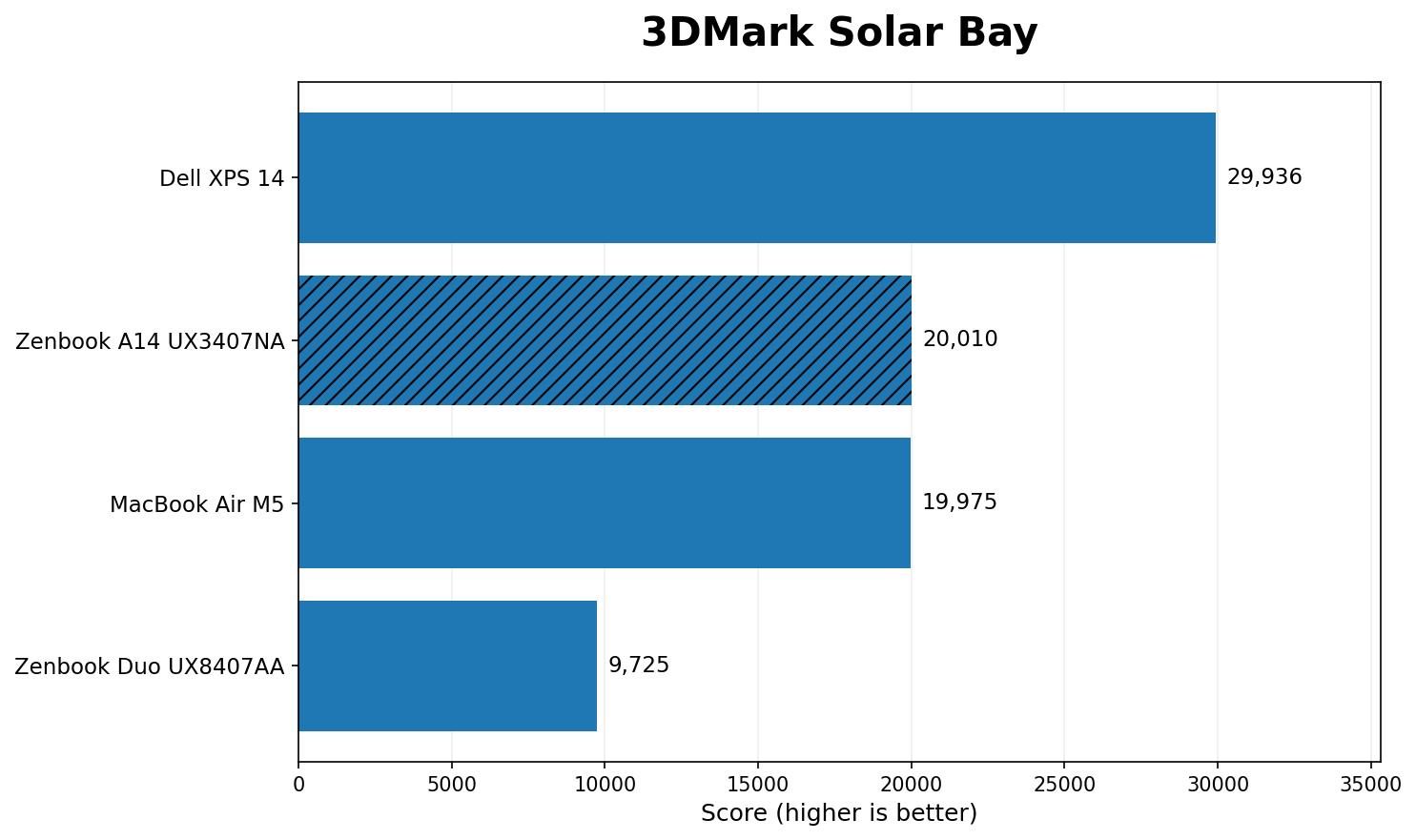
Solar Bay produced almost the same result as Apple’s laptop. The Zenbook A14 returned 20,010, while the M5 MacBook Air scored 19,975. The Zenbook Duo manages only 9,725, while the XPS 14 stretches its lead to 29,936.
Time Spy came in at 3,659, again putting the A14 ahead of the Zenbook Duo’s 3,278 and Zenbook S16 OLED’s 3,207.
My A14 result was recorded using Geekbench 7, where it scored 3,101 single-core and 21,914 multi-core. Our recent XPS 14, Zenbook Duo, and MacBook Air results were recorded with Geekbench 6. I wouldn’t put those numbers beside each other and pretend they represent a useful comparison.
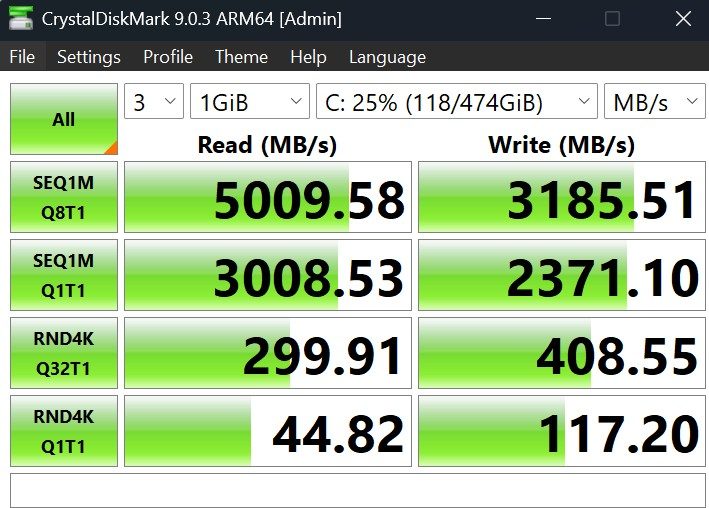
Storage is also less impressive. CrystalDiskMark recorded sequential reads of 5,009MB/s and writes of 3,185MB/s. The Zenbook Duo reached 6,118MB/s and 5,326MB/s, while the XPS 14 managed 6,520MB/s and 5,665MB/s. You probably would only notice this when transferring large files.
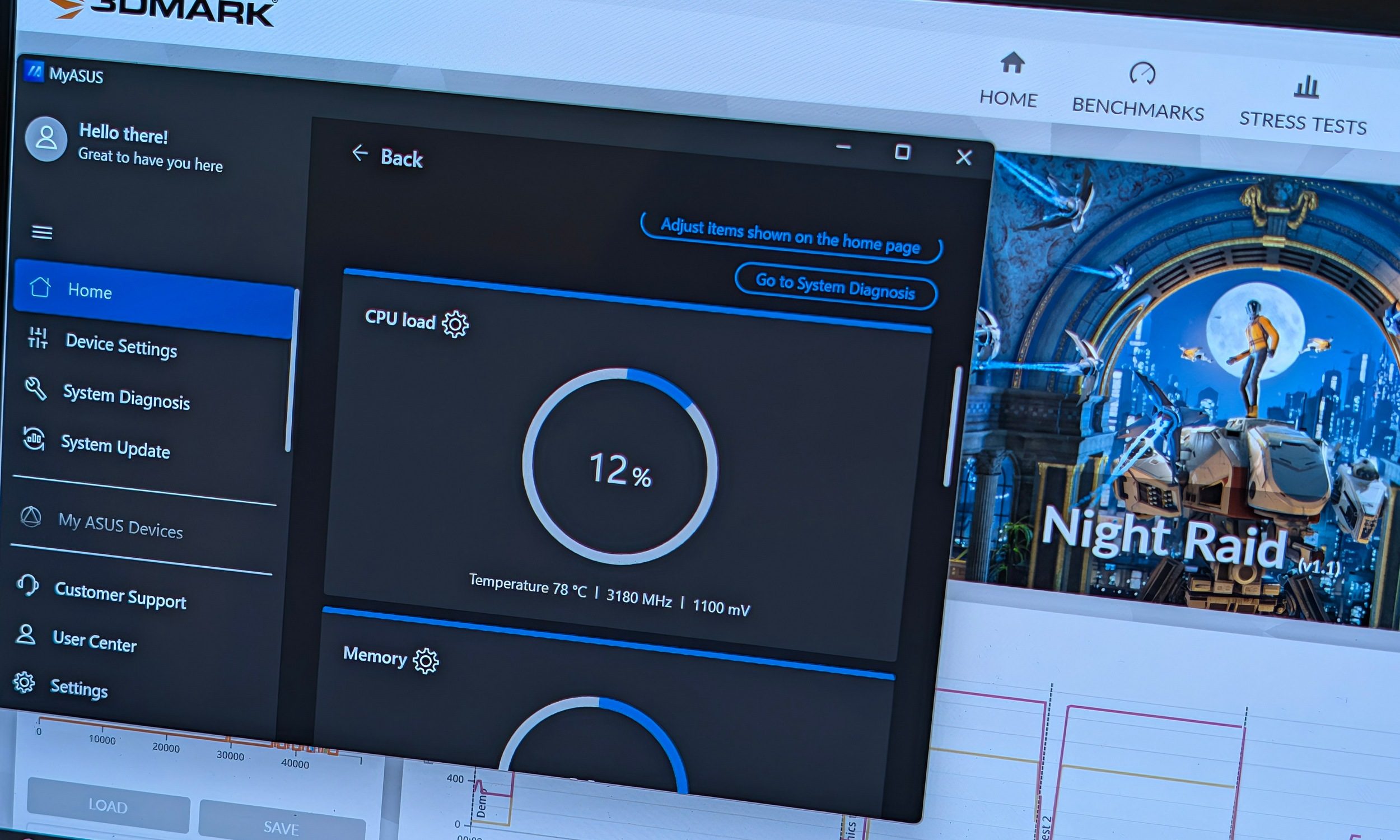
Thermals are remarkably restrained during ordinary work. The machine is basically silent when browsing, writing, or watching videos. Heavy benchmarks pushed the CPU to roughly 86 degrees Celsius, while the dual fans became very easy to hear. Heat concentrates around the upper half of the keyboard deck.
Sustained benchmarks also showed some performance drop-off, so this still isn’t a workstation hiding in an ultrabook shell.
Gaming
I played at the native 1920 x 1200 resolution with the High preset. This meant almost maxed-out population density and a lot more visual detail in GTA V Enhanced Edition. The laptop easily managed a cinematic 35 to 45 frames per second. Dropping to the lowest settings made the experience considerably smoother, but the High preset result was still impressive. Though some big explosions or crashes did cause some noticeable frame drops.

The synthetic results already suggest that the Adreno X2-90 GPU is a major step forward for Qualcomm. Whether that translates cleanly into PC gaming still depends heavily on individual games, anti-cheat, and Windows-on-Arm support.
Performance score: 8.5/10
Windows on Arm: I almost forgot about it
Two years ago, reviewing a Snapdragon laptop meant keeping a mental list of everything that didn’t work. Thankfully, the experience is a lot more consistent with your typical Windows laptops powered by Intel or AMD chips.
All of the applications required for my normal work installed and ran properly. Epic Games Launcher worked. Chrome, Discord, Spotify, Office work, media streaming, and ASUS’ own utilities behaved normally. I never had one of those moments where an application failure reminded me that I was using an Arm machine.
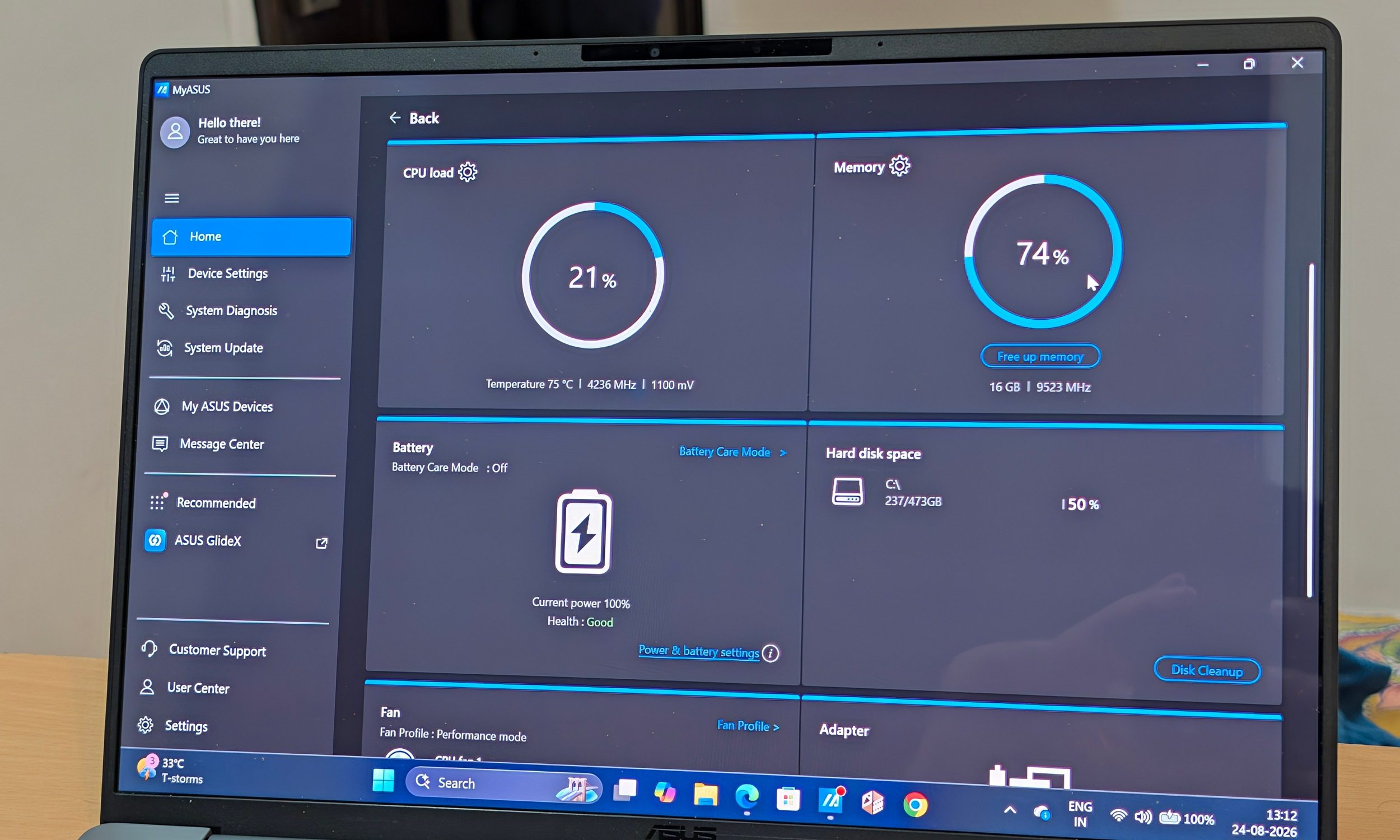
Even the benchmark situation has improved considerably. Maxon provides an Arm64 build of Cinebench 2024, while UL officially supports Windows on Arm across Steel Nomad, Solar Bay, Solar Bay Extreme, Night Raid, and several other current 3DMark workloads.
Windows on Arm isn’t perfect. Certain corporate VPNs, niche audio and video plug-ins, old drivers, x86 virtualization workflows, and games using unsupported anti-cheat systems can cause trouble.
Those aren’t small concerns for the people who depend on them. For my own workload, Windows on Arm almost had me fooled into forgetting it was there.
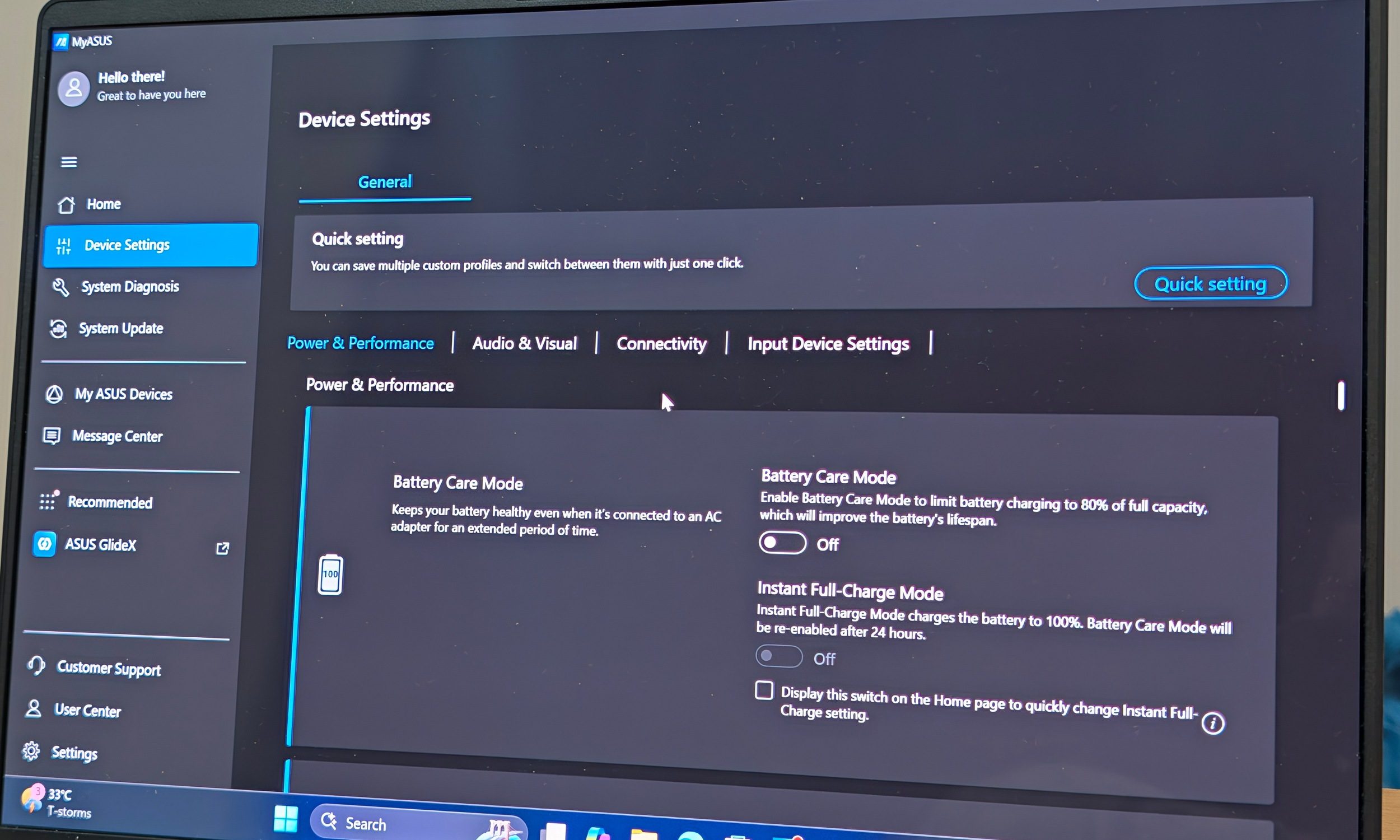
MyASUS also remains one of the better manufacturer utilities. Fan profiles, battery management, display tuning, system diagnostics, and much more are neatly stacked in one app. I used its quieter profile heavily when working on battery or toggled the performance mode when needed.
The 80 TOPS NPU gives Microsoft plenty of headroom for Copilot+ features such as Windows Studio Effects and Recall. Whether those tools matter will depend on how much you actually use them. The hardware is at least far beyond the minimum required to run them locally.
Software score: 8/10
Battery life: leave the charger at home
Quick take: The A14 is one of the few Windows laptops where I stopped worrying about finding a charger halfway through the day.
ASUS claims more than 33 hours of battery life from the 70Wh battery under its own video playback test. Real use obviously looks different.
Mine still lasted an excellent 13 to 14 hours, which was more than enough for my typical workday. This was with mixed use that involved a lot of browser-based writing and research. During this time, I’m usually running Discord and Spotify, and occasionally even YouTube playback. HDR was enabled during this time, and brightness was set at 50%. But I did use the Whisper mode in the fan settings.
Video streaming was particularly efficient. Watching videos barely moved the battery indicator compared with a conventional high-performance Windows laptop.
I can actually see the A14 pushing past 20 hours in very specific lightweight scenarios. Reaching ASUS’ 33-hour figure would require conditions far removed from my normal workday.
Charging isn’t especially quick. Going from nearly empty to full generally took somewhere between 90 minutes and two hours, depending on what I was doing and how warm the machine already was. But considering the massive 70Wh battery pack, this much is to be expected.
The included 100W charger is reasonably compact and easy enough to travel with. The bigger annoyance is location. Both USB-C ports sit on the left, so you can only charge from that side.
Even with that inconvenience, endurance is one of the A14’s biggest strengths. The combination of Snapdragon and a 70Wh battery finally gives Windows users something approaching the leave-the-charger-behind confidence MacBook owners have enjoyed for years.
Battery score: 9.5/10
Webcam, speakers, and ports
The FHD webcam is surprisingly decent in good lighting. Image quality looked cleaner than what I got from the Zenbook Duo I recently reviewed, and Windows Hello remained a quick way to get into the laptop.
Wi-Fi 7 was rock solid during my testing, while Bluetooth gave me no problems with headphones or accessories.
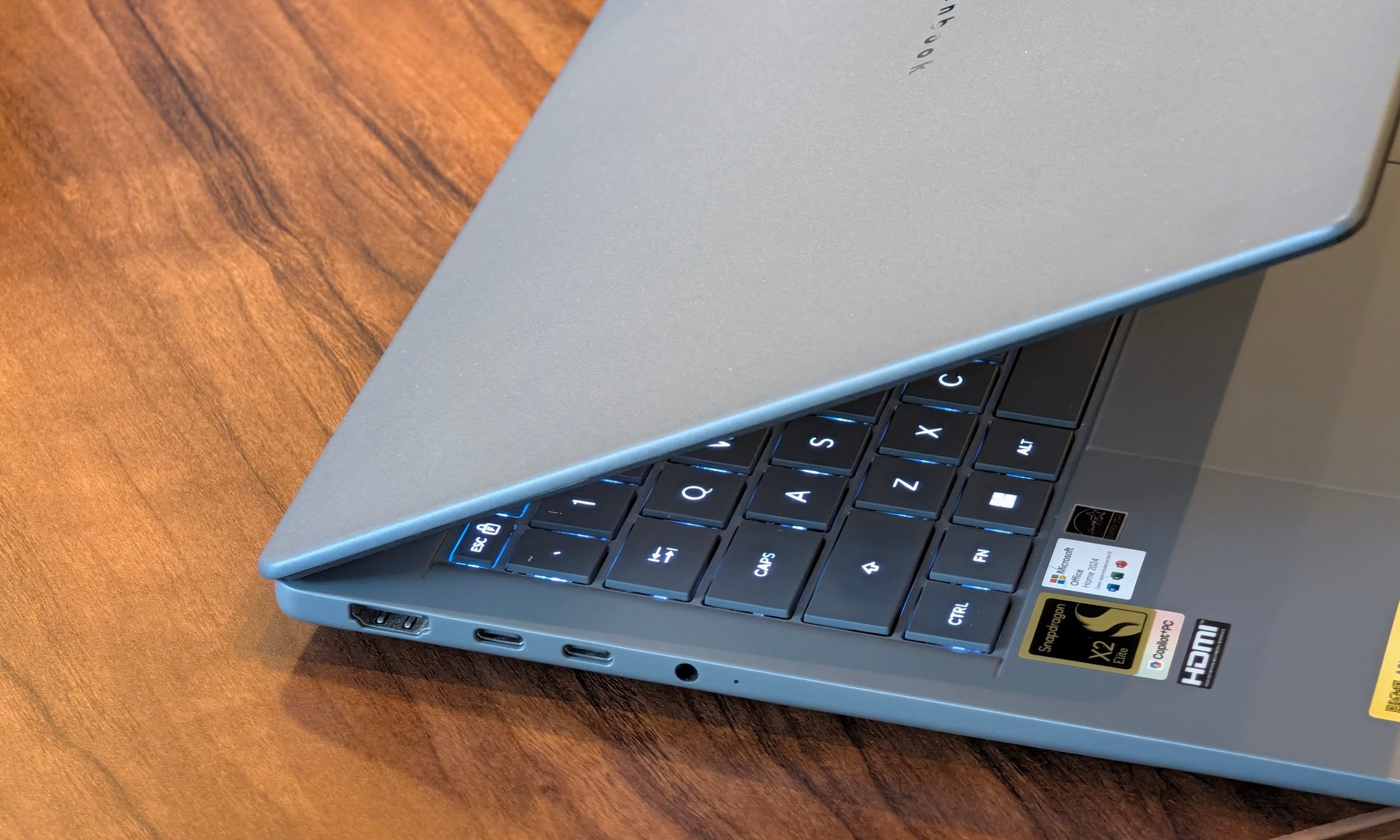
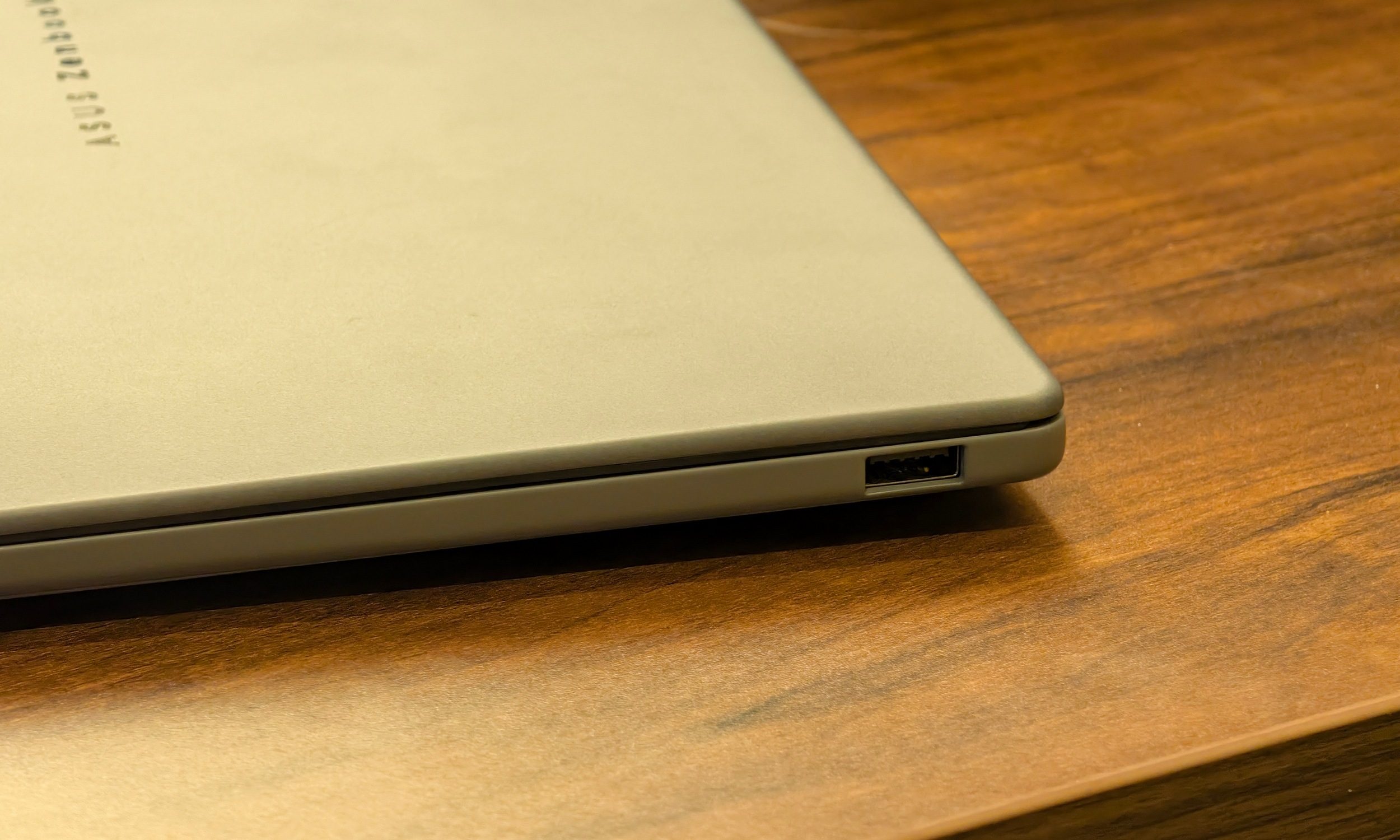
Ports are also refreshingly practical. You get two USB4 Type-C connections, USB-A 3.2 Gen 2, HDMI 2.1, and a 3.5mm headphone jack. After dealing with the USB-C-only approach on the XPS 14, having USB-A again is genuinely useful for flash drives, wireless mouse receivers, and random accessories without immediately reaching for an adapter.
Maximum loudness is decent, and I wasn’t expecting that from such a thin model. Clarity and stereo separation are also decent, although the bass lacks clarity and punch. The MacBook Air M5 still pulls ahead in this regard. At maximum volume, there’s slight audio tearing, but dialogue and other movie audio are otherwise pretty good. The Zenbook A14 is somewhat on par with the Zenbook Duo, while the XPS 14 is far better and matches the M5 MacBook Air.
Should you buy the ASUS Zenbook A14?
The Zenbook A14 is a great Windows laptop. Its greatest strength remains the chassis. ASUS has built a laptop that weighs almost nothing without turning it into something fragile or unpleasant to use. Add excellent battery life, a strong processor, and an OLED display, and you have one of the easiest Windows laptops to carry around every day.
I just wish ASUS had given the display a little more love. A 60Hz FHD+ panel is the main thing keeping the A14 from becoming the ultraportable I would immediately switch to. The OLED fundamentals are excellent, yet I’ve grown too accustomed to the 2.8K 120Hz panel on my regular Zenbook 14. The fixed 16GB of RAM also deserves consideration if you’re planning to keep the laptop for several years.
At $1349.99, those compromises are easy to live with when you consider the ongoing memory crisis. Students and office workers could get impressive mileage from this machine. MacBook Air users interested in moving to Windows should also find the overall philosophy surprisingly familiar: thin, light, quiet, long-lasting, and powerful.
The Snapdragon X2 Elite also gives me much more confidence in Windows on Arm than I had before. Compatibility hasn’t completely stopped being a concern, yet for the first time I spent an extended period using an ARM Windows laptop without constantly thinking about the architecture underneath.
That might be the bigger achievement.
Score: 8/10
Why not try?
The MacBook Air M5 is the obvious alternative if you already live inside Apple’s ecosystem, with excellent battery life, strong performance, and mature ARM software support.
The Dell XPS 14 is dramatically more expensive and considerably heavier, yet it gives you a much better 120Hz 2.8K OLED touchscreen, 32GB of memory, faster storage, stronger integrated graphics, and an excellent haptic touchpad.
The ASUS Zenbook S16 OLED is worth considering if screen size matters more than extreme portability, combining a gorgeous 3K 120Hz OLED with 32GB of RAM and conventional x86 compatibility.
How we tested
I used the ASUS Zenbook A14 UX3407NA-QD226WS as my main work laptop for around two weeks. My review unit came in Iceland Gray with the Snapdragon X2 Elite X2E88100, 16GB of LPDDR5X memory, a 512GB PCIe 4.0 SSD, and the 14-inch FHD+ OLED display.
My regular workload involved heavy browser use, Google Docs, research, Discord, Spotify, YouTube, media consumption, and general Windows multitasking. Most everyday testing was performed on battery using Balanced or Whisper settings.
Battery observations were primarily made at roughly 50% brightness with Wi-Fi and HDR enabled. Under that workload, I generally recorded around 13 to 14 hours of use.
Performance benchmarks were run while plugged in with Max Fan Speed selected in MyASUS and Windows set to Best Performance. Testing included Geekbench 7, Cinebench 2024, CrystalDiskMark, 3DMark Fire Strike, Time Spy, Night Raid, Steel Nomad, Solar Bay, and Solar Bay Extreme. Peak CPU temperatures reached approximately 86 degrees Celsius during the heaviest workloads.
Read the full article here