





Companies of all sizes can benefit from the support that project management software provides, including streamlined workflows, enhanced collaboration, and a boost to overall productivity. Implementing the right project management software can also help your team optimize resource allocation to complete projects on time and within budget.
Below, you’ll find my picks for the top project management software, based on my own hands-on testing and research.
1
ClickUp
Employees per Company Size
Micro (0-49), Small (50-249), Medium (250-999), Large (1,000-4,999), Enterprise (5,000+)
Any Company Size
Any Company Size
Features
Agile Development, Budget / Expense Tracking, Document Management / Sharing, and more
2
Wrike
Employees per Company Size
Micro (0-49), Small (50-249), Medium (250-999), Large (1,000-4,999), Enterprise (5,000+)
Medium (250-999 Employees), Large (1,000-4,999 Employees), Enterprise (5,000+ Employees)
Medium, Large, Enterprise
Features
Agile Development, Analytics / Reports, API, and more
3
monday.com
Employees per Company Size
Micro (0-49), Small (50-249), Medium (250-999), Large (1,000-4,999), Enterprise (5,000+)
Any Company Size
Any Company Size
Features
Agile Development, Analytics / Reports, API, and more
What are the top project management software?
Here’s a summary of the top project management software, our rating, where each provider excels, their starting price, and key features.
| monday.com | |||||
| ClickUp | |||||
| Confluence | |||||
| Smartsheet | Via timesheets | ||||
| Notion | |||||
| Jira | |||||
| Wrike | |||||
| Zoho Projects | Via timesheets | ||||
| Asana |
* As of April 2026. Fees are billed monthly, unless otherwise stated.
Standout features
- Visualize project data through multiple tables, kanban, Gantt charts, and dashboard views.
- Personalize colorful interfaces that bring project data to life.
- Customize and share surveys for data collection via the WorkForms tool.
- Access integrations for developers, marketing, CRM, and project management.
- Utilize pre-built automation and a long list of options for creating automation rules.
Pros and cons
| Pros | Cons |
|---|---|
|
|
Why ClickUp is best for teams on a budget

The fastest mover in the project management software space is ClickUp. It far exceeded my expectations with a stack of project views and tools to enable productivity and collaboration for various teams.
Add in ClickUp’s handful of affordable subscription plans for different team sizes, and it’s difficult not to consider this budding project management software. However, although ClickUp has extensive customization options and a robust free tier that provides significant value, its vast array of features can feel overwhelming, especially when using it for the first time.
Why I chose ClickUp
I picked ClickUp as one of the best project management software solutions for its affordable pricing plans, comprehensive features, and customizable workflows. The free plan supports unlimited users and includes a good number of useful features that can satisfy individual users. It also has a user-friendly interface that users of all technical skill levels can easily use.
For more information, read our full ClickUp review.
ClickUp pricing
- Free Forever: Unlimited users, Kanban view, collaborative docs, 60MB storage, in-app video recording, and sprint management
- Unlimited: $7 per user/month for integrations, Gantt charts, forms, real-time chat, guest permissions, time tracking, portfolios, and resource management
- Business: $12 per user/month for timeline view, workload management, activity views, whiteboards, and sprint reporting
- Enterprise: Custom pricing for conditional logic in forms, custom workload capacity, SSO, advanced permission, enterprise API, and custom roles
Standout features
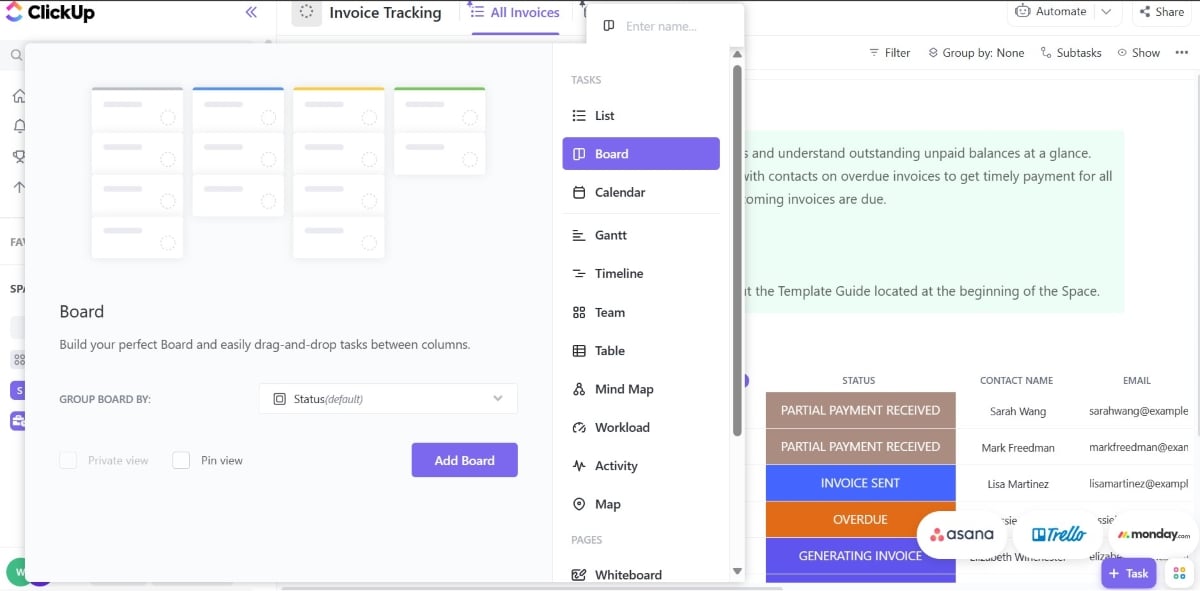
- Visualize project data through the List, Board, Gantt, Calendar, Workload, and Map views.
- Create and modify tasks or bulk edit tasks from a list of operations.
- Manage granular configurations of platform features and security.
- Track and visualize project data through the Dashboard view.
- Import data from monday.com, Asana, Trello, Jira, Wrike, Basecamp, and Todoist.
Pros and cons
| Pros | Cons |
|---|---|
|
|
Why Confluence excels at project documentation

Confluence is team collaboration and project management software with document management and knowledge-sharing features. It excels at creating a centralized knowledge base with powerful search capabilities and seamless integration with other Atlassian products. However, its interface can come off as less intuitive compared to other project management tools.
Why I chose Confluence
I found Confluence to have advantages over other competitors, such as a centralized knowledge repository, robust document search and discovery feature, and file sharing. Plus, teams already using Atlassian products will find Confluence a powerful addition to its ecosystem.
For more information, read our full Confluence review.
Pricing
- Free: For 10 users, project templates, pages, and spaces
- Standard: $6.70 per user/mo for AI agent, free guest access, and 100 automation credits
- Premium: $13.20 per user/mo for unlimited pages and whiteboards, dynamic intranet, and admin controls
- Enterprise: Custom pricing for advanced admin controls, unlimited automations, and up to 150 sites
Standout features
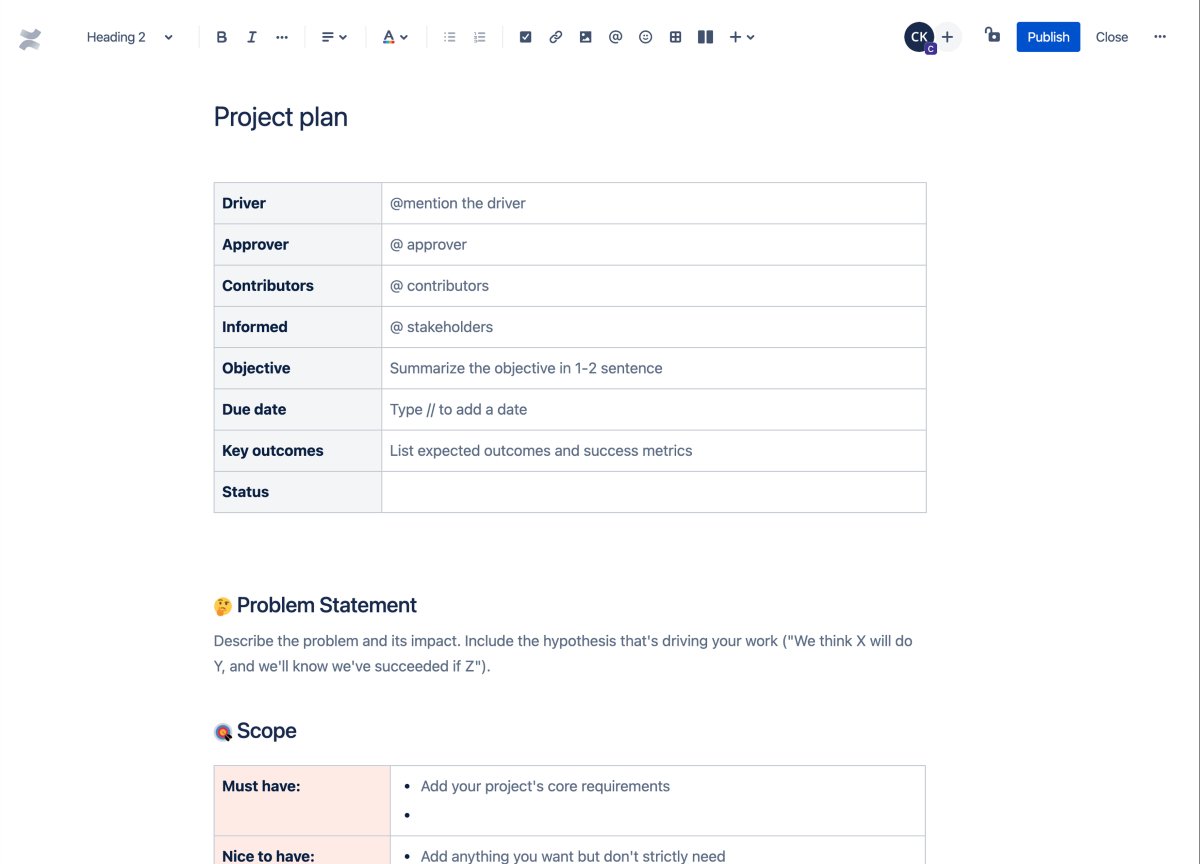
- Extensive template library with custom blueprints for various use cases
- Track changes to files over time using the version control and history feature.
- Gain valuable insights through Atlassian Analytics.
- Archive multiple outdated or obsolete pages using the bulk archive feature.
Pros and cons
| Pros | Cons |
|---|---|
|
|
Why Smartsheet works for spreadsheet lovers

Smartsheet’s work management platform is one of the safest bets in the project management software market with its familiar spreadsheet-like interface. From onboarding to using the platform, I was impressed by the interface’s user-friendliness and the features’ extensibility. Smartsheet offers an upgrade from traditional tools by adding accessible user experience features, needed integrations, robust customization, and no-code capabilities.
Smartsheet pricing is among the highest on the market, and there’s no unlimited free plan. Still, I believe the platform’s benefits more than justify consideration for small teams up to enterprise organizations.
Why I chose Smartsheet
Smartsheet’s most unique offering is its spreadsheet-like interface, which gives familiarity and guarantees ease of use for users who prefer spreadsheets for tracking projects. However, it’s the way it meshes its interface with advanced project management features like automated workflows, Gantt charts, and detailed reporting that I found impressive.
Even if you’re not as comfortable working spreadsheets, the Smartsheet platform does a great job with a straightforward onboarding process and templates that lower the learning curve.
For more information, read our full Smartsheet review.
Smartsheet pricing
- Pro: $9 per user/month for unlimited viewers, formulas, sheets, and project views for up to 10 members
- Business: $19 per user/month for free guests, unlimited automations, conditional form logic, timeline view, workload tracking, and admin capabilities
- Enterprise: Custom pricing for work insights, AI formulas, charts, role-based sharing, unlimited attachment storage, and SSO
- Advanced Work Management: Custom pricing for Control Center and Dynamic view
Standout features
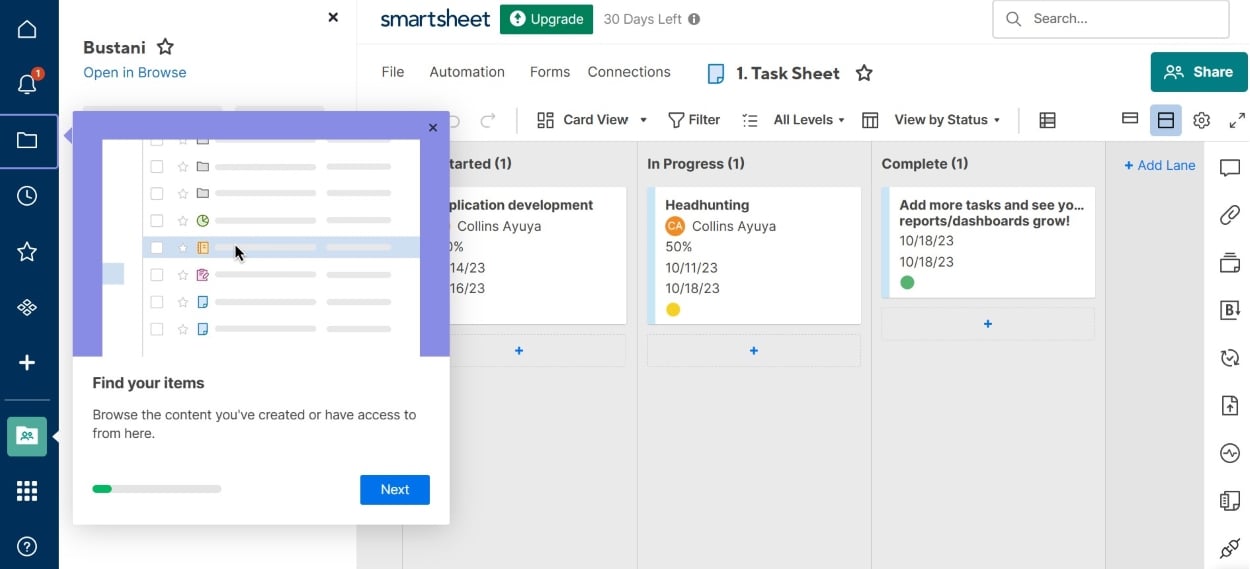
- Visualize project data through the Grid, Gantt, Card, and Calendar views.
- Create and edit formulas to enable calculations and automations.
- Access to WorkApps, the platform’s no-code tool for building work apps
- Activity logs for tracking change management with filters to identify actions.
- Add and collaborate with an unlimited number of guest users at no extra cost.
Pros and cons
| Pros | Cons |
|---|---|
|
|
Why Notion suits freelancers best

In Notion, teams can collaborate, organize projects, run Agile sprints, and work with guests, all in one workspace. The user interface is beginner-friendly, and the free version is great for exploring the platform. You can work with contractors, clients, and coworkers on all sorts of projects.
The platform’s extensive template library and ability to integrate with various tools enhance its appeal. Small teams, startups, and freelancers will love the affordability, and bigger teams will enjoy the collaboration, automation, and advanced security options.
You may encounter performance bottlenecks when you use Notion for complex projects or when you extensively use its database features.
Why I chose Notion
I enjoyed Notion for its flexibility in handling design, development, and writing projects, as well as the option to collaborate with people outside your workspace. Notion makes structuring projects easy with a minimalist interface that does not overwhelm. It’s great for individual use and teams working with a small budget, but it is also scalable to meet enterprise needs.
For more information, read our full Notion review.
Notion pricing
- Free: Includes basic forms, sites, Notion Calendar & Mail, and databases
- Plus: $10/user.month — Adds unlimited file updates, custom sites, and integrations
- Business: $20/user/month — Adds database permissions and conditional forms logic
- Enterprise: Custom — Adds advanced security and controls
Standout features
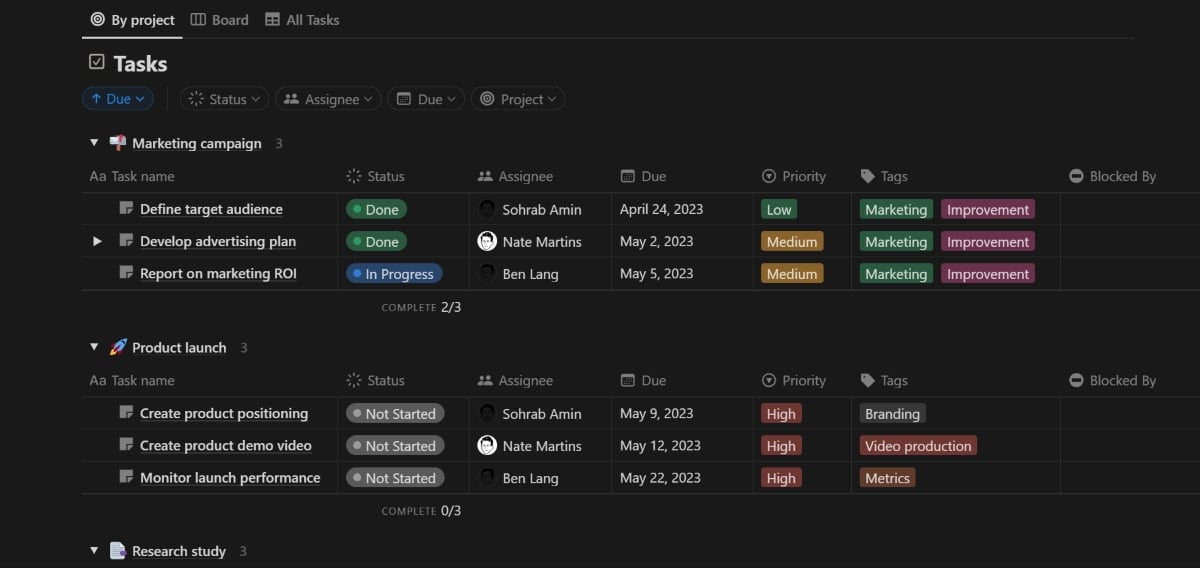
- Switch between multiple work views, including list, table, and kanban.
- Team workspaces in all plans.
- Improve your writing using the Notion AI add-on feature.
- Create documents for notes, knowledge wikis, or projects with a template gallery available.
Pros and cons
| Pros | Cons |
|---|---|
|
|
Why Jira is ideal for developers

Atlassian’s portfolio of collaboration, code management, and security solutions is led by its flagship project-tracking software, Jira. In response to a growing number of general-use project management solutions, Jira offers a mix of project data views, reporting, and configuration capabilities included in its platform.
Jira is ideal for organizations already using Atlassian products or teams relying on integrations such as the private repository host BitBucket. Otherwise, its general project management functionality is below par relative to the broader project management marketplace, and non-software development teams might find Jira less intuitive compared to other project management tools.
Why I chose Jira
Jira is one of the best software for agile project management. I certainly appreciated its agile features with Kanban and Scrum, as well as its bug-tracking and issue management capabilities. While these features are most suitable for software development, they can be used for a variety of other applications.
For more information, read our full Jira review.
Pricing
- Free: Up to 10 users — Includes reports and list, timeline, and calendar views
- Standard: $9.05/user/month — Adds AI agents, guest access, and user roles
- Premium: $18.30/user/month — Adds approval processes and dependency management
- Enterprise: Custom — Adds advanced admin controls and cross-product insights
Standout features
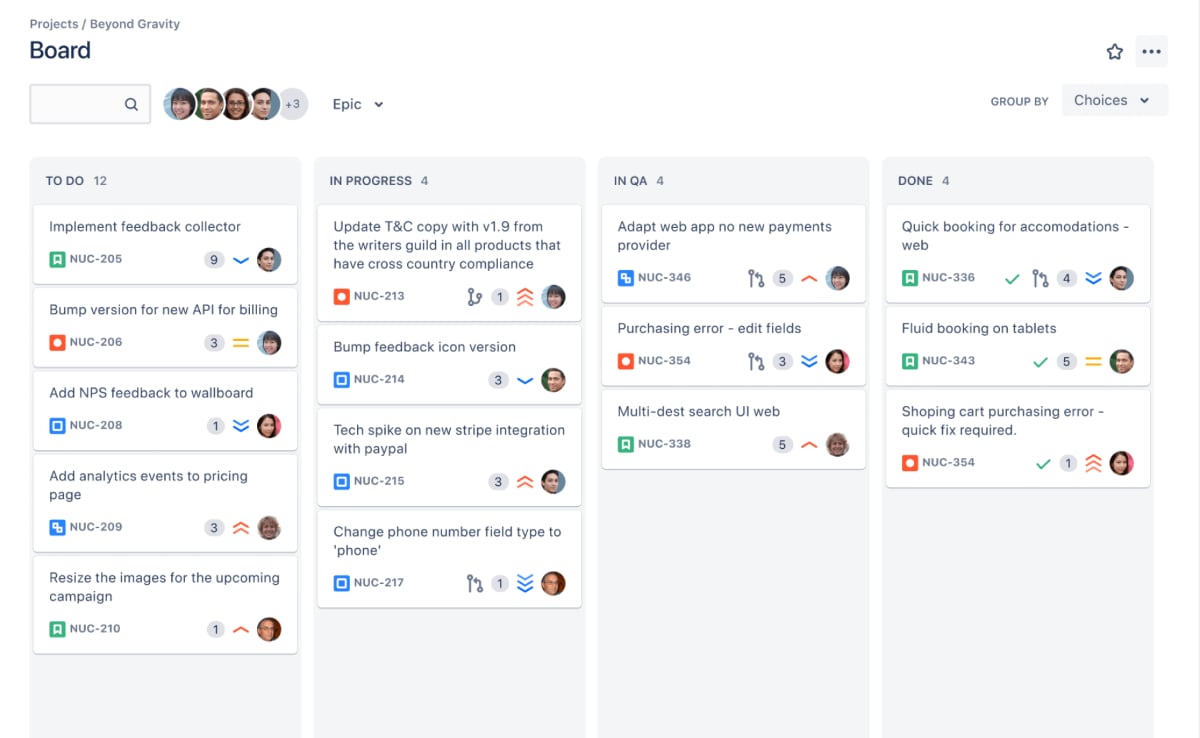
- Visualize project data through list, board, timeline, and calendar views.
- Import existing work to create project issues and collect data through forms.
- Access a summary page embedded with key performance indicators for progress, priorities, and workloads.
- Integrate with Jira Service Management and other Atlassian tools.
- Access 20 pre-built templates for finance, marketing, human resources, and legal teams.
Pros and cons
| Pros | Cons |
|---|---|
|
|
Why Wrike wins for portfolio management

Wrike is one of the biggest names in the project management software scene. In addition to standard functions, I found its AI features quite robust. Users can generate AI content, edit copy, and create digital files with just a few clicks. Some of these AI functionalities, such as AI substack creation, are included in the free version.
The user interface can feel busy at first glance, and Wrike’s learning curve is likely the steepest among all the project management software on the list. That said, few vendors offer the same extent of enterprise capabilities, and I believe the learning curve is worth it for users to maximize the benefits its features offer.
Why I chose Wrike
Wrike made it to my shortlist due to its powerful portfolio management capabilities, which make it great for managing complex workflows and multiple projects. I also found Wrike ideal for projects that require close collaboration. Another key reason is that Wrike is highly scalable, making it an excellent choice for hyper-growth teams.
For more information, check out our full Wrike review.
Pricing
- Free: Unlimited users with basic task management and folder hierarchy
- Team: $10 per user/month for 2 to 15 users and adds cross-tagging, generative AI, custom fields, dashboards, Gantt charts, and portfolio management
- Business: $25 per user/month for 5 to 200 users and adds AI elite features, request forms, templates, approvals, workload charts, time tracking, and guest approvals
- Pinnacle: Custom pricing for advanced reporting, resource and capacity planning, budgeting, and locked spaces
- Apex: Custom pricing for Wrike Datahub, bi-directional integrations with third-party solutions, and advanced security controls
Standout features
- Visualize project data through Gantt charts, kanban boards, and the table, list, board, timelog, and analytics views.
- Add and edit task duration, approvals, time entries, subtasks, files, and dependencies.
- Access project templates for agile, creative, IT operations, and project management office teams.
- Access to over 400 app integrations and two-way sync with almost 30 other apps.
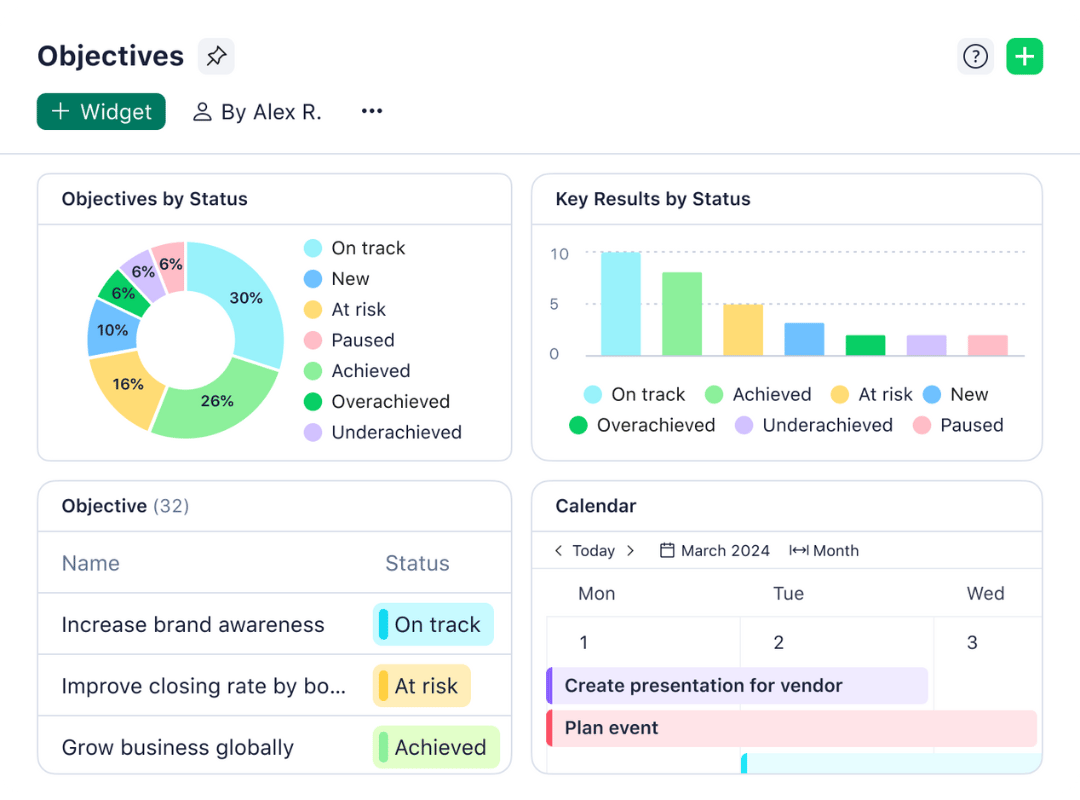
Pros and cons
| Pros | Cons |
|---|---|
|
|
Why Zoho Projects’ multi-project view stands out

Under the Zoho portfolio of solutions, Zoho Projects offers teams a stack of features for tracking tasks, issues, time, and resources to maximize collaboration and productivity. Users can visualize and adjust project data through views such as a traditional spreadsheet, simple list, kanban board, or Gantt chart in real time or automate mapped workflows with the Blueprints tool.
Zoho Projects offers a lot of functionality, which is impressive considering it’s the most affordable project management software. This makes it great for small teams. However, it also lacks some of the personalization and advanced features offered by more expensive platforms.
Why I chose Zoho Projects
If you want value for money, look no further than Zoho Projects, as this budget project management app offers outstanding value. I was impressed by its multiple channels for team collaboration and communication and quick setup. Additionally, you get unlimited projects through its paid plans.
For more information, read our full Zoho Projects review.
Zoho projects pricing
- Free: For five users, three projects, basic reporting, and task management
- Premium: $4 per user/month for unlimited projects, 100GB storage, time tracking, budgeting, and reporting
- Enterprise: $9 per user/month for portfolio dashboard, workflow rules, custom fields, and issue tracking
- Ultimate: $14 per user/month for 100 resources, unlimited custom dashboards, and multi-project timesheets
Standout features
- Visualize project data through the classic spreadsheet, plain list, and kanban views.
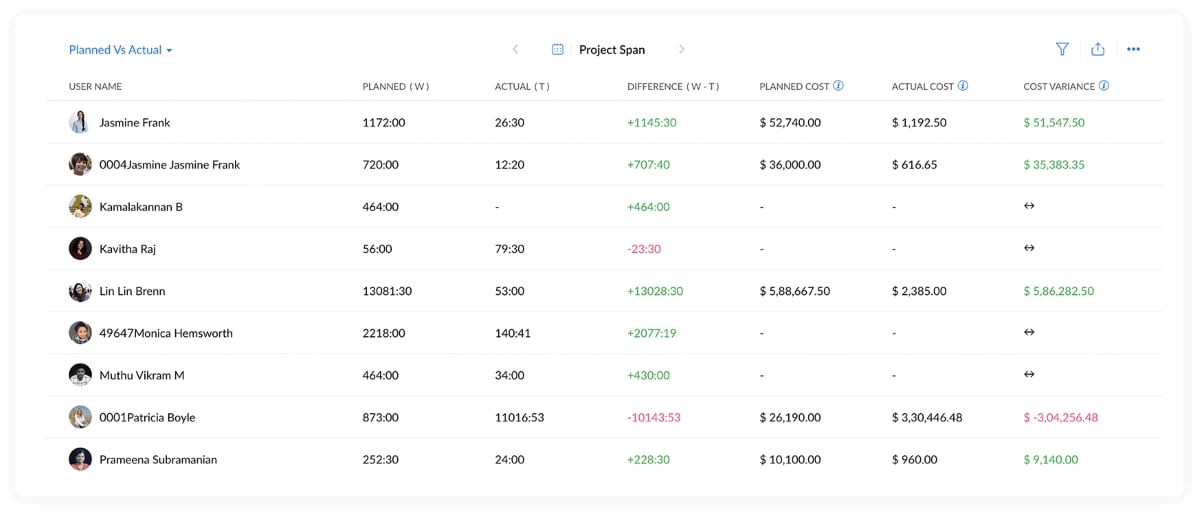
- Create project baselines to compare expected versus real progress on tasks.
- Track time spent on tasks for better workload and resource management.
- Integrate with critical apps such as Google, Microsoft, code repositories, and more.
- Access Zoho Apps, such as Mail, Docs, CRM, Desk, Analytics, and Forms.
Pros and cons
| Pros | Cons |
|---|---|
|
|
Why Asana is best for flexibility

Asana is a work management platform started in 2008 by former Facebook developers. The company has grown dramatically over time, and the platform’s extensive feature set affirms why so many businesses choose it. It is known for its flexibility and customization, with robust import options and integration capabilities that make transitioning to the platform seamless.
From viewing team member workloads to adding strategic goals and setting user security policies, I believe Asana has something for every team. Though some actions are less intuitive, Asana makes up for them with the documentation and resources to guide platform projects efficiently.
Why I chose Asana
Asana is an outstanding task management and team collaboration software solution. I found it flexible, fast, and feature-rich with a generous free plan. This flexibility qualifies Asana to be used by businesses of all sizes. In addition, you get several import options, making it easy for users to transition to Asana from other software or to use it with other applications.
For more information, read our full Asana review.
Asana pricing
- Free: For two users, list, board, calendar views, and 100+ integrations
- Starter: $10.99 per user/month for forms, templates, Gantt view, AI studio, automations, custom fields, workflow builder, project dashboards, and unlimited guests
- Advanced: $24.99 per user/month for goals, proofing, approvals, time tracking, goals, forms branching, and portfolio workload
- Enterprise: Custom pricing for capacity planning, mobile app controls, and admin controls
Standout features
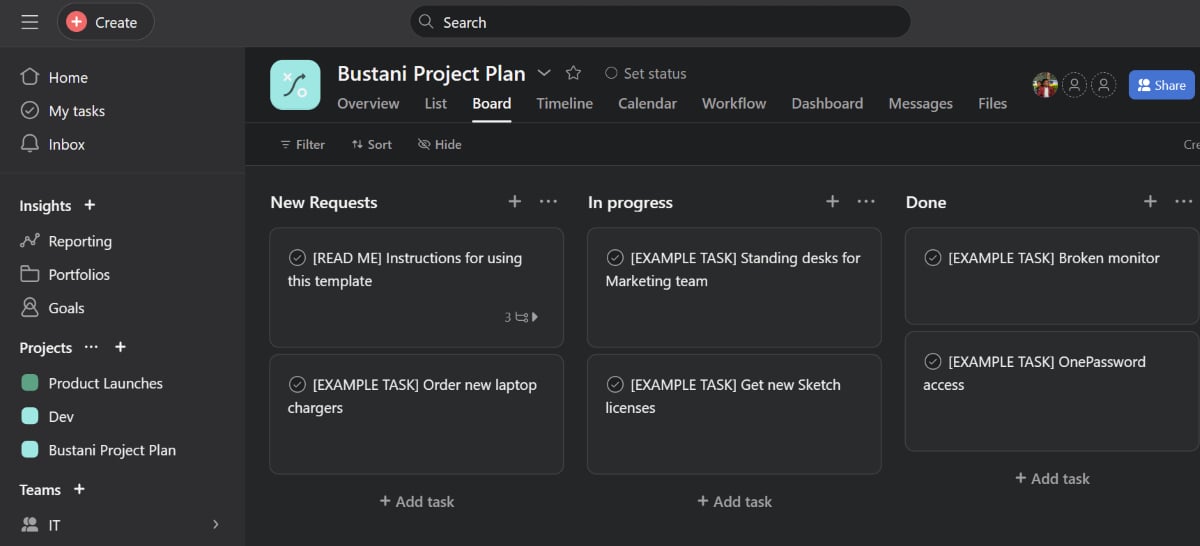
- Visualize project data through the list, board, timeline, calendar, and workload views.
- Manage and create project data with custom fields, rules, and forms.
- Enable the built-in time-tracking tool to visualize time spent on tasks.
- Import data from Airtable, Google Sheets, monday.com, Trello, Smartsheet, and Wrike.
- Assign tasks and track project progress.
Pros and cons
| Pros | Cons |
|---|---|
|
|
How to choose the best project management software
There are several key factors to consider when determining which project management software is best for your business.
- User-friendliness: Look for an intuitive interface that your team can navigate with minimal training. Drag-and-drop functionality and visual layouts reduce the learning curve and speed up adoption.
- Customization: The right software should bend to your processes, not the other way around. Prioritize tools that let you modify dashboards, task boards, and automation rules to match your workflows.
- Scalability: Your software should grow with your team. For growing teams, choose a platform that can handle larger datasets and more complex projects without affecting load times.
- Communication: Built-in chat, comment threads, and real-time notifications bring communication within the context of each task. If you regularly work with external contributors, confirm the platform supports guest access.
- Resource management: Match the tool to your use case. Resource allocation, time tracking, and workload management features vary widely across platforms, so identify which ones your team will actually use.
- Security and reliability: At minimum, look for data encryption, two-factor authentication, and access controls. If your team handles sensitive data, verify that the platform meets any compliance requirements relevant to your industry.
- Cost-effectiveness: Compare pricing plans across tiers and check for hidden costs such as charges for additional users or premium support. Customer reviews and case studies can help you assess whether the price reflects the actual value.
Methodology
To compile this list of the best project management software, I took into account a range of factors, from features and cost to user experience. I conducted testing to better understand each platform’s unique features and gain a firsthand understanding of their functionality, strengths, and weaknesses.
Pricing (20%): I looked at whether each platform offers a free-forever plan or only a time-limited trial. I then compared entry and mid-tier monthly subscription costs, factoring in annual discounts and included features.
General features (25%): I started with core task management capabilities, such as subtasks, dependencies, and task commenting. I also reviewed reporting tools, dashboards, and the range of project views to see how well each platform adapts to different project layouts.
Advanced and niche features (20%): I examined resource and capacity planning alongside portfolio management to see how each platform handles multiple projects. I also tested each vendor’s integration with CRMs and video conferencing platforms, along with AI and automation capabilities.
Customer service and support (10%): I checked support availability by hours of operation and the range of support channels, including chat and phone. I also reviewed the vendor’s security practices and the depth of their knowledge base.
Ease of use (10%): I considered setup requirements and the technical skill needed to get started. For usability, I checked how users can quickly complete certain tasks such as adjusting workloads, defining task dependencies, configuring task automations, and linking multiple tasks.
Expert score (15%) I applied a professional assessment based on real-world performance, overall value, and user popularity. Each platform’s standout capabilities and usability informed the final rating.
FAQs
What is the best project management software for small business?
I’ve found some of the top project management software for small businesses are Asana, Zoho Projects, monday.com, Wrike, and ClickUp. These all offer a limited free plan and a mix of time tracking, integrations, and reporting and analytics. All of these features are important for a small business to get core project management functionality at an affordable price.
What is the best task management software?
Asana, monday.com, MeisterTask, and Todoist are some of the top task management software solutions. They offer a wide range of features, including time-tracking tools, mobile app access, calendar view, and a generous free plan.
What is the best app to use for project management?
I recommend Asana, monday.com, and Smartsheet if you’re looking for project management software with an intuitive mobile app. If team members travel often or are away from their desks most of the time but still need to access and update project progress, this should be a priority.
Are there free project management tools?
There are several free project management tools that can help businesses boost productivity and track project progress. Some of the top free options I’ve found are ClickUp, Wrike, monday.com, and Notion. These options are best for solopreneurs or small teams in need of budget-friendly software.
Read the full article here