



The best nonprofit CRM software helps organizations manage donor relationships, track fundraising activity, organize volunteer and event data, and measure campaign performance in one place. Unlike a general contact database, a nonprofit CRM should help your team understand donor history, segment supporters, automate follow-ups, and connect outreach to fundraising goals.
For this guide, I reviewed nonprofit CRM software based on donor management, fundraising tools, volunteer and event tracking, reporting, integrations, pricing, ease of use, and overall nonprofit value. HubSpot is my top pick for most nonprofits because it offers a free CRM, strong integrations, scalable marketing and sales tools, and nonprofit discount options for eligible organizations.
| Provider | Best for | Monthly starting price* |
|---|---|---|
| Pipedrive | Managing volunteers and events | $14/user |
| HubSpot | Nonprofit CRM tool with integrations | $0 |
| monday CRM | Nonprofit project management | $12/user |
| Zoho CRM | Omnichannel marketing | $0 |
| Bitrix24 | White-label CRM for nonprofits | $0 |
| Virtuous | Tracking donor behavior with data insights | Custom quote |
*Price when billed annually.
How I chose the best nonprofit CRM software
I chose the best nonprofit CRM software by comparing providers on affordability, donor and contact management, fundraising workflows, customization, integrations, ease of use, and customer support. I focused on how well each CRM can help nonprofits manage donors, volunteers, events, campaigns, tasks, and outreach in one system.
I gave higher scores to providers with free or affordable plans, nonprofit-friendly features, flexible pipelines, strong integrations, useful reporting, and tools that can scale with an organization’s needs. The final recommendations reflect each provider’s best use case, from donor behavior tracking and fundraising management to volunteer coordination, project management, and omnichannel outreach.
Why you can trust my advice
I have more than seven years of experience evaluating CRM software, retail systems, ecommerce tools, and business management platforms for small businesses. I’ve also spent the past decade working in digital marketing, ecommerce operations, and customer management, which gives me firsthand experience organizing contacts, tracking follow-ups, managing campaigns, and using software to keep relationship data actionable.
For this nonprofit CRM guide, I reviewed each provider through the lens of organizations that need to manage donors, volunteers, events, fundraising campaigns, and community relationships with limited time and budget. My recommendations focus on tools that are practical to set up, easy for teams to use, and flexible enough to support nonprofit workflows as an organization grows.
Top nonprofit CRM software comparison
The best CRM software offers a range of marketing, sales, and support solutions. Those core features can also be used by nonprofits. Some notable features nonprofit CRM tools might prioritize include lead management for donors, payment receipts, revenue tracking, and a mobile app for field selling or canvassing.
| Software | Star rating | Donor management | Fundraising tools | Volunteer/event tracking | Nonprofit discount |
|---|---|---|---|---|---|
| Pipedrive | 4.3/5 | Yes | Deals, campaigns, forms, and integrations | Via integrations | 40% discount |
| HubSpot | 4.1/5 | Yes | Pipeline-based fundraising | Strong with custom fields and workflows | No clear nonprofit discount |
| monday CRM | 3.5/5 | Yes | Boards and dashboards | Strong project/event tracking | Discount applies to work management, not CRM |
| Zoho CRM | 4.3/5 | Yes | Email, social, SMS, and journey tools | Through workflows and integrations | Nonprofit pricing may vary |
| Bitrix24 | 4.1/5 | Yes | Invoices, payments, automation | Collaboration and calendar tools | Free plan available |
| Virtuous | 4.1/5 | Yes | Strong nonprofit-specific fundraising tools | Yes | Quote-based |
Pipedrive: Best for managing volunteers and events
Pipedrive’s CRM platform allows nonprofits to streamline operations by tracking donor activity, events, and volunteers. Users can create multiple workflows and automations to track the efficiency of marketing campaigns, estimate fundraising potential, and nurture long-term supporters for the organization.
Users can maintain a database of current and former volunteers with custom fields to track events. The platform works as a volunteer management platform by streamlining volunteer communications, capturing signups from new donors, and logging touchpoints at events.
Why I chose Pipedrive
Pipedrive is a CRM tool that automates sales processes with visual pipelines for businesses to easily manage leads and deals. In addition to its intuitive interface, Pipedrive offers instant insights through precise, real-time data analytics. These reports can assist in monitoring performance, forecasting, and tracking revenue or donations. Pipedrive has pricing plans designed for small to midsize businesses on the rise.
While Pipedrive’s premium plans are competitively priced, there isn’t a free option for smaller nonprofits looking for a basic, no-cost tool. If that’s the case for you, consider looking into HubSpot for its powerful free CRM.
To learn more about this provider, check out our Pipedrive review.
Pipedrive pricing
- Lite: $14 per user per month, billed annually, or $19 per user when billed monthly.
- Growth: $24 per user per month, billed annually, or $34 per user when billed monthly.
- Premium: $49 per user per month, billed annually, or $64 per user when billed monthly.
- Ultimate: $69 per user per month, billed annually, or $89 per user when billed monthly.
Features
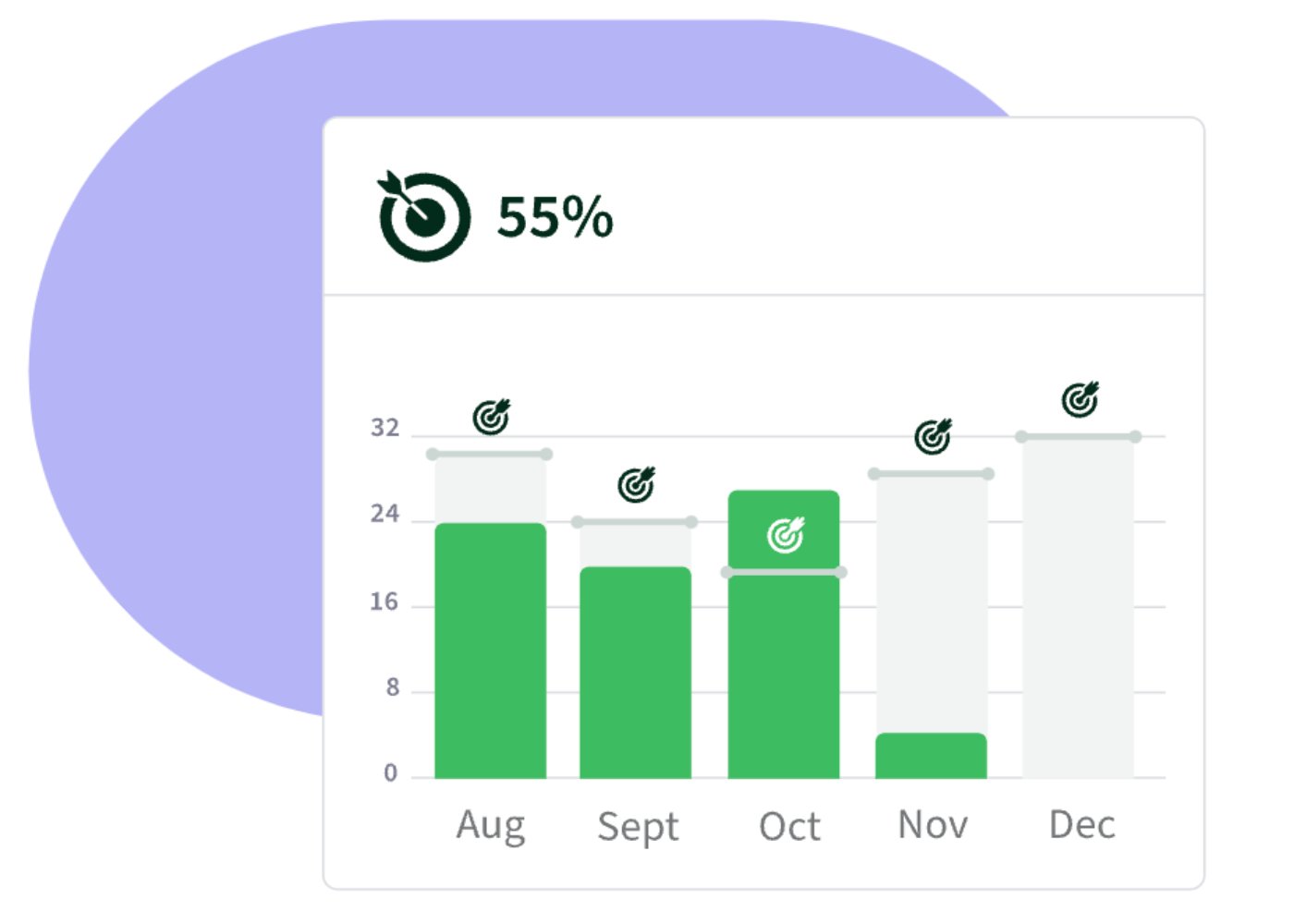
- Goal tracking: Maintain progress toward goals with concrete and detailed reporting. Create goals based on deals or activities and track them by adding pipelines, durations, and assignees.
- Activity management: View individual or team calendars, manage activities like follow-up emails, phone calls, or meetings, and plan schedules efficiently.
- Email inbox: Create group emails from templates and handle email scheduling, tracking, and syncing with Pipedrive’s email inbox.
Pipedrive pros and cons
| Pros | Cons |
|---|---|
| 14-day free trial | Doesn’t provide a free version of the CRM tool |
| User reports of simple pipeline UX/UI | Limited customization options for reporting tools |
| 24/7 customer support | Limited email tools, such as group emailing or scheduling, in the Essential tier |
HubSpot offers both native solutions and over 1,000 third-party integrations used by nonprofit staff and supporters. It can be integrated into Mailchimp, Eventbrite, Zoom, Classy, WordPress, Stripe, Facebook, and so much more. These applications and tools work in tandem with HubSpot’s already feature-rich platform, helping nonprofits scale their fundraising efforts, donor engagement, and revenue tracking.
Why I chose HubSpot
HubSpot is a popular CRM provider with a highly reviewed free CRM tool. It’s a powerful platform with additional solutions for marketing, service, content, operations, and commerce. The free version uniquely offers up to five users, and you can have as many as 2,500 users on a paid plan, making it an extremely scalable tool. HubSpot can house all donor information for startups, SMBs, and even enterprise organizations.
Though HubSpot’s free version is robust, there are still some limitations, especially with AI tools. The premium versions of the HubSpot platform can be costly compared to others on this list. Because of this, if you want an option with more affordable pricing tiers, look into Pipedrive or Zoho CRM.
Want to know more? Head over to our detailed HubSpot review.
HubSpot pricing
HubSpot offers a 40% discount for nonprofits, plus nonprofit-friendly onboarding.
- Free Tools: $0 per month for up to two users. No credit card required.
- Sales Hub Starter: $9 per user per month, billed annually, or $15 per user when billed monthly.
- Starter Customer Platform: $9 per user per month, billed annually, or $15 per user when billed monthly.
- Sales Hub Professional: $90 per user per month, billed annually, or $100 per user when billed monthly.
- Sales Hub Enterprise: $150 per user per month, billed annually. No monthly billing option listed.
Features
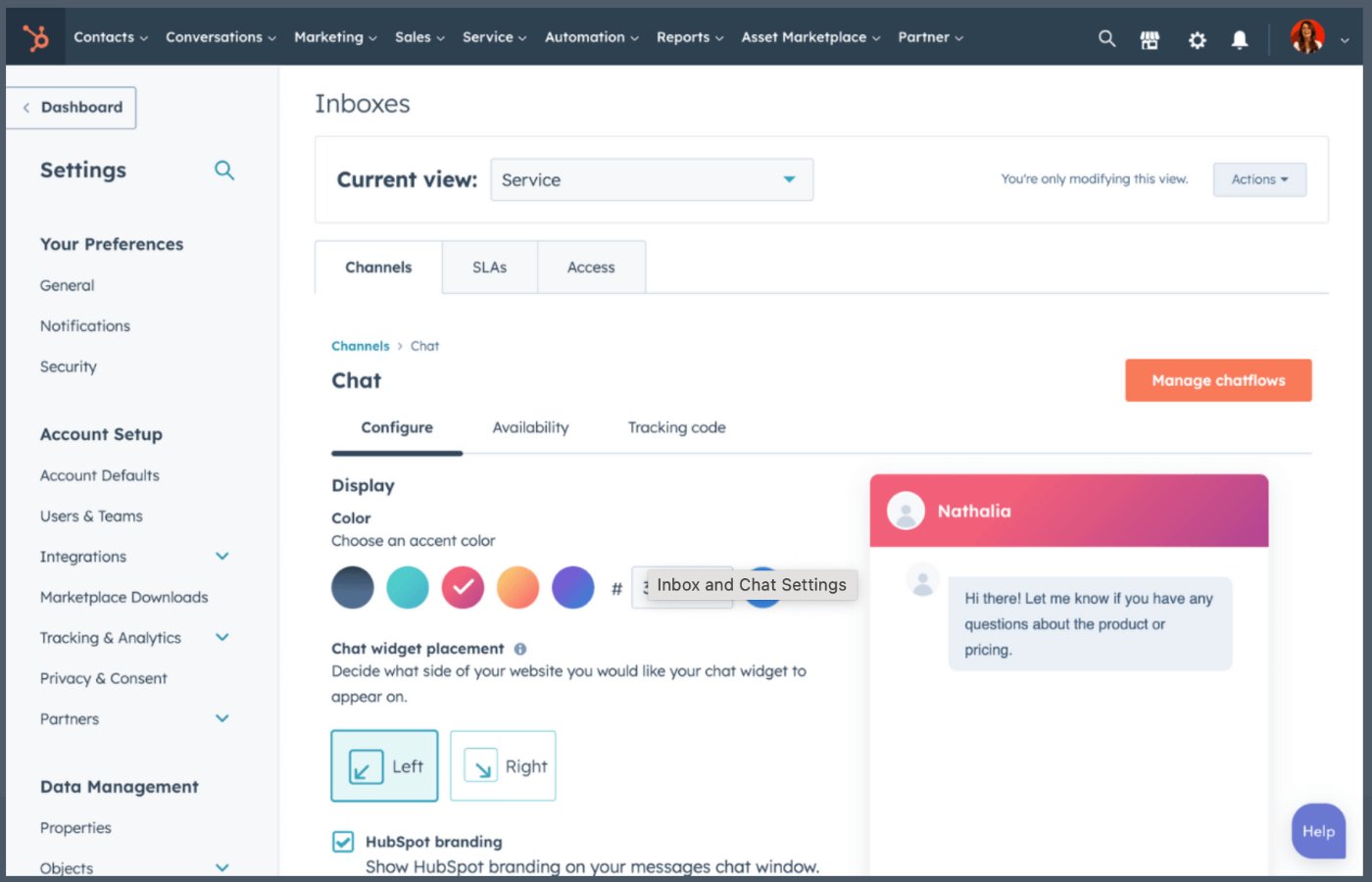
- Live chat software: Connect this feature to your organization’s website to convert new donors in real-time.
- Meeting scheduler: Schedule meetings quickly by eliminating back-and-forth emails and allowing donors to book a meeting time that works for everyone.
- Deal pipeline: Assign tasks to team members or volunteers within a deal pipeline where users can track performance.
HubSpot pros and cons
| Pros | Cons |
|---|---|
| Provides free demos and product walkthroughs. | Premium and enterprise-level plans can be pricey. |
| Users report an intuitive interface. | Community support isn’t available in the free tier. |
| Advanced AI functionality. | Users report limited field customizations. |
monday CRM: Best for nonprofit project management

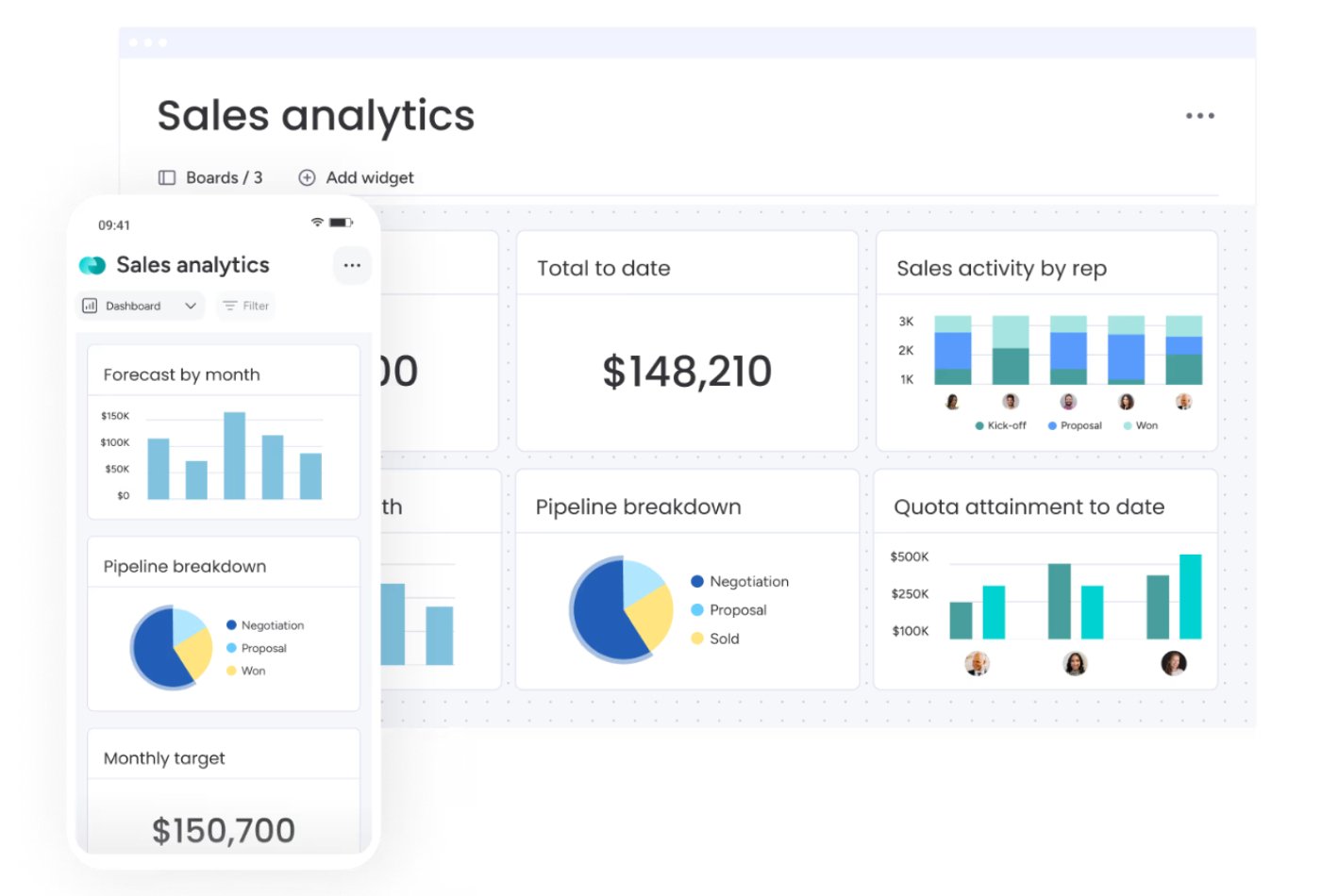
monday CRM offers nonprofit organizations all the tools to track and manage ongoing and upcoming projects. The detailed dashboards provide high-level visibility that instantly reports donation progress, fundraising figures, and team performance.
Users can access all team activities, like calls and meetings, in one place to track performance, understand their capacity, and plan ahead. This helps manage any team’s quota attainment, track wins, and view goals for specific members or the entire team. With no-code automation, organizations can let the platform do mundane tasks.
Why I chose monday CRM
monday CRM is flexible project management CRM software that can manage entire sales processes, from lead or donor generation to fundraising. It supports powerful automations with no coding background necessary, making it an intuitive option for nonprofits that might not have the technical personnel to set up a platform’s back end.
While monday CRM is full of features, only its WorkOS for nonprofits plan offers an easy-to-use, discounted nonprofit platform to eligible organizations. If your organization wants a feature-rich tool at a similar price or even lower, consider HubSpot or Pipedrive.
Read our independent monday CRM review for more information.
monday CRM pricing
- Free version: monday.com offers a nonprofit discount only for monday work management. It doesn’t yet offer nonprofit discounts for the monday dev or monday CRM products.
- Basic: $12 per seat per month, billed annually, or $18 per seat when billed monthly.
- Standard: $17 per seat per month, billed annually, or $25 per seat when billed monthly.
- Pro: $28 per seat per month, billed annually, or $41 per seat when billed monthly.
- Ultimate: Custom quote. Contact monday sales for pricing.
Features
- Dashboards and reporting: Create advanced reporting on pipelines so organizations can get both big-picture views and detailed drill-downs.
- Team goals: Manage each team’s quota attainment over time, track major wins, and view goals for individuals.
- Call logging: Log all calls with donors, volunteers, or community members with automatic summary screens that suggest prebuilt quick responses.
monday CRM pros and cons
| Pros | Cons |
|---|---|
| 14-day free trial. | The nonprofit discount doesn’t yet apply to the sales CRM solution. |
| Users praise the platform’s ability to segment data into comprehensive dashboards. | Lead/donor scoring is only available for the highest-paid tier. |
| Unlimited contacts. | Users report inconsistencies with Gmail integration. |
Best CRM Software
Zoho CRM: Best for omnichannel marketing
Zoho CRM offers an omnichannel approach to marketing, so organizations can be present and active on social media, chat, telephone, email, and SMS platforms. Users can leverage this visibility to share their progress, conduct polls, respond to questions, and learn what resonates most with potential donors, volunteers, and other stakeholders.
These outreach strategies identify potential donors as well as local supporters and volunteers. After targeting these potential stakeholders, users can engage with them through customized email templates and behavior or trigger-based autoresponders.
Why I chose Zoho CRM
Zoho CRM offers end-to-end solutions for marketing, sales, and customer support. Its marketing features make it a standout option for nonprofits looking to invest in their brand visibility. Zoho CRM’s top premium tiers grant access to its AI-powered tools like the Zia assistant. Together, these tools can grow a nonprofit’s outreach and manage the influx of donors with engagement strategies.
Zoho CRM’s free tier and ideal use case of omnichannel marketing make it a great option for growing nonprofits in emerging markets. If your organization already has a steady marketing strategy and needs a solution with donor reports and behavioral tracking, check out Virtuous for its industry-specific donor management tools.
Interested in knowing more about Zoho? Read our Zoho CRM review.
Zoho CRM pricing
- Free CRM: Free for up to three users and comes with lead and document management and a mobile app.
- Standard: $14 per user per month, billed annually, or $20 per user when billed monthly.
- Professional: $23 per user per month, billed annually, or $35 per user when billed monthly.
- Enterprise: $40 per user per month, billed annually, or $50 per user when billed monthly.
- Ultimate: $52 per user per month, billed annually, or $65 per user when billed monthly.
Features
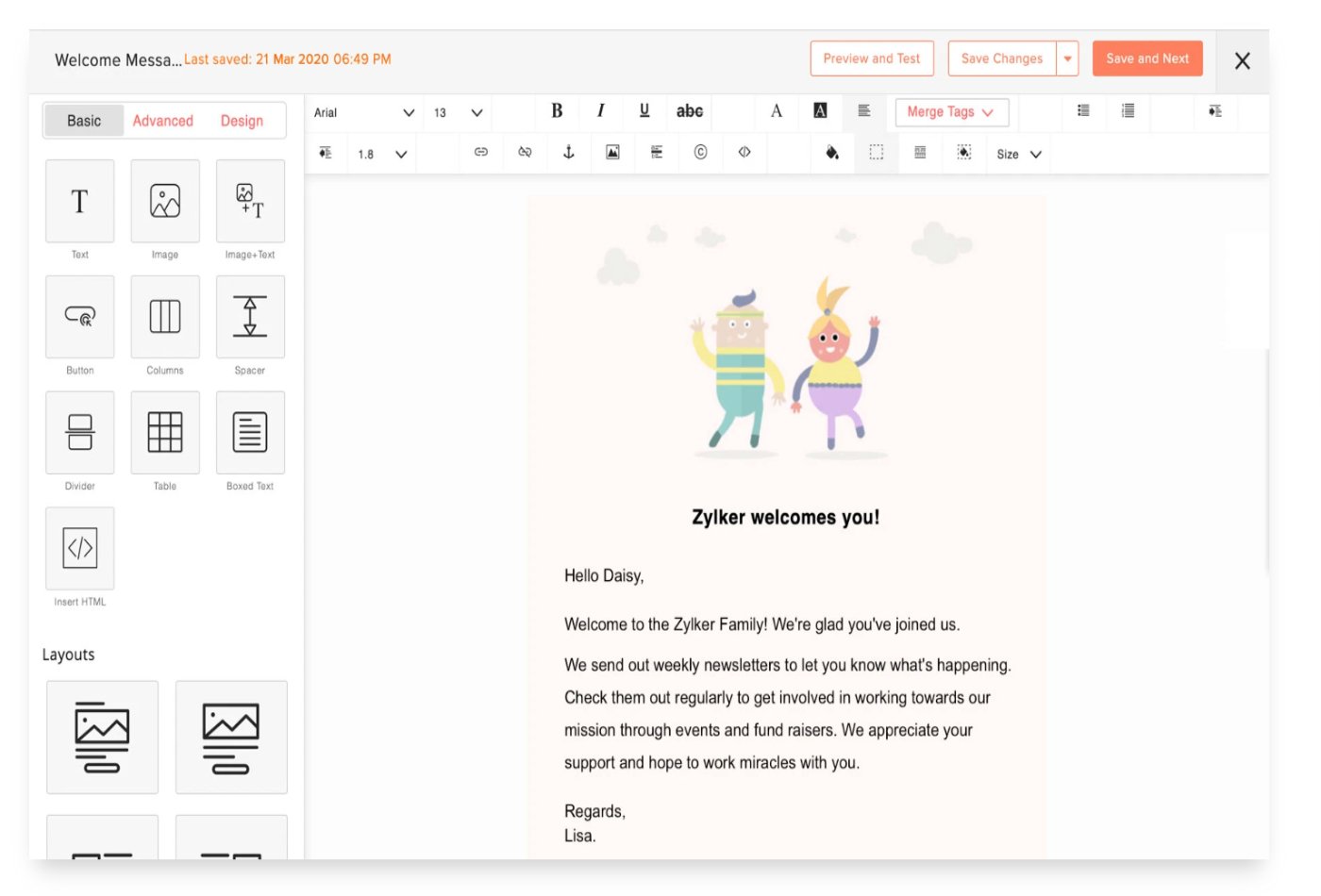
- Customized email templates: Zoho’s drag-and-drop template builder allows you to create personalized email subject lines and templates. You can then send emails to custom email lists to replicate campaigns and save time.
- Zia AI assistant: Access a sales assistant powered by AI that can understand commands and queries issued over text and voice to predict sales or detect anomalies.
- Journey orchestration: Discover customer journeys in real time and visualize them with intuitive journey maps. Build and track journeys taken by donors to know when they’re most likely to donate.
Zoho CRM pros and cons
| Pros | Cons |
|---|---|
| 15-day free trial. | Users report poor platform tutorials and resources. |
| Robust social media integrations and campaigns. | Requires some customizations and onboarding before the tool is usable. |
| 30-day money-back guarantee. | Users can only access AI tools through top premium plans. |
Bitrix24: Best white-label CRM for nonprofits
Bitrix24 CRM software can be ready to use in 30 seconds right after an organization registers an account at Bitrix24.com. From there, nonprofits can adopt the tool as a white-label provider, meaning it can be totally customized to fit the organization’s brand. That brand can be visible across social networks, file sharing, calendars, scheduling, and more.
Why I chose Bitrix24
Bitrix24 markets itself as an online workspace, with a CRM platform as the core solution. The CRM product is highly versatile and easy to administer, and users can join via an email link. The tool can uniquely house data in the cloud or on-premises, depending on the organization’s preference. Bitrix24 can be customized, with API and source code available for on-premises editions.
Bitrix24 offers plenty of resources for onboarding and implementing their tool, along with a unique pricing structure that is per organization with user caps rather than per user. But if you’re looking for a similar option with a specialization in nonprofit donor management, look into Virtuous.
Head over to our independent review of Bitrix24 to learn more.
Bitrix24 pricing
- Free: $0 per month for unlimited users.
- Basic: $49 per organization per month, billed annually, or $69 per organization when billed monthly. Includes 5 users.
- Standard: $99 per organization per month, billed annually, or $144 per organization when billed monthly. Includes 50 users.
- Professional: $199 per organization per month, billed annually, or $289 per organization when billed monthly. Includes 100 users.
- Enterprise: $399 per organization per month, billed annually, or $579 per organization when billed monthly. Includes 250 users.
Features
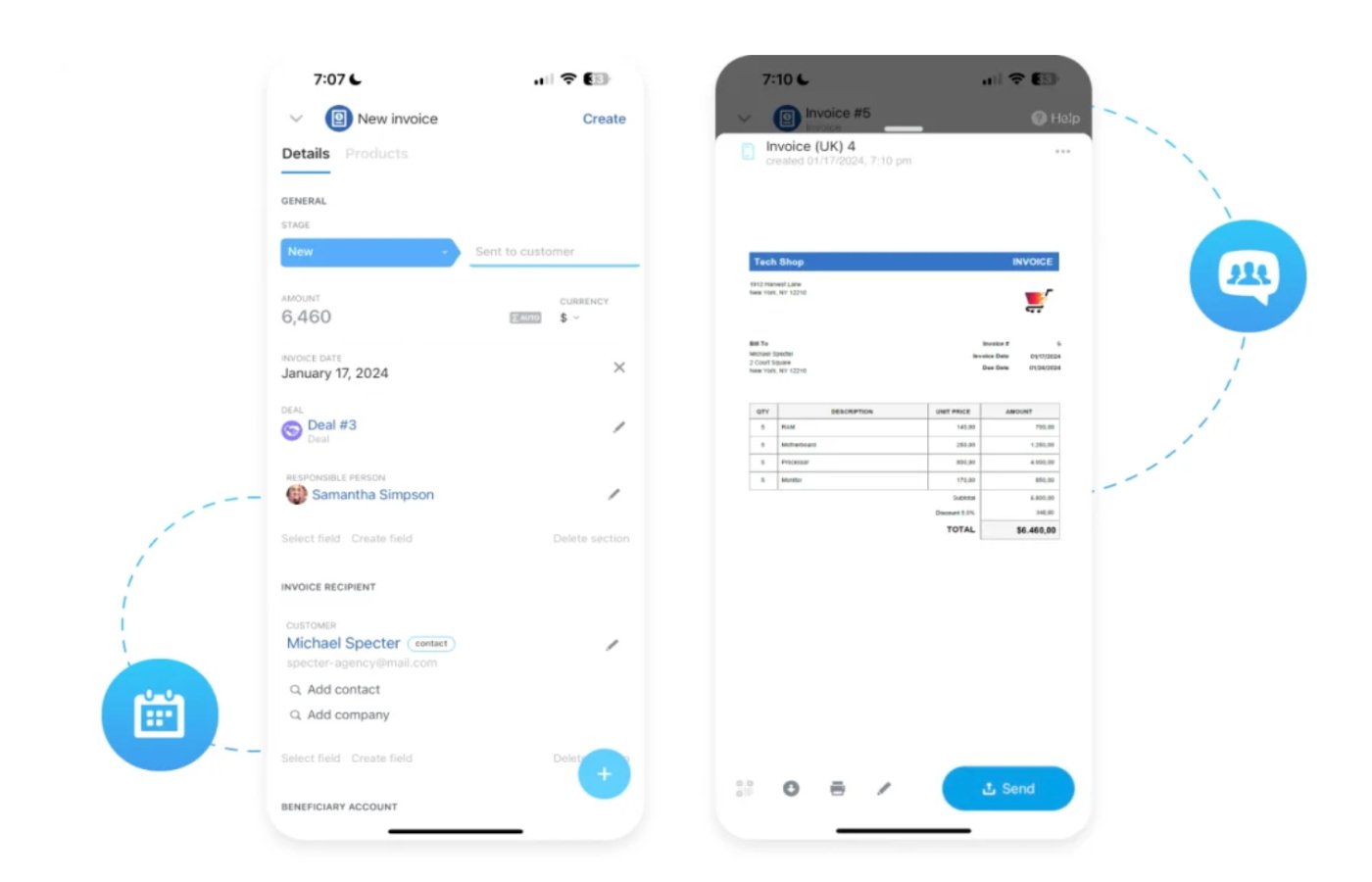
- Mobile app: Create invoices through the mobile app quickly with just one tap, and integrate with payments and e-invoicing to help fundraise in the field.
- Volunteer coordination: Utilize social media to target volunteers, share and sync calendars, manage sign-up documents and waivers, and more.
- Workflow automation: Automate processes with rules and triggers to streamline requests and approvals with no-code RPA.
Bitrix24 pros and cons
| Pros | Cons |
|---|---|
| 15-day free trial. | User reports of limited reporting features. |
| Provides training courses and online resources for users. | Real users report a steep platform learning curve. |
| Users praise internal collaboration tools. | Add-on features can be costly. |
Virtuous: Best for tracking donor behavior with data insights

Virtuous offers organizations a single donor view through the dashboard so that users know who to contact and what to tackle. This view offers intelligent suggestions for the next best action based on the donor’s gift history, social network behaviors, financial data, demographic data, and more. Virtuous offers nonprofit-specific metric tracking that can give your employees the power to make data-backed decisions regarding donor activity and engagement.
Why I chose Virtuous
Virtuous is a full-scale solution for nonprofits looking for a donor, fundraising, volunteer, and marketing platform. The tools help nonprofits of different sizes recruit and mobilize volunteers to fill mission-critical needs. Users report that Virtuous doesn’t require much upfront investment of time or manpower to implement into a nonprofit’s processes, which is a major bonus for nonprofits with limited resources.
Because Virtuous doesn’t disclose its pricing upfront, it’s tough to say how scalable and affordable the platform is for small nonprofits. If you’re looking for a solution with a multitude of premium plans to choose from and all the key management, donor, or volunteer features, check out Pipedrive.
Virtuous pricing
Virtuous doesn’t provide any upfront pricing information and requires potential users to request a customized quote from their sales team.
- Platform: Contact for a quote. This plan is best for growing nonprofits and supports unlimited users.
- Enterprise: Contact for a quote. This plan provides enterprise-grade support.
Features
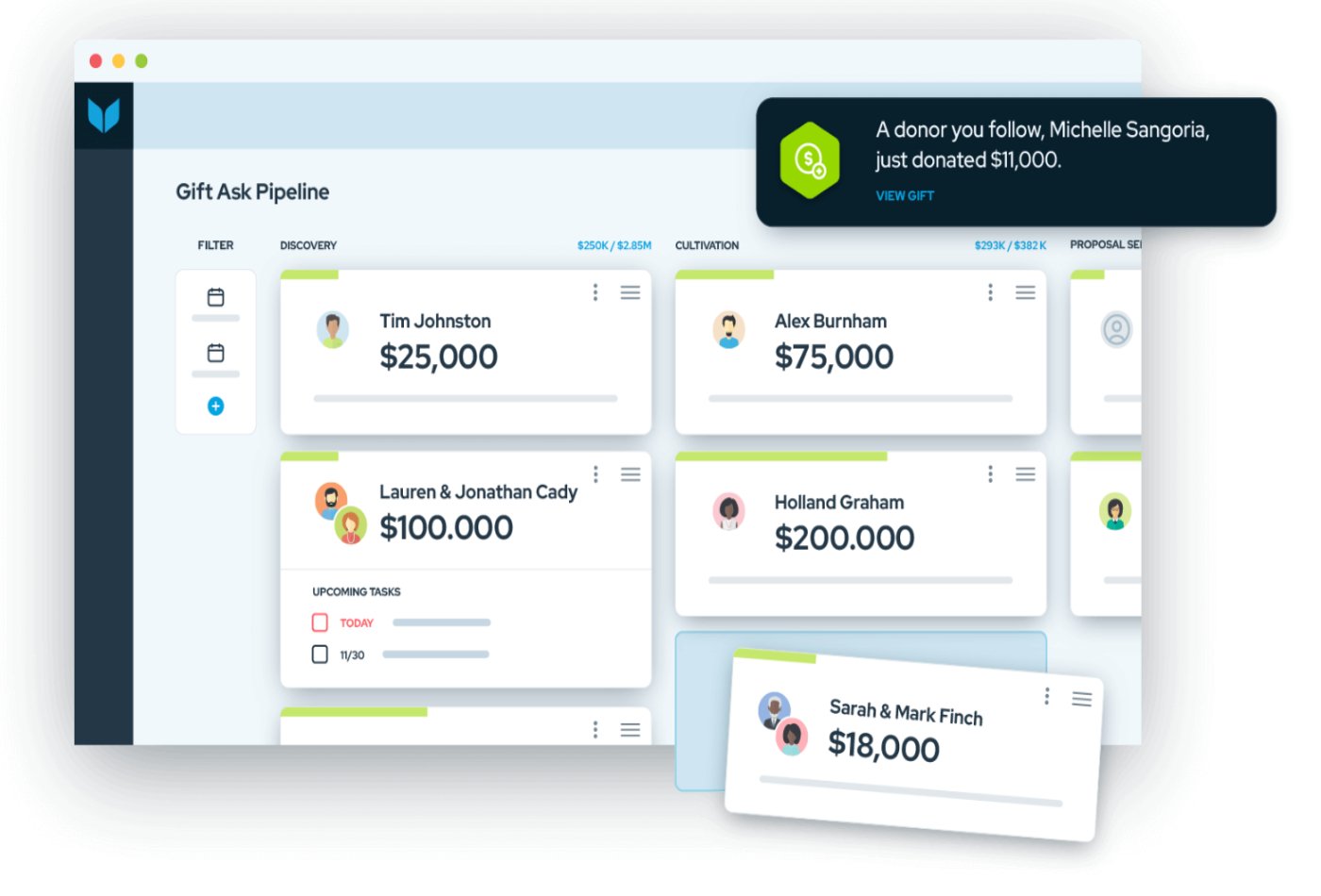
- Gift and pipeline management: View donor gift history directly through the tool using a specific dashboard with filters built around portfolios, fundraisers, and activity.
- Fundraising insights: Get intelligent suggestions for the next best action or suggested gift asks based on gift history, social media behavior, wealth data, and more.
- Project tracking: Sync donations to specific projects to trigger automatic follow up with donors using project-level impact notes.
Virtuous pros and cons
| Pros | Cons |
|---|---|
| Offers a live product tour, self-guided tour, and a one-on-one demo. | There is no upfront pricing. |
| Users praise quick onboarding and training resources. | Users report occasional delays with data importing or exporting. |
| Users report consistent roll-out of upgrades, bug fixes, and new features. | Users report limitations around marketing tools and content personalization. |
How to choose the best nonprofit CRM for your organization
The best nonprofit CRM depends on your organization’s size, budget, fundraising model, donor base, and day-to-day workflows. Before choosing a provider, identify what you need the CRM to manage, how your team will use it, and which tools it needs to connect with.
Step 1: Identify your main CRM use case
Start by listing the relationships and workflows your organization needs to manage. Some nonprofits need a simple donor database, while others need fundraising pipelines, volunteer tracking, grant management, events, or marketing automation.
Common nonprofit CRM use cases include:
- Donor management
- Fundraising pipeline tracking
- Volunteer coordination
- Event management
- Grant or sponsorship tracking
- Membership management
- Email outreach
- Campaign reporting
- Board or stakeholder relationship tracking
If donor management is your top priority, choose a CRM with strong contact records, donation history, segmentation, and fundraising tools. If your team runs many programs or events, look for project management, task tracking, and volunteer workflow features.
A nonprofit CRM should give you a complete view of each donor, volunteer, member, or partner. At minimum, it should store contact details, communication history, tasks, notes, and giving or engagement activity.
Look for features such as:
- Donor profiles
- Giving history
- Contact segmentation
- Relationship tracking
- Activity timelines
- Notes and tasks
- Custom fields
- Tags or lists
- Household or organization records
- Follow-up reminders
The goal is to make it easy for your team to understand who each supporter is, how they have engaged with your organization, and what action should happen next.
Step 3: Check fundraising and campaign tools
If your nonprofit relies on donations, grants, sponsorships, or recurring giving, make sure the CRM can support fundraising workflows. A general CRM can work, but you may need to customize pipelines, fields, and reports.
Compare tools for:
- Donation tracking
- Fundraising pipelines
- Campaign management
- Grant tracking
- Pledge tracking
- Recurring donor follow-ups
- Major donor outreach
- Email campaigns
- Donation forms or integrations
- Revenue reporting
A strong nonprofit CRM should help you track fundraising progress and avoid missed follow-ups with donors, sponsors, or grant contacts.
Step 4: Evaluate volunteer and event tracking
Many nonprofits need to manage more than donors. If volunteers and events are central to your work, choose a CRM that can track participation, tasks, schedules, and communication.
Look for:
- Volunteer records
- Event attendance
- Task assignments
- Role tracking
- Event pipelines or boards
- Calendar tools
- Reminder workflows
- Post-event follow-ups
- Reporting by event or program
This is especially important for organizations that run community programs, fundraising events, volunteer shifts, or recurring outreach activities.
Step 5: Check customization options
Nonprofits often have workflows that do not fit a standard sales CRM out of the box. Customization helps you adapt the system to your programs, donors, volunteers, events, and reporting needs.
Review whether you can customize:
- Pipelines
- Deal or donation stages
- Contact fields
- Donor segments
- Dashboards
- Reports
- Automations
- User permissions
- Forms
- Record layouts
A customizable CRM is useful if you need to track different relationship types, such as individual donors, corporate sponsors, volunteers, board members, grantmakers, and community partners.
Step 6: Compare integrations
Your CRM should connect with the tools your organization already uses. This helps reduce manual data entry and keeps donor, campaign, and financial records more accurate.
Common integrations to check include:
- Donation platforms
- Payment processors
- Accounting software
- Email marketing tools
- Event registration tools
- Website forms
- Social media tools
- Productivity apps
- SMS tools
- Grant management systems
If the CRM does not offer a native integration, check whether it connects through Zapier, API access, or another third-party connector.
Step 7: Consider ease of use for staff and volunteers
A CRM only works if your team actually uses it. Nonprofit teams often include staff, board members, part-time workers, and volunteers, so the system should be easy to learn and maintain.
During a demo or trial, test how easy it is to:
- Add a donor
- Log a donation or activity
- Create a follow-up task
- Build a donor segment
- Send an email or reminder
- View a fundraising pipeline
- Run a basic report
- Add a volunteer or event record
- Update records from a mobile device
Choose a CRM that fits your team’s technical comfort level and does not require more admin work than your organization can manage.
Step 8: Review pricing and nonprofit discounts
Nonprofit CRM pricing can vary widely. Some providers offer free plans, while others charge per user, per contact, or by feature package. You should also ask about nonprofit discounts, grants, onboarding fees, migration costs, and required add-ons.
Compare:
- Free plan availability
- Monthly or annual pricing
- Per-user fees
- Contact or donor limits
- Nonprofit discounts
- Implementation costs
- Data migration support
- Required add-ons
- Support costs
- Upgrade paths
The cheapest CRM is not always the best option. Focus on the total cost of the tools your organization actually needs.
Step 9: Test reporting before committing
Reporting is critical for fundraising, board updates, campaign planning, and program management. Before choosing a CRM, test whether it can produce the reports your organization needs.
Useful nonprofit CRM reports include:
- Donor growth
- Donation totals
- Campaign revenue
- Recurring donor activity
- Lapsed donors
- Major donor pipeline
- Volunteer participation
- Event performance
- Grant or sponsorship progress
- Outreach activity
Choose a CRM that makes it easy to view progress, share updates, and make decisions based on accurate data.
Step 10: Choose a CRM that can grow with your organization
Your CRM should support your current operations without limiting future growth. As your nonprofit adds programs, donors, volunteers, events, or staff, your CRM should be able to scale with more users, records, integrations, automations, and reports.
The best nonprofit CRM is the one that fits your budget, supports your mission-driven workflows, and helps your team build stronger relationships with donors, volunteers, members, and community partners.
FORUM: Here are some factors to consider when choosing a CRM.
Methodology: How I evaluated the best nonprofit CRM software
To evaluate the best nonprofit CRM software, I used a scoring rubric built around the needs of nonprofit organizations, including donor management, fundraising workflows, volunteer and event tracking, integrations, affordability, ease of use, and customer support. I reviewed each provider against the same criteria, then used the final score to determine its overall rating and best-fit use case.
I weighted the criteria as follows:
- Cost (25%): I reviewed each provider’s starting price, free plan availability, nonprofit discounts, contract terms, and overall value for organizations working with limited budgets. Providers scored higher if they offered affordable plans, free CRM tools, transparent pricing, or pricing structures that can scale as a nonprofit grows.
- Core features (25%): I evaluated the CRM tools nonprofits need most, including contact and donor records, donation or deal tracking, pipelines, task management, activity history, reporting, and communication tools. I gave higher scores to platforms that can support donor outreach, fundraising follow-ups, volunteer coordination, and campaign tracking.
- Customizations (15%): I looked at how easily each CRM can be adapted to nonprofit workflows. This included custom fields, pipeline stages, dashboards, user permissions, donor segments, automations, and record layouts. Providers scored higher if nonprofits could customize the system for donors, volunteers, members, events, grants, or fundraising campaigns.
- Integrations (15%): I reviewed each provider’s ability to connect with the tools nonprofits commonly use, such as donation platforms, email marketing software, accounting systems, event tools, payment processors, website forms, and productivity apps. CRMs with broad native integrations, app marketplaces, or API access scored higher.
- Ease of use (10%): I considered setup, onboarding, interface design, learning curve, and how easy it is for nonprofit staff or volunteers to manage daily workflows. Providers scored higher if they were simple to navigate, offered clean dashboards, and made common tasks like updating donor records or assigning follow-ups easy to complete.
- Customer support (10%): I reviewed each provider’s support channels, availability, help center resources, onboarding materials, training options, and user feedback. Providers scored higher if they offered accessible support, strong documentation, and resources that help nonprofits set up and maintain their CRM without requiring extensive technical help.
Frequently asked questions (FAQs)
What is the best CRM for nonprofits?
HubSpot is the best nonprofit CRM for most organizations that need a free, scalable CRM with strong integrations. Virtuous is better for nonprofits that need donor behavior insights, while Pipedrive is a strong option for volunteer and event workflows.
What is nonprofit CRM software?
Nonprofit CRM software helps organizations manage donors, volunteers, members, sponsors, grantmakers, campaigns, events, and fundraising activity in one database. It gives teams a central place to track relationships, outreach, donations, tasks, and program activity.
What is the best free CRM for nonprofits?
HubSpot is one of the best free CRMs for nonprofits because it includes contact management, forms, live chat, meetings, pipeline tracking, and integrations. Zoho CRM and Bitrix24 also offer free plans, though they may require more setup and customization for nonprofit workflows.
What features should a nonprofit CRM have?
A nonprofit CRM should include donor management, gift tracking, segmentation, fundraising pipelines, volunteer tracking, campaign reporting, email tools, integrations, and user permissions. Depending on your organization, you may also need event tracking, grant management, recurring donation tools, or accounting integrations.
What is the difference between nonprofit CRM and donor management software?
A nonprofit CRM manages broader relationships across donors, volunteers, members, sponsors, grantmakers, and community partners. Donor management software focuses more narrowly on donation history, giving records, pledges, recurring gifts, and fundraising campaigns.
How much does nonprofit CRM software cost?
Nonprofit CRM software can be free or cost hundreds of dollars per month, depending on user seats, donor records, fundraising tools, automation, integrations, and implementation support. Nonprofits should also check for migration fees, onboarding costs, and discounts before choosing a provider.
Do nonprofits get CRM discounts?
Some CRM vendors offer nonprofit discounts, free plans, grants, or special onboarding. HubSpot, for example, offers a nonprofit discount for eligible organizations, while other providers vary by program, plan, and eligibility requirements.
Read the full article here