



Microsoft is loosening its grip on one of Windows 11’s most familiar surfaces.
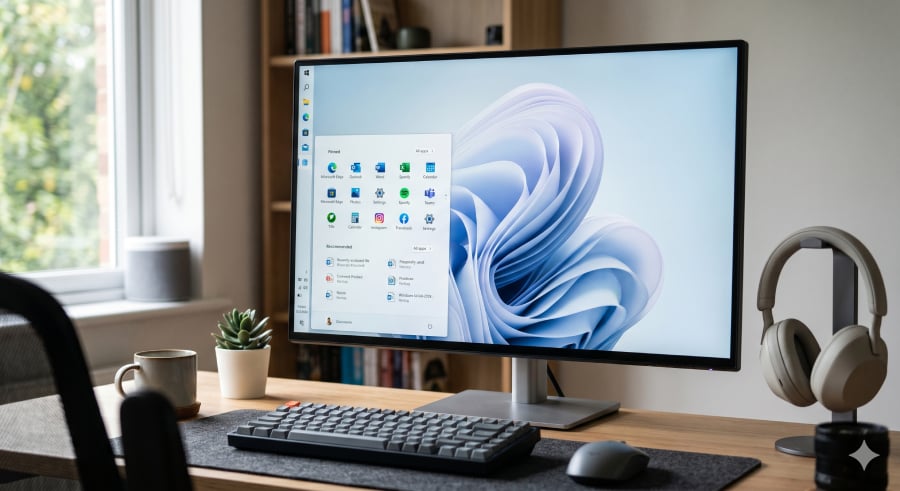
The company is testing new personalization controls for the taskbar and Start menu, two areas that have drawn steady feedback since Windows 11 launched. The changes are rolling out first to Windows Insiders in the Experimental channel as Microsoft continues its work to improve Windows quality through what it calls “performance, reliability, and craft.”
Not a flashy redesign, but a tangible reset to parts of Windows that people use constantly, as Microsoft tries to win back trust through visible fixes.
The taskbar can move again
Windows 11 users will no longer have to keep the taskbar locked to the bottom of the screen, with Microsoft adding support for top, left, right, and bottom placement. The return of side and top placement answers one of the loudest complaints from users who preferred the flexibility of earlier Windows releases.
- Position-aware menus: Start, Search, and other flyouts open from the bar’s location. Put it at the top, and Start opens from there too.
- Alignment controls: Icons can be centered or aligned to the edge, depending on the orientation.
- A better vertical layout: With “Never combine” and labels turned on, each open window can appear as its own labeled button.
- A compact mode: Smaller icons and a shorter bar give apps more room on smaller screens.
Side placement can help developers see more code at once, top placement may work better for some accessibility or ergonomics needs, and labeled vertical buttons can make crowded desktops easier to scan.
More Microsoft news
Users can choose what appears in Start
Start is getting more room for personal preference, whether users want less clutter, more consistency, or fewer personal details showing while they work. Pinned, Recommended, and All will each get their own toggle, so users can decide which sections appear instead of digging through several settings or removing pinned apps one by one.
Someone who wants a minimal Start menu can keep only pinned apps, while someone who wants a fuller view can leave everything on. File recommendations are also getting their own control, separating Start from jump lists and recent files in File Explorer so users can clean up one area without changing the others.
Microsoft is adding Small and Large Start size options that are meant to stay consistent across displays when possible. Another privacy setting will let users hide their name and profile picture in Start during screen sharing, presentations, or streaming.
Recommended is being renamed to Recent, a label that better matches what the section shows: recently installed apps and recently used files. Recently installed apps will stay visible, and file recommendations should become more selective as Microsoft refines what appears and how items are ordered.
Not every taskbar feature is ready yet
Insiders may get the first look at the new options, but the company is not bringing every old behavior back in the first release. Auto-hide and the tablet-optimized version are not supported yet when the bar is moved away from the bottom of the screen.
Touch gestures for alternate positions are still in progress, and search boxes will appear as a search icon for now. Microsoft is still evaluating other requested additions, including separate positions for different monitors and drag and drop.
The first release lays the groundwork, but Windows 11 users waiting for the fuller desktop experience they remember still have more to watch for.
Copilot Mode is going away as Microsoft turns AI browsing into a core Edge feature.
Read the full article here