


Android 17 is going big on AI. But its best upgrades may be the ones that simply make your phone easier to live with.
Ahead of its annual developer conference, Google used its Android Show event to unveil Android 17 and a long list of upgrades headed to phones later this year. While AI dominated much of the presentation, the company also introduced several practical features focused on privacy, multitasking, customization, and digital well-being.
Many of the AI-powered additions will fall under a new umbrella called “Gemini Intelligence,” with rollout plans focused first on newer Samsung Galaxy and Google Pixel devices. Still, Android 17 is about more than AI assistants and automation. Google is also refreshing the operating system visually and adding long-requested quality-of-life upgrades users have wanted for years.
A new look for Android
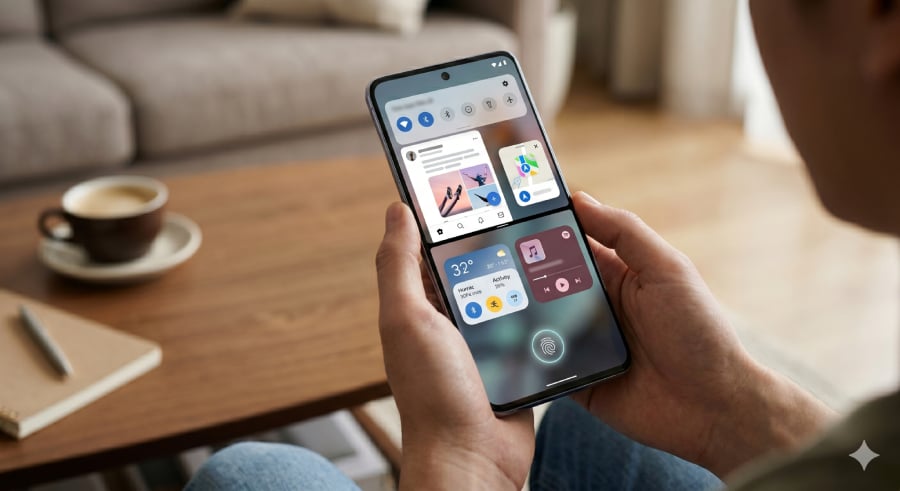
Android 17 is getting a major visual refresh with a frosted “blur” design that adds translucent, glass-like depth across system menus like the notification shade, volume panel, and power menu. The effect pulls in wallpaper colors and UI elements underneath, giving the whole system a softer, more layered feel.
Alongside that, Google is also updating its emoji library with a redesigned set of over 4,000 emojis. The new designs lean into more 3D-style depth, replacing the flatter look Android has used for years. According to Google, Pixel phones will get the updated emoji set first later this year.
Pause point brings digital well-being into focus
One of the more unusual additions is a feature called Pause Point, designed to slow down impulsive app use.
When enabled for selected distracting apps, it introduces a 10-second delay before the app opens and displays prompts such as breathing exercises or alternative app suggestions. Users can also set session timers, and turning the feature off requires a full device restart.
The idea, Google says, is not to block apps outright but to introduce friction that encourages more intentional usage.
AI becomes deeply built into Android
Android 17 pushes hard into AI with a collection of tools under what Google calls “Gemini Intelligence.”
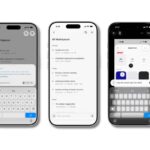
One of the standout features is Rambler, a smart voice-to-text system that cleans up spoken input in real time. It removes filler words like “um” and “ah,” corrects phrasing, and can even adjust messages as you change your mind while speaking. It also supports multilingual speech within a single message.
Another major addition is Create My Widget, which lets users generate custom home screen widgets using natural language. You can describe what you want and Android builds it automatically. Google is also expanding AI automation across apps, including tasks like booking rides, ordering groceries, or completing forms inside Chrome.
Sharing between Android and iPhone gets easier
File sharing is finally becoming more universal. Google is expanding Quick Share so more Android devices can send files directly to iPhones using AirDrop compatibility. For devices that don’t support it, users will be able to generate a QR code that lets iPhone users receive files through the cloud.
Support is also being added inside apps like WhatsApp, and more manufacturers beyond Pixel and Samsung are joining the rollout.
Screen reactions for instant content creation
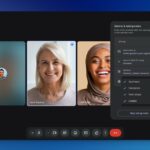
Android 17 introduces Screen Reactions, a built-in tool for recording reaction videos. It lets users capture their screen and front camera simultaneously, placing the user in a cutout overlay over whatever is on display. The feature aims to make commentary-style videos easier to create without third-party apps.
Security gets a major upgrade
Security improvements in Android 17 are wide-ranging and more aggressive than before. The system can now detect suspicious app behavior, block spoofed banking calls by verifying them against official bank apps, and limit PIN-guessing attempts with longer delays.
If a phone is marked as lost, it can now be remotely locked with biometric authentication, making it harder for thieves to regain access even if they know the PIN. Chrome also adds extra protection by scanning APK downloads for malware before installation.
More Google coverage
Smarter App switching and switching from iPhone
Google and Apple are working more closely to simplify device switching. Android 17 improves data transfer from iPhone, including messages, apps, eSIMs, and even home screen layouts. However, full support depends on compatible devices, starting with Pixel and Galaxy phones.
At the same time, Android introduces improved app continuity tools, allowing users to resume tasks across devices like phones and tablets without losing progress.
Better multitasking and app control
Multitasking is getting more flexible with a new split-screen system that supports 90:10 layouts, allowing one app to dominate the screen while another stays accessible in a small window.
Apps can also now be turned into floating “bubbles” system-wide, not just messaging apps, making it easier to keep tools like notes or timers visible while using other apps. Android 17 also adds a native app lock system, letting users secure individual apps with biometrics or PINs without third-party tools.
A cleaner, more consistent Android experience
Several smaller changes add up to a more polished system overall. Auto-themed icons now apply consistent color styling across all apps, even those without built-in support. Android also introduces per-app dark mode control, so users can fix apps that break under forced dark themes.
The screen recorder has also been redesigned with easier controls, partial recording support, and a built-in editor for post-capture editing.
For more on Android’s latest security push, read our coverage of Google’s new protections against scam calls, theft, spyware, and malicious apps.
Read the full article here