

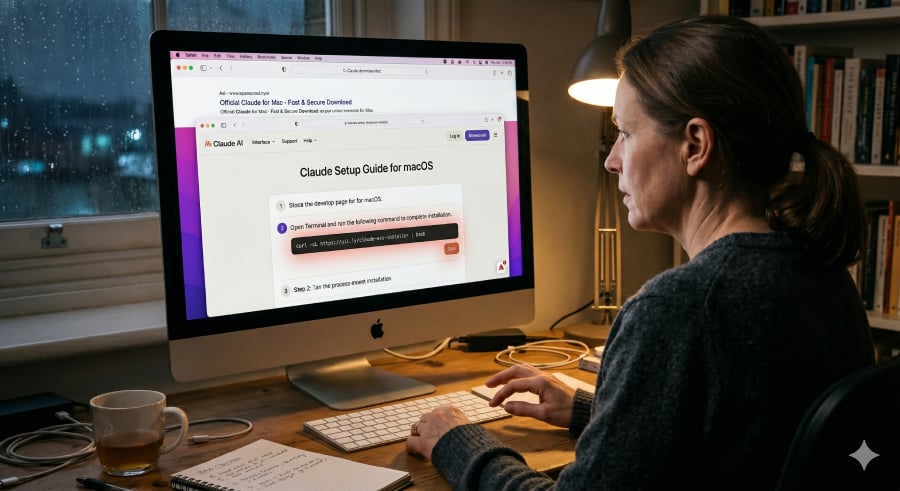

Mac users searching for Claude could be one copied command away from handing attackers a way into their machines.
BleepingComputer reports that an active campaign is using Google Ads and Claude’s shared chat feature to target people searching for Claude downloads on Mac. The ads appear to point to Anthropic’s real domain, but the shared chats provide users with fake setup instructions that can install malware if followed.
The scam does not need a fake Claude website when it can make the official Claude page carry the bad instructions.
Why the Claude scam looks safe at first
The attack starts with a familiar habit, searching for software.
A Mac user looking for Claude may see a Google-sponsored result, click through, and land on a page connected to the real Claude website. The shared chat reads like a helpful guide, walking the user through steps they might expect when installing a developer tool.
Security engineer Berk Albayrak first flagged one of the malicious Claude shared chats. The chat posed as an official “Claude Code on Mac” installation guide and was attributed to “Apple Support,” while instructing users to run a malicious command in Terminal.
Because command-line installs are common in developer tools, the fake instruction may not look unusual at first glance. There is no strange pop-up, suspicious attachment, or misspelled copycat website to tip off the user.
The fake install command starts the malware chain
Once the user pastes the command into Terminal, the fake guide stops being just a lure. The Mac is told to fetch and run code from the attacker’s server.
The command runs hidden instructions without the kind of installer window most users would expect from a normal app download. The process may look like routine command-line setup, but it gives attackers a path to start the next stage.
While checking Albayrak’s findings, BleepingComputer found a second malicious Claude shared chat using separate infrastructure. In that version, the first command downloaded a follow-up script called loader.sh, which launched the next part of the attack.
One payload also ran in memory and changed its obfuscation with each request. Each request could produce a different-looking version of the payload, making it more difficult for security tools to identify.
Must-read security coverage
Credentials, cookies, and Keychain data are in play
Once the fake install succeeds, attackers can start looking through the Mac for useful data.
One version checks the machine first, including its internet address, computer name, macOS version, and keyboard settings. The scan can help attackers decide whether to continue or stop.
Another version skips that check and goes straight for sensitive data. It has been identified as a MacSync macOS infostealer variant, with access to browser credentials, cookies, and macOS Keychain contents.
The stolen data can help attackers break into online accounts, use saved login credentials, and access secrets stored in the Mac’s Keychain.
A preventable attack
Users can reduce the risk by avoiding the path that attackers are trying to control. Mac users who want the Claude app should go straight to Anthropic’s official site or type claude.ai directly into the browser.
Claude Code users should treat installation instructions the same way. The safest directions come from Anthropic’s official documentation, not a shared chat, forum post, or setup guide reached through an ad. The legitimate Claude Code CLI does not require users to paste commands from a chat interface, according to the report.
Before running any Terminal command, pause long enough to check the source. If the command is not in official documentation, or if it is unclear what it downloads and runs, do not paste it.
A real domain can still carry bad instructions. When a page asks for control of the command line, trust should start with the command’s source, not the page surrounding it.
ShinyHunters-linked attackers have hit Canvas again, turning another university platform breach into a finals week extortion headache.
Read the full article here