


Square’s fast factsOur rating: 4.78 out of 5
|
Square POS is one of the most widely adopted point-of-sale systems, known for its $0 monthly plan, straightforward setup, and broad feature set that spans retail, restaurants, and service businesses.
After reviewing and comparing POS systems across industries, I’ve found that Square’s biggest strength is its accessibility. You can get up and running quickly, accept payments across channels, and layer on tools as your operations expand. That said, its general-purpose design means it doesn’t always go as deep as category-specific competitors.
In this Square POS review, I evaluate Square POS pricing, features, ease of use, hardware, and scalability, and compare it to competitors to help you decide if it’s the right fit for your business.
1
Toast
Employees per Company Size
Micro (0-49), Small (50-249), Medium (250-999), Large (1,000-4,999), Enterprise (5,000+)
Any Company Size
Any Company Size
Features
Barcode Scanning, Cash Management, Customer Management, and more
2
KORONA POS
Employees per Company Size
Micro (0-49), Small (50-249), Medium (250-999), Large (1,000-4,999), Enterprise (5,000+)
Any Company Size
Any Company Size
Features
Barcode Scanning, Cash Management, Customer Management, and more
3
Scotch
Employees per Company Size
Micro (0-49), Small (50-249), Medium (250-999), Large (1,000-4,999), Enterprise (5,000+)
Micro (0-49 Employees), Small (50-249 Employees), Medium (250-999 Employees)
Micro, Small, Medium
Features
Cash Management, Customer Management, Inventory Management, and more
Why you can trust my advice
I’ve spent years reviewing and comparing POS systems across retail, restaurant, and service industries, evaluating how each platform performs in real-world business environments. For this Square POS review, I analyzed its pricing, features, hardware options, and scalability, and compared it directly with leading alternatives to understand where it stands out and where it falls short.
My recommendations are based on hands-on testing, product demos, and in-depth research, along with feedback from actual users. I focus on how POS systems support day-to-day operations, from checkout speed to inventory management and reporting, so you can choose a solution that fits both your current needs and future growth.
Square POS use cases
Square POS is built to support a wide range of business types, but it performs best in specific scenarios. Here are the use cases where Square delivers the most value.
- New and budget-conscious businesses: Square POS works best for startups and small businesses that need a low-cost way to start selling quickly. With no monthly software fee and simple onboarding, it’s a practical option for testing a new concept or running lean operations.
- Retail stores needing flexible tools: Square supports small to mid-sized retail shops with inventory tracking, barcode scanning, and multichannel selling. It’s a strong fit for businesses that sell both in-store and online without needing a separate system.
- Restaurants and quick-service operations: Square offers industry-specific POS software for food businesses, including menu management, table tracking, and online ordering. It’s best suited for cafes, food trucks, and smaller restaurants rather than large, full-service operations.
- Service-based businesses: Square POS integrates with Square Appointments, making it a good option for salons, spas, and other service providers that need scheduling, payments, and customer management in one system.
- Mobile and on-the-go sellers: Square is ideal for businesses that sell at pop-ups, markets, or events. Its mobile card readers and app-based POS make it easy to accept payments anywhere with minimal setup.
- Businesses expanding into omnichannel sales: Square supports in-person, online, and invoice payments in one ecosystem. It works well for sellers that want to centralize sales channels without managing multiple platforms.
Square POS pricing
Square recently overhauled its pricing structure, moving from multiple product-specific subscriptions to three unified software plans. Instead of mixing and matching add-ons, you now choose one plan that bundles Square’s core tools under a single monthly fee per location. The entry point is still $0, which keeps Square accessible for very small sellers, but higher tiers now trade monthly software costs for lower in-person processing rates.
For businesses that mainly sell in person, the biggest pricing lever is whether paying a monthly fee saves enough on processing to justify upgrading. Square makes that math straightforward by clearly tying lower in-person rates to higher plans.
Square POS pricing plans (monthly subscription tiers)
- Square Free ($0 per month): Includes core POS tools, online store and checkout, invoicing, virtual terminal, gift cards, and customer directory.
- Square Plus ($49 per month per location): Designed for growing businesses that want slightly lower in-person rates and access to more advanced features under one subscription.
- Square Premium ($149 per month per location): Best suited for higher-volume sellers that benefit from the lowest in-person processing rate Square offers.
All plans can be upgraded, downgraded, or canceled at any time, with no contracts or penalties.
Square processing fees
When you sign up for Square, you are also tied to its payments arm, Square Payments. As a payment processor, Square has transparent, flat-rate pricing. Each plan has corresponding fees, outlined below. However, all plans use the same rate regardless of card brand, including Visa, Mastercard, American Express, and Discover. Most payment processors charge an added fee for American Express cards.
- Square Free
- In-person: 2.6% + 15 cents
- Online: 3.3% + 30 cents
- Manual entry: 3.5% + 15 cents
- Invoices: 3.3% + 30 cents
- Square Plus
- In-person: 2.5% + 15 cents
- Online: 2.9% + 30 cents
- Manual entry: 3.5% + 15 cents
- Invoices: 2.9% + 30 cents
- Square Premium
- In-person: 2.4% + 15 cents
- Online: 2.9% + 30 cents
- Manual entry: 3.5% + 15 cents
- Invoices: 2.9% + 30 cents
For buy now, pay later (BNPL) transactions, Square uses Afterpay, and processing fees are 6% + 30 cents per transaction across all Square plans.
Square hardware
Square’s hardware pricing remains largely unchanged, and most devices include built-in card readers rather than relying on a separate terminal.
- Square Magstripe reader: First reader free, additional readers $10
- Square Reader (2nd generation): $59 or $21 per month for 3 months
- Square Contactless and Chip reader: $49 to $59
- Square Terminal: $299 or $27 per month for 12 months
- Square Handheld: $399 or $37 per month for 12 months
- Square Stand: $149 or $14 per month for 12 months
- Square Kiosk: $149 or $14 per month for 12 months
- Square Register: $899 or $44 per month for 24 months
Square POS key features
Square is an all-in-one POS solution that’s easy to use and quick to set up. Its ecosystem includes a wide range of point-of-sale features and business management tools that support everything from basic checkout to more complex operations as you scale.
Most of Square’s core POS features are available on the free plan, which makes it accessible for new businesses while still leaving room to grow through paid upgrades.
Built-in payment processing
Square requires businesses to use its built-in payment processor, which keeps setup simple and reduces friction when getting started. You connect your bank account and can begin accepting payments almost immediately, without waiting for account approval or underwriting. That ease of onboarding is a big reason Square appeals to first-time sellers and small teams.
While Square’s processing rates are competitive, they are not always the lowest available, especially for high-volume sellers. Businesses processing more than $250,000 annually can request a custom rate quote, which may help reduce costs at scale.
Robust free POS software

One of Square’s strongest advantages is the amount of functionality available without a monthly software fee. The free Square POS app supports in-person payments, itemized sales, basic inventory tracking, customer profiles, and reporting right out of the gate. Most small businesses find the free plan is enough to run daily operations without upgrading.
On the free plan, you can also send invoices, sell digital gift cards, accept card-not-present payments through a virtual terminal, and create a basic online storefront. Processing fees for online, invoice, and manual-entry transactions are higher than in-person rates, but access to these tools without an added subscription still offers solid value.
Business-specific POS workflows
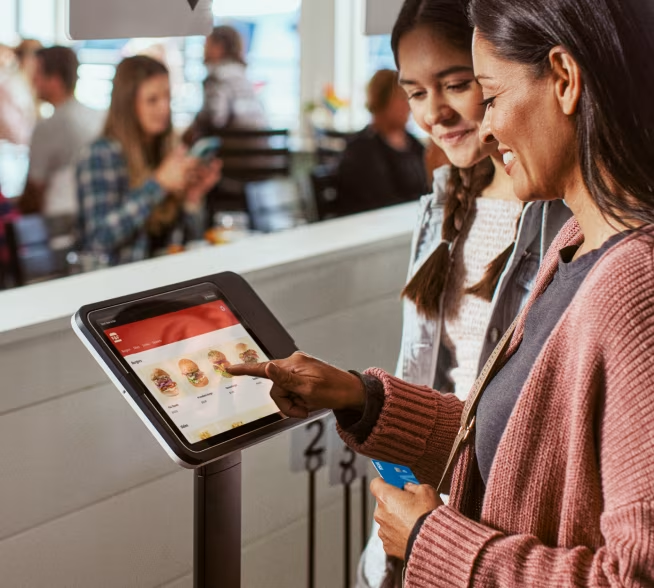
Square has moved toward a unified POS experience built around one core app. The updated Square POS app adapts based on your business type, surfacing tools and workflows designed for restaurants, retailers, and appointment-based businesses.
Restaurants benefit from features like tableside ordering, menu management, and multi-location support. Retailers get inventory tracking, returns and exchanges, and fulfillment options such as in-store pickup. Service-based businesses can manage bookings, staff schedules, and payments from the same system.
SEE: 5 Best Retail POS Systems
Flexible hardware options
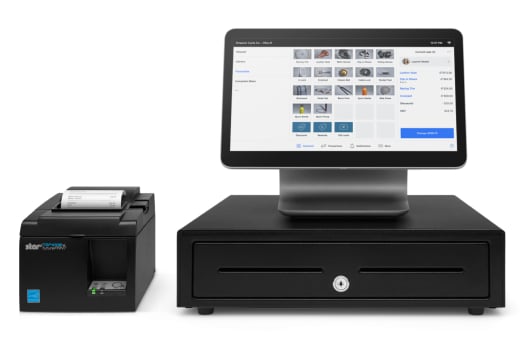
Square’s POS software integrates closely with its hardware lineup, from simple mobile readers to full countertop systems. Devices like Square Register and Square Terminal support high-volume checkout, while newer options such as Square Handheld are designed for mobile-first use cases like tableside service, pop-ups, and sales floors.
Because the POS experience stays consistent across devices, businesses can mix and match hardware without retraining staff or reworking workflows. This makes it easier to expand locations or change how you accept payments without switching systems.
Integrated banking tools
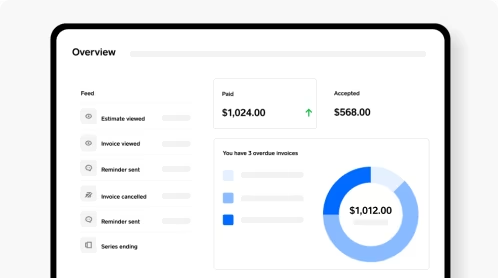
Square also extends beyond POS with built-in business banking tools. Sellers can open Square checking and savings accounts that connect directly to payment activity, making it easier to access funds and manage cash flow without relying on third-party banks.
For businesses that want to consolidate payments, software, and banking under one provider, Square’s all-in-one ecosystem can simplify day-to-day operations.
Square POS pros
- Free POS software and online store tools included at no monthly cost
- Affordable, well-designed hardware, including a free card reader for new sellers
- Highly mobile setup that supports accepting payments anywhere
- Intuitive interface that’s easy for staff to learn and use
- Month-to-month billing with no long-term contracts or cancellation penalties
Square POS cons
- Customer support availability can be limited or inconsistent, depending on plan and issue type
- Customization options are more limited compared to enterprise-focused POS systems
- Online sales do not support age-restricted products
- Businesses processing more than $10,000 per month may need to move to a paid plan to access advanced features
Alternatives to Square POS
| Starting price | $0/month, plus processing fees | $5/month | $0/month | $109/month |
| Free POS hardware | Yes (free card reader) | No | No | No |
| Pricing highlights | Low entry point and flexible plans | Strong ecommerce + in-store sync | All-in-one restaurant POS | Advanced retail inventory + analytics |
| Prime use case / value prop | General purpose small business POS | Best for retailers with ecommerce needs | Best for restaurants | Best for advanced retail operations |
SEE: 7 Best Small Business POS Systems
Shopify POS
Our star rating: 4.68 out of 5
Shopify POS is the strongest alternative to Square for retailers that sell both online and in person. Where Square focuses on ease of entry, Shopify POS shines in omnichannel commerce, tightly connecting in-store sales with Shopify’s ecommerce platform. Inventory, customer data, and orders stay synced across channels, which makes it easier to manage sales from one system rather than juggling separate tools.
That said, Shopify POS can be more expensive as you scale. Many in-store features require higher-tier Shopify plans, and hardware costs are higher than Square’s entry-level options. Still, for businesses that prioritize ecommerce-first selling with in-store extensions, Shopify POS offers more depth and flexibility than Square.
Toast
Our star rating: 4.50 out of 5
Toast is purpose-built for restaurants, making it a strong Square alternative for foodservice businesses that need more specialized tools. Unlike Square’s general-purpose approach, Toast focuses on restaurant-specific workflows like menu management, tableside ordering, kitchen display systems, and tip management. Its hardware, software, and payment processing are designed to work together as a single system.
The tradeoff is flexibility. Toast requires businesses to use its payment processor and proprietary hardware, and costs can add up as features are layered on. While Square works well for simple counter service, Toast is better suited for full-service restaurants and growing hospitality businesses that need deeper operational controls.
Lightspeed Retail
Our star rating: 4.31 out of 5
Lightspeed Retail is best positioned for established retailers with complex inventory and reporting needs. Compared to Square, Lightspeed offers more advanced tools for managing large product catalogs, variants, vendor relationships, and multi-location inventory. Its analytics and reporting also go deeper, which can be valuable for data-driven retail operations.
However, Lightspeed comes with a higher monthly cost and a steeper learning curve. There’s no true free plan, and setup can feel heavier than Square’s plug-and-play approach. For retailers that have outgrown Square’s inventory tools and want more control at scale, Lightspeed Retail is a logical next step.
Methodology
To identify the best POS systems for small businesses, I evaluated each platform using a consistent set of core criteria: pricing structure, POS and business management features, hardware options, ease of use, and overall reliability. My review process combines multiple inputs, including vendor documentation and product marketing, third-party review platforms (such as G2), hands-on demos and free trials when available, and feedback from current and former users.
I pay close attention to features that fall outside standard POS functionality, especially when vendors position them as key differentiators. In those cases, I cross-check product claims against real-world user reviews to assess whether the tools perform as advertised and deliver practical value.
Since it’s not always possible to test every platform across all business types and edge cases, I focus on reducing that gap by triangulating product data, user experiences, and expert analysis. My goal is to give you a realistic picture of what each POS system offers in practice, so you can make an informed decision without spending the time or money evaluating every option yourself.
Read the full article here