



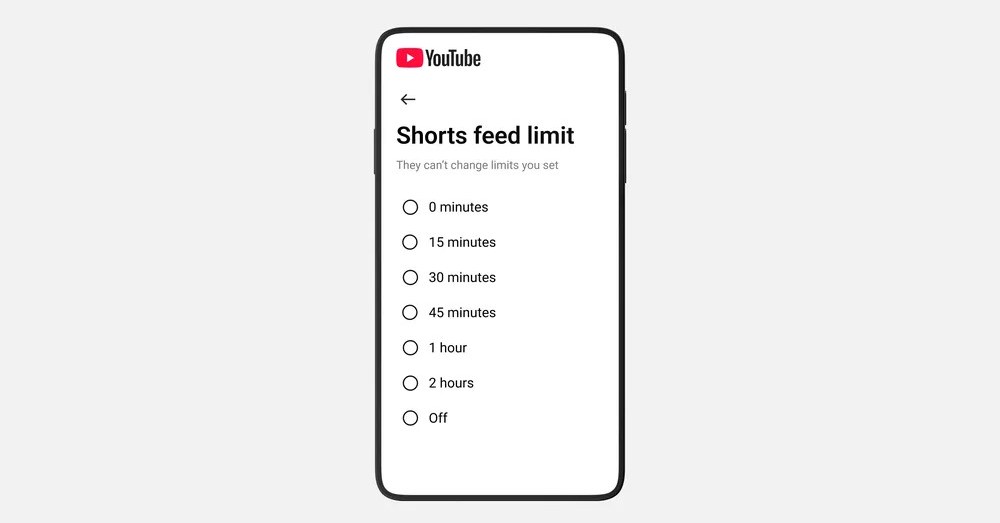

YouTube’s time management settings now have an option to put a zero-minute time limit on Shorts, effectively removing them from your app in Android and iOS. The option is an update to the Shorts timer YouTube originally announced in October; the lowest previous option was 15 minutes.
The feature was expanded in January to give parents some control over how long their kids spend scrolling through Shorts, with an option for zero minutes “coming soon.” According to YouTube spokesperson Makenzie Spiller, the option to set the timer to zero is now “live for all parents, and is currently being rolled out to everyone,” including users with regular adult accounts.
Regardless of age, it can be a handy tool for anyone who wants to spend a little less time scrolling. The Shorts tab won’t show any videos once you hit your limit, just a notification that you’ve “reached your Shorts feed limit.” In our tests, hitting the time limit also removes Shorts from the Home screen, so by setting the timer to zero you can ignore Shorts entirely if you want. To turn on the timer, go to the settings in the YouTube app and select “time management” then toggle on the Shorts feed limit and select a time for it.
Read the full article here