




| Best for | Starting monthly fee | |
|---|---|---|
| OpenProject | Overall open-source software | Free, paid tiers start at $8.50 per user |
| Kanboard | Minimalist Kanban experience | Free |
| WeKan | Privacy | Free |
| Taiga | Agile teams | $6 |
| Focalboard | Collaboration | Free |
| Nextcloud Deck | Users with Nextcloud apps | Free |
| Leantime | People-centric project management | $10 per user |
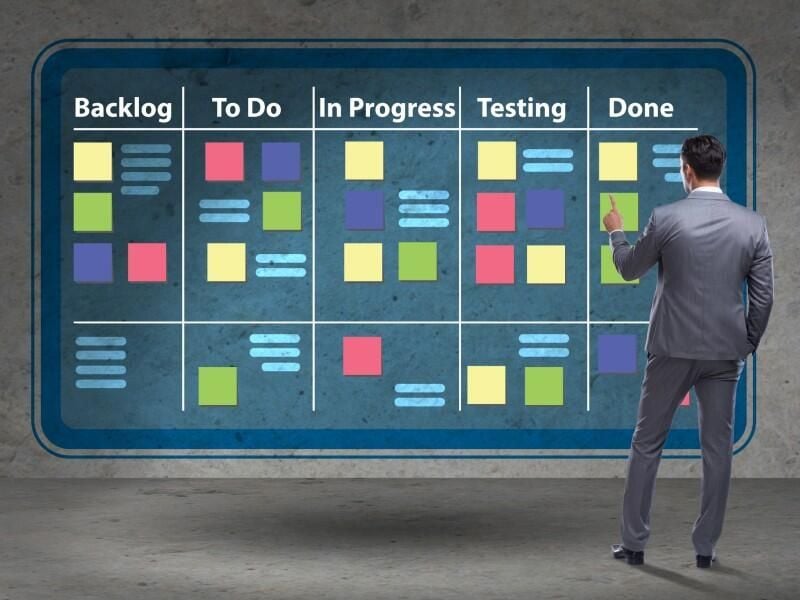
Kanban boards make it simple for anyone who wants to visualize their project tasks and have a visual understanding of their project progress. Open-source kanban boards offer a flexible and cost-effective solution for teams looking to take a more visual approach to project management. Unlike proprietary software, these tools can offer greater customizability to fit user needs and vast integration options with various other software solutions.
Explore seven of the top open-source Kanban boards for 2026 that impressed us the most.
1
Smartsheet
Employees per Company Size
Micro (0-49), Small (50-249), Medium (250-999), Large (1,000-4,999), Enterprise (5,000+)
Any Company Size
Any Company Size
Features
Agile Development, Analytics / Reports, API, and more
2
monday.com
Employees per Company Size
Micro (0-49), Small (50-249), Medium (250-999), Large (1,000-4,999), Enterprise (5,000+)
Any Company Size
Any Company Size
Features
Agile Development, Analytics / Reports, API, and more
3
Wrike
Employees per Company Size
Micro (0-49), Small (50-249), Medium (250-999), Large (1,000-4,999), Enterprise (5,000+)
Medium (250-999 Employees), Large (1,000-4,999 Employees), Enterprise (5,000+ Employees)
Medium, Large, Enterprise
Features
Agile Development, Analytics / Reports, API, and more
Top open source kanban boards software comparison
For a quick glance at which tool offers what, here’s a table comparing the features of the boards.
| Pricing (billed monthly) | Customization options | Self-hosted | User interface | Enterprise-ready | |
|---|---|---|---|---|---|
| OpenProject | Free, paid tiers start at $8.50 per user | High | Yes | Feature rich | Yes |
| Kanboard | Free | High | Yes | Minimalist | No |
| WeKan | Free | Moderate | Yes | Simple, user-friendly | No |
| Taiga | ~$5.74 | High | Yes | Modern and intuitive | Yes |
| Focalboard | Free | Moderate | Yes | Clean | No |
| Nextcloud Deck | Free | Moderate | Yes | Simple and organized | No |
| Leantime | Starts at $10 per user | Moderate | Yes | Modern and intuitive | No |
OpenProject: Best overall
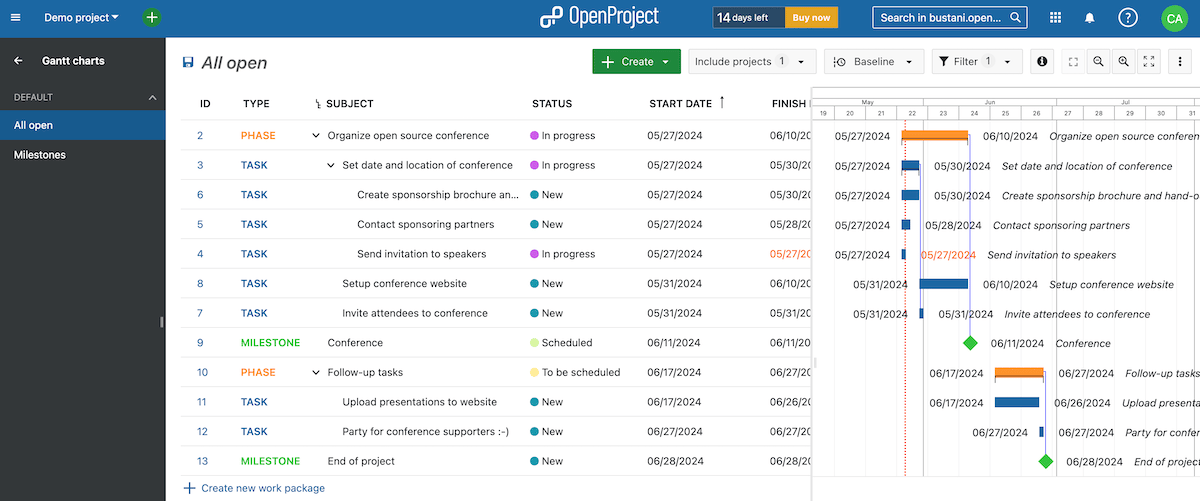
OpenProject is known for its ease of use and extensive feature set, making it a worthy consideration for all kinds of users. It offers multiple board views, customizable workflows and a user-friendly interface. OpenProject is well suited for large projects and complex project management needs, as it has the necessary toolset to manage and oversee extensive projects. It also presents a variety of security features to reassure users that their data is secure.
Why I picked OpenProject
OpenProject’s suite of features, from portfolio management to a powerful REST API as well as enterprise support, made it impossible to ignore it as my pick for the best open-source Kanban tool. It easily offers more features and is packaged in a more scalable manner than the alternatives on this list, meaning that as much as it has powerful features, it’s still available to users who have simpler project management needs.
Pricing
- Community edition: Free with no minimum users but limited features.
- Basic: $7.25 per user per month, billed annually, or $8.50 per user, billed monthly — for five users minimum.
- Professional: $13.50 per user per month, billed annually, or $14.75 per user, billed monthly — for 25 users minimum.
- Premium: $19.50 per user per month, billed annually, or $20.75 per user, billed monthly — for 100 users minimum.
- Corporate: Pricing upon request for 250 users minimum.
Features
- Scrum and Agile board views.
- Time tracking capabilities.
- Project planning and scheduling.
- Multi-project support with portfolio management.
Integrations
OpenProject’s top integrations are Slack, GitHub, GitLab, Excel and Mattermost.
Pros and cons
| Pros | Cons |
|---|---|
|
|
Kanboard: Best minimalist kanban experience
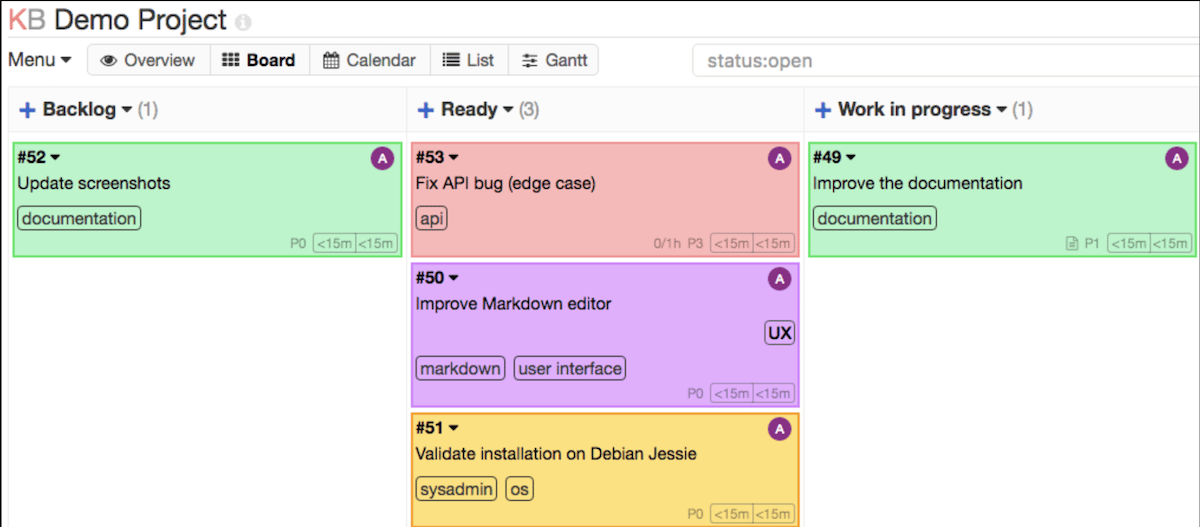
Don’t be fooled by its simple interface. Kanboard is a highly customizable and lightweight open-source kanban board that offers a simple yet powerful project management solution. If you want a straightforward tool to raise your productivity without having to extensively configure it, Kanboard is worth considering. With features like customizable workflows and automation options, Kanboard is highly adaptable to various workflows, from personal task management to complex team projects.
Why I picked Kanboard
I love minimalist interfaces. As a result, I picked Kanboard because of its balance of simplicity and flexibility. It has one of the simplest user interfaces among the other tools in this list.
Pricing
Features
- Customizable workflows with drag-and-drop task management.
- Minimalist kanban board interface.
- Task automation with automatic actions.
- Extensive plugin support for added functionality.
Integrations
Kanboard’s top integrations are LDAP, Amazon S3 Storage, GitLab, Slack and Webhooks.
Pros and cons
| Pros | Cons |
|---|---|
|
|
WeKan: Best for privacy
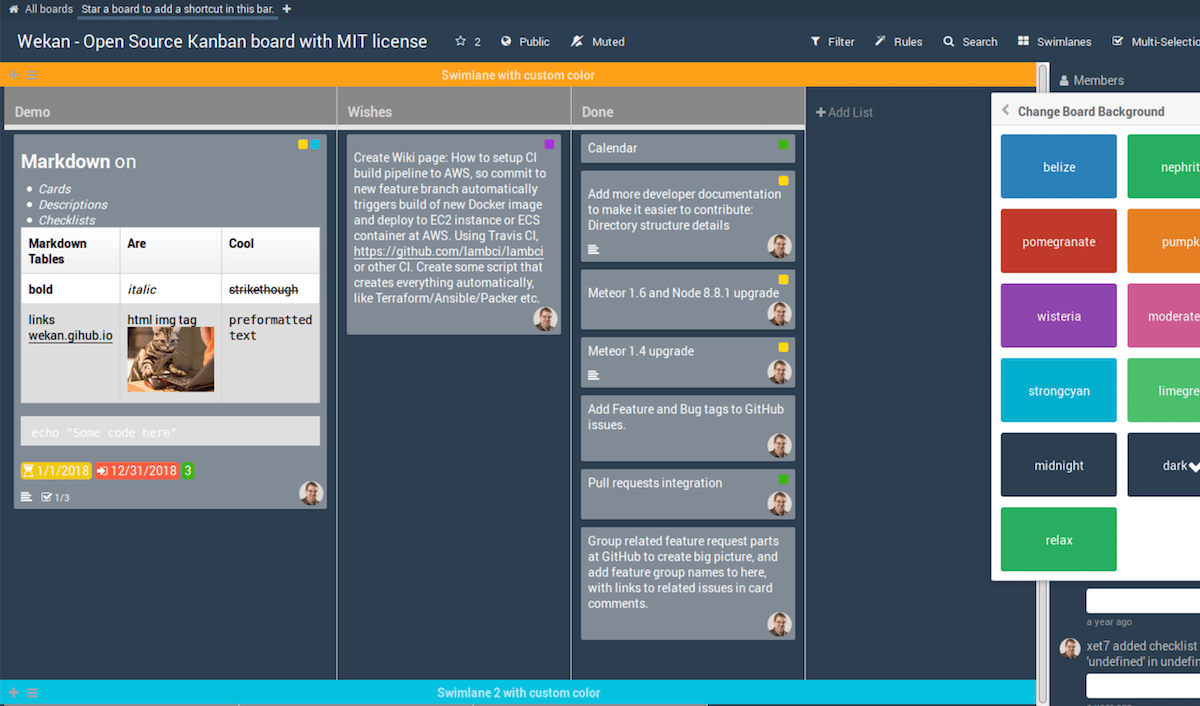
WeKan is a user-friendly, privacy-focused open-source Kanban board that focuses on delivering task management that’s both highly customizable and secure. It offers users a self-hosted option to grant them full control over their data, more customization options and more security features. WeKan also presents access controls to give you the power to limit who can access your boards and cards.
Why I picked WeKan
WeKan gave me access controls to set permissions for my boards as well as for individual users, which enabled me to easily control who had access to what. Additionally, it has a clean and intuitive interface.
Pricing
Features
- User access controls.
- Boards to visualize different work stages.
- Lists to organize tasks on a board.
- Cards to represent tasks on a kanban board.
Integrations
WeKan’s top integrations are Sandstorm, Docker, Snap, Dome and Vultr.
Pros and cons
| Pros | Cons |
|---|---|
|
|
Taiga: Best for agile teams

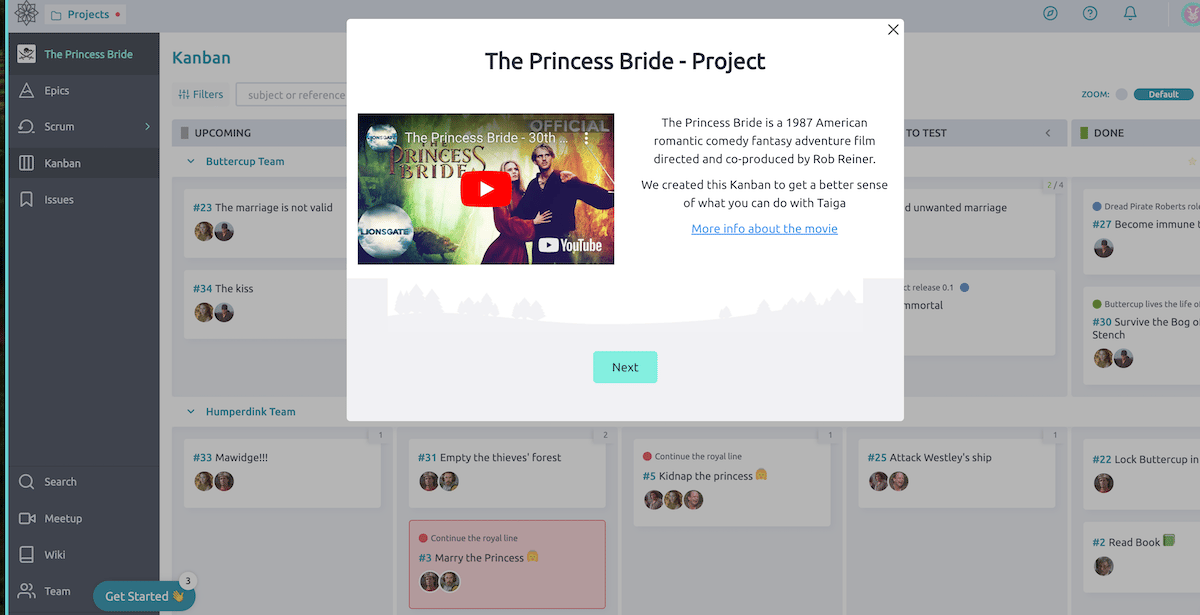
Taiga is an open-source project management tool that best suits agile teams. It combines a kanban board with additional features for sprint planning and issue tracking, making it ideal for agile project management. Taiga’s focus on agile methodologies and its combination of kanban and sprint planning features make it a strong contender for development teams.
Why I picked Taiga
Taiga was worth incorporating on my list because of its focus on agile project management, with a robust set of features for sprint planning and issue tracking. It provides a comprehensive and customizable toolset for managing agile projects.
Pricing
The costs below are approximate US dollar conversions, as the website’s pricing is originally listed in euros.
- Enthusiast: ~$6 per month or ~$60 when billed annually
- Basic: ~$23 per month or ~$230 when billed annually
- Premium: ~$69 per month or ~$687 when billed annually
Features
- Agile project management software with Kanban and Scrum boards.
- Sprint planning and backlog management.
- Issue tracking and bug reporting.
- Multiple views, customizable workflows and templates.
Integrations
Taiga’s top integrations are GitHub, GitLab, Slack, Zapier and Gogs.
Pros and cons
| Pros | Cons |
|---|---|
|
|
Focalboard: Best for collaboration

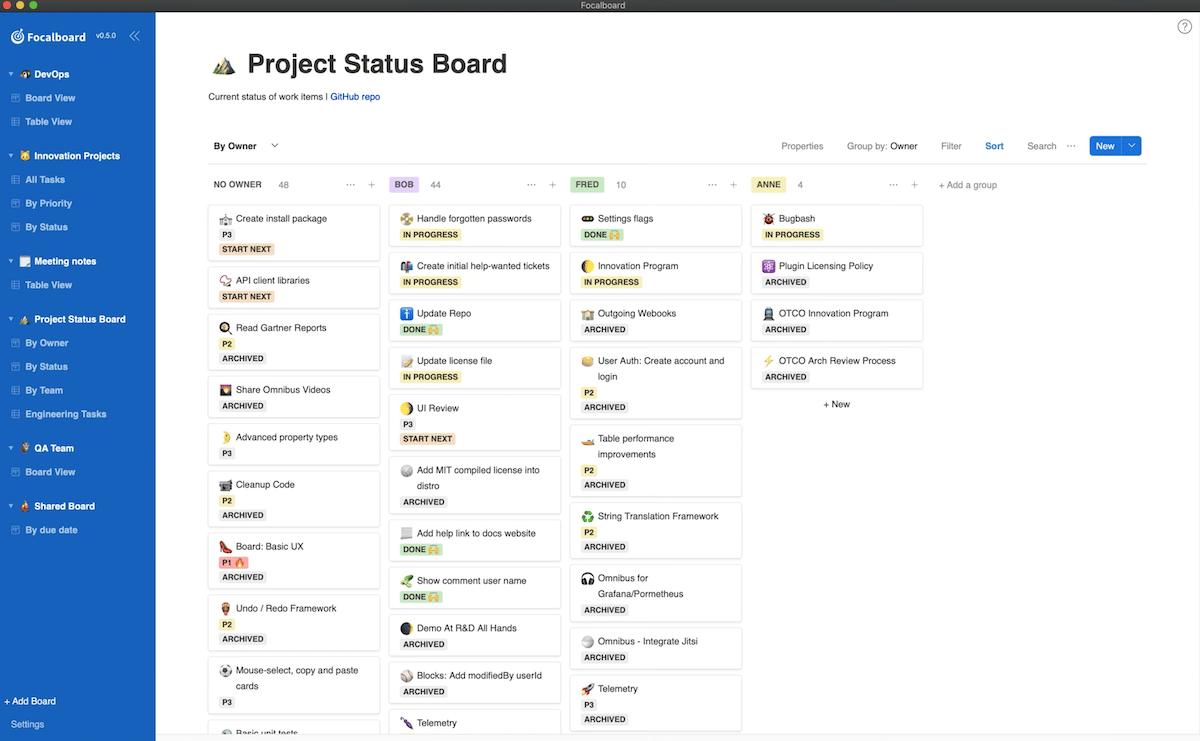
Focalboard is an open-source kanban solution that goes beyond simple kanban functionality to deliver features that facilitate effective collaboration among teams. Users can centralize, track and plan their work in one platform while visualizing their projects through views like kanban, table, gallery and calendar. Its core functionality may serve users looking for an open-source answer to a tool that falls between Trello and Asana, as it delivers a unified platform for project management and team communication.
Why I picked Focalboard
I found Focalboard’s unique value to be its seamless integration with Mattermost, which is worth consideration for teams already using Mattermost.
Pricing
Features
- Seamless integration with Mattermost.
- Drag-and-drop task management.
- Customizable board views and templates.
- Multi-team views.
Integrations
Focalboard’s top integrations are Mattermost, Zapier, GitHub, Slack and Jira.
Pros and cons
| Pros | Cons |
|---|---|
|
|
Nextcloud Deck: Best for users with Nextcloud apps
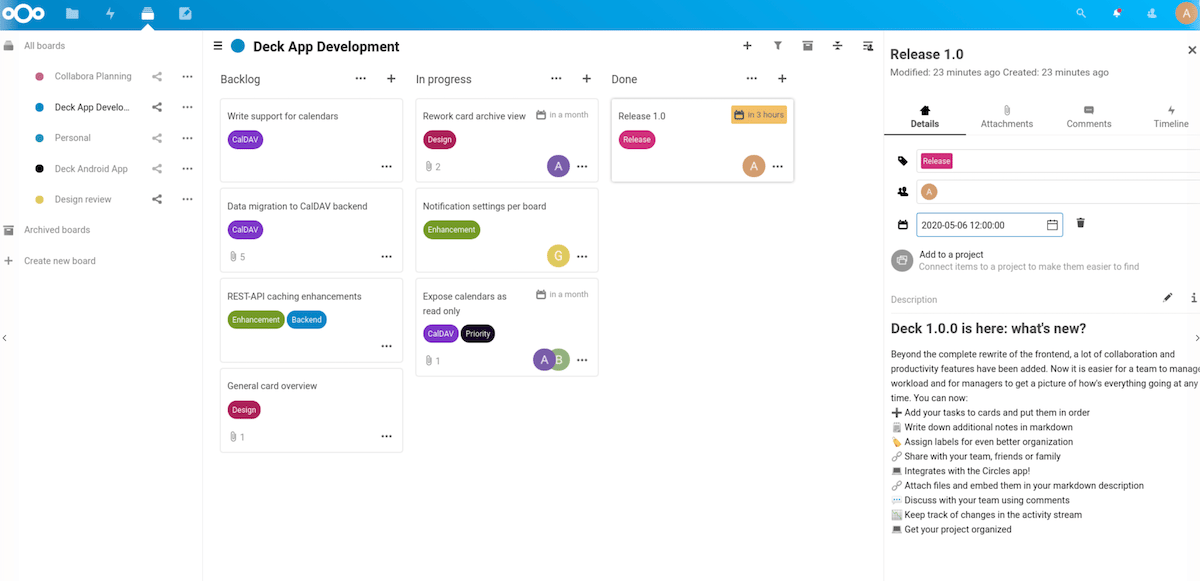
Nextcloud Deck is an open-source kanban software that integrates seamlessly with the Nextcloud ecosystem, setting it up as a worthy kanban open-source option for teams already using Nextcloud. It provides a straightforward project management tool with the added benefit of integration with Nextcloud’s other collaborative applications. Nextcloud Deck has capabilities like multiple boards, card assignments, the ability to connect cards to projects, drag-and-drop functionality and several other useful features.
Why I picked Nextcloud Deck
I picked Nextcloud Deck because of its integration with Nextcloud apps. It provides a cohesive experience for teams already using the Nextcloud platform, in addition to features that enhance collaboration and productivity.
Pricing
- Free for unlimited users.
Features
- Easy file sharing with direct attachment to tasks.
- Move cards across stacks or boards with drag-and-drop functionality.
- Collaboration tools including comments, labels and notes.
- Real-time updates and notifications.
Integrations
Some of Nextcloud Deck’s top integrations are Nextcloud Files, Nextcloud Talk and OnlyOffice.
Pros and cons
| Pros | Cons |
|---|---|
|
|
Leantime: Best for people-centric project management

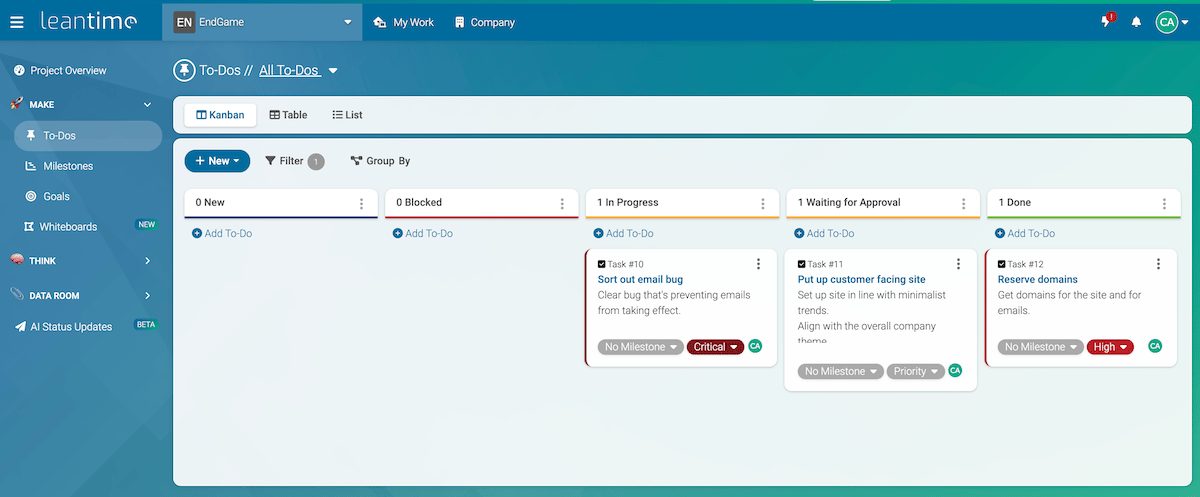
Leantime is an open-source project management system that combines design thinking, lean methodology and Agile practices into an all-in-one system. You can infer that it’s designed to help startup-minded teams ideate, plan and execute projects effectively from start to finish. But it more importantly tries to create a unique and effective project management experience for a diverse set of individuals, including those with ADHD, Autism, Dyslexia and others who process information in a unique way.
Why I picked Leantime
Simply because they acknowledge that people process information and solve problems differently and factor that into their project management solution. Also, the way they consider that users have different cognitive abilities and designed the platform to include users with ADHD, Autism, Dyslexia and more intrigued me and earned Leantime a spot on my list.
Pricing
- $10 per month or $8 per month when billed annually
Features
- AI-powered task management
- Unlimited to-dos and projects
- Easy-to-use APIs
- Subtask hierarchy
Integrations
Leantime’s top integrations are Leantime Whiteboards, Pomodoro Timer, Notes and Custom Fields.
Pros and cons
| Pros | Cons |
|---|---|
|
|
How do I choose the best open-source kanban board for my business?
Choosing the best open-source Kanban board for your business involves first defining your expectations for a Kanban board. What are your needs that an open-source kanban tool will satisfy? Do you want a simple, minimalist Kanban board? Or perhaps your use case would be served by Gantt instead of kanban? Or do you want a feature-rich kanban tool that’s got a variety of integrations?
Ensure the Kanban board can seamlessly connect with your existing tools and software. Consider the customization options each tool in consideration offers: Open-source software is known for its flexibility, so choose one that allows you to smoothly adapt it to your workflow.
You can’t ignore user interface and user experience — a tool that’s easy to set up and use will encourage team adoption and enhance productivity. Also, evaluate the level of support and community activity; an active community can be invaluable for troubleshooting and advice. Finally, even though these are open-source tools, a number have paid plans. Make sure the features available to you with the open-source licenses are diverse and effective enough for your use case.
Methodology
To give you these options, I first researched popular open-source Kanban tools, shortlisted several tools, and evaluated the shortlisted tools based on the user interface, customization options, and community support. A huge challenge facing open-source tools is when a tool is no longer supported, and that was the case with some popular options that missed out on this list as they were hard to access and, consequently, hard to recommend.
The seven tools listed, however, were accessible and active. The firsthand experience gained by testing these tools helped me determine their strengths, weaknesses, and a favorite among them.
Each tool was assessed against the following criteria to ensure a fair and consistent comparison.
Pricing (25%) I evaluated whether each tool is truly free and open source or requires paid hosting and licensing fees. I also considered the cost of self-hosting versus cloud-hosted options, factoring in setup expenses and any additional costs tied to scaling or adding users.
General Features (25%) I examined the core Kanban features each tool offers, including board customization, card management, task assignments, and due dates. I also looked at collaboration capabilities such as comments, file attachments, and team notifications, as well as the range of built-in views and layouts available to support different project styles and team sizes.
Advanced Features (20%) I paid close attention to features that go beyond basic Kanban functionality, such as automation, reporting, time tracking, and integration options with third-party tools. I also evaluated how well each tool supports more complex workflows, including multi-board management, swimlanes, and dependency tracking.
Ease of Use (10%) I assessed how much technical knowledge is required to set up and self-host each tool, as well as how intuitive the interface is for everyday use. Since open source tools can sometimes require more configuration, I gave higher scores to platforms that balance flexibility with a smooth and accessible user experience.
Support (10%) I reviewed the availability of community forums, documentation, and official support channels for each tool. Since open source platforms rely heavily on community-driven support, I also considered the activity level of each tool’s community and the quality of its knowledge base.
User Feedback (15%) Lastly, I factored in real user reviews and ratings from trusted software review platforms to gauge overall satisfaction, reliability, and long-term usability.
Read the full article here